How to Organize Bank Statements for Tax Season (2026)
Step-by-step guide to organizing bank statements for tax preparation. Covers gathering, categorizing, and converting statements from every major bank into tax-ready formats.
Tax season has a way of turning otherwise organized people into frantic searchers. Your bank statements are scattered across four different bank portals, two email accounts, and a filing cabinet you haven't opened since last April. The deadline is approaching, your accountant is asking for documents, and you're staring at a pile of PDFs wondering where to start.
You're not alone. The average taxpayer spends 13 hours on tax preparation, and a significant portion of that time goes to gathering and organizing financial documents - especially bank statements, which contain the raw transaction data your tax return is built on.
The good news: organizing bank statements for tax season is a solvable problem. It requires a system, not a finance degree. This guide walks you through that system step by step - from gathering every statement you need, to converting PDFs into usable formats, to categorizing transactions so your tax preparer (or you) can work efficiently.
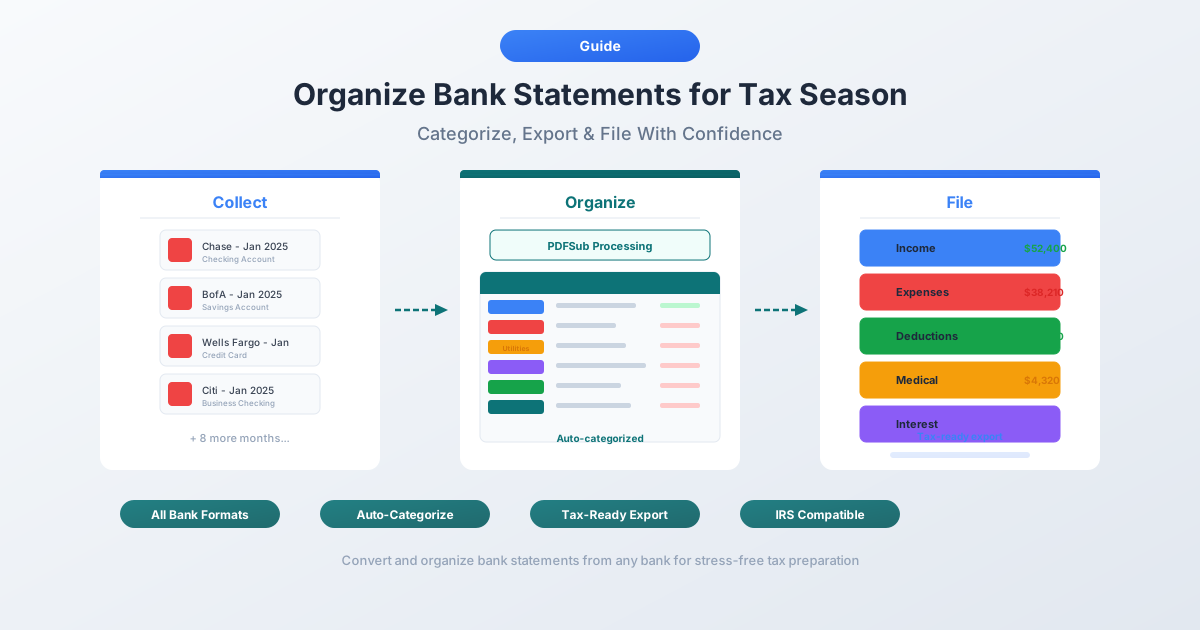
What You Need: The Complete Statement Gathering Checklist
Before you organize anything, you need to gather everything. The most common tax season mistake is forgetting an account. That forgotten savings account can mean missed deductions or an IRS notice about unreported interest income.
Personal Accounts
- Checking accounts - every bank, every account. Even the one you only use for rent payments
- Savings accounts - including high-yield savings accounts at online banks (Ally, Marcus, Discover, etc.). These generate 1099-INT forms, and the statement confirms the interest amount
- Money market accounts - treated like savings for tax purposes
- Certificates of deposit (CDs) - interest earned is taxable, even if the CD hasn't matured
Business Accounts
- Business checking - this is where most of your deductible expenses live
- Business savings - interest earned is business income
- Business credit cards - deductible business expenses often run through these
- Merchant processing accounts (Square, Stripe, PayPal Business) - these generate 1099-K forms; your statements help reconcile
Credit Cards
- Personal credit cards - needed if you've mixed personal and business expenses (common for freelancers and small business owners)
- Business credit cards - every card, every issuer
- Store credit cards - if used for business purchases (office supplies at Staples, equipment at Home Depot)
Investment and Brokerage Accounts
- Brokerage accounts (Fidelity, Schwab, Vanguard, etc.) - capital gains, dividends, and interest
- Retirement accounts (IRA, 401(k)) - only if you took distributions or made contributions
- Cryptocurrency exchanges (Coinbase, Kraken, etc.) - taxable events from trades, staking, or conversions
Digital Payment Platforms
- PayPal - personal and business transactions. PayPal issues 1099-K forms for qualifying accounts
- Venmo - business payments received are reported on 1099-K (threshold: $600 starting in tax year 2024)
- Cash App - same reporting threshold as Venmo
- Zelle - doesn't issue 1099-K, but transaction records still matter for documentation
Loan and Mortgage Statements
- Mortgage statements - Form 1098 shows interest paid, but your statement shows property tax payments from escrow
- Home equity line of credit (HELOC) - interest may be deductible if used for home improvements
- Student loan statements - Form 1098-E shows interest paid
- Business loan statements - interest is a deductible business expense
- Auto loan statements - if the vehicle is used for business
How Far Back Do You Need Statements?
The answer depends on your situation, and getting this wrong can be expensive.
The Standard Rule: 3 Years
The IRS statute of limitations for auditing a tax return is 3 years from the date you filed (or the due date, whichever is later). For most people, keeping 3 years of bank statements covers you.
Self-Employed or Business Owner: 6 Years
If you're self-employed or own a business, the IRS can go back 6 years if they suspect you underreported income by more than 25%. Bank statements are often the primary evidence for business income and deductions, so 6 years is the safe minimum.
Real Estate: Keep Until Sold + 3 Years
If you own investment property or a home, keep all statements related to purchase costs, improvements, and mortgage payments until you sell - then 3 more years. Capital gains calculations depend on your cost basis, which includes every documented improvement.
The Full IRS Statute of Limitations Breakdown
| Situation | How Long to Keep Records |
|---|---|
| Standard individual return | 3 years from filing date |
| Suspected underreporting (>25% of income) | 6 years |
| Failure to file a return | No limit |
| Fraudulent return | No limit |
| Employment tax records | 4 years after tax becomes due or is paid |
| Property records (purchase, improvements) | Until property sold + 3 years |
| Investment records (cost basis) | Until investment sold + 3 years |
| Bad debt or worthless securities claimed | 7 years |
Practical advice: When in doubt, keep it. Digital storage is cheap, and a missing statement during an audit can cost you far more than the hard drive space.
Step-by-Step Organization Process
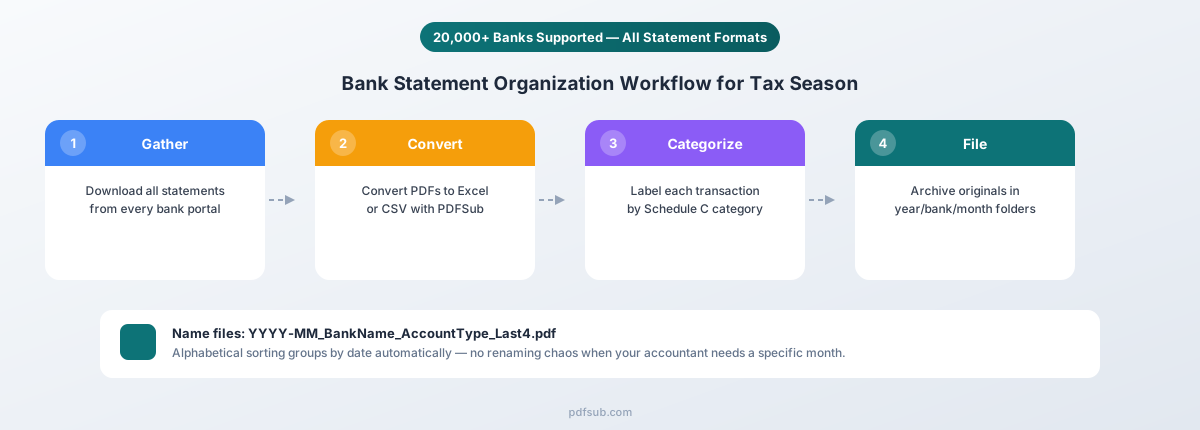
Here's the system that works whether you're organizing your own statements or preparing files for your accountant.
Step 1: Create a Folder Structure
Create a clear folder hierarchy on your computer or cloud drive:
Tax Documents/
├── 2025/
│   ├── Bank_Statements/
│   │   ├── Chase_Checking_1234/
│   │   │   ├── 2025-01_Chase_Checking_1234.pdf
│   │   │   ├── 2025-02_Chase_Checking_1234.pdf
│   │   │   └── ...
│   │   ├── BofA_Savings_5678/
│   │   └── Amex_Business_9012/
│   ├── Tax_Forms/
│   │   ├── W-2s/
│   │   ├── 1099s/
│   │   └── 1098s/
│   ├── Receipts/
│   └── Converted_Data/
│       ├── Chase_Checking_1234_all_transactions.xlsx
│       └── BofA_Savings_5678_all_transactions.xlsx
Use YYYY-MM_BankName_AccountType_Last4Digits for every file. This forces alphabetical sorting by date and makes it instantly clear which account and period a file covers.
Step 2: Download All PDF Statements
Log into each bank's portal and download every statement for the tax year:
| Bank | Where to Find Statements | History Available |
|---|---|---|
| Chase | Statements & Documents | Up to 7 years |
| Bank of America | Statements & Documents | Up to 7 years |
| Wells Fargo | Statements & Documents | Up to 7 years |
| Citi | Statements, Tax Documents & Letters | Up to 7 years |
| HSBC | Documents → Statements | Up to 7 years |
| Capital One | Statements & Documents | Up to 7 years |
| US Bank | Documents & Statements | Up to 7 years |
| PNC | Statements | Up to 7 years |
Bank-specific conversion guides:
- Chase bank statement conversion guide
- Bank of America statement conversion guide
- Wells Fargo statement conversion guide
- Citi statement conversion guide
- HSBC statement conversion guide
Download all 12 months at once. Even months with minimal activity can contain interest payments, fees, or refunds that matter for taxes.
Step 3: Convert PDFs to Excel or CSV
PDF bank statements are great for reading but terrible for analysis. You can't sort, filter, or categorize transactions trapped in a PDF. Convert each statement to Excel or CSV:
- Go to PDFSub's Bank Statement Converter
- Upload your PDF statement (or multiple statements at once)
- Review the extracted transactions - dates, descriptions, amounts, and running balances
- Download as Excel (.xlsx) for analysis or CSV for maximum compatibility
Save the converted files in your Converted_Data/ folder. These spreadsheets become your working files for categorization.
Why not just use the bank's CSV download? Most banks offer a CSV or QFX export, but it typically covers only 12-24 months, caps at 1,000 transactions, and doesn't include opening/closing balances or fee summaries. For tax purposes, converting the official PDF statement gives you the most complete data.
Step 4: Categorize Transactions
This is the most time-consuming step - and the most valuable. Go through each transaction spreadsheet and add a "Category" column:
- Income - deposits, transfers in, refunds
- Business expense - categorized by IRS Schedule C category (see the table below)
- Personal expense - non-deductible personal spending
- Transfer - money moving between your own accounts (not income, not expense)
- Tax payment - estimated tax payments, prior year balance due
In Excel, use the Filter feature to sort by description and batch-categorize recurring transactions (all "COMCAST" entries are utilities, all "STAPLES" entries are office supplies).
Step 5: Flag Potential Deductions
As you categorize, flag anything that might be deductible but you're not sure about. Common items people miss:
- Bank fees and service charges - deductible for business accounts
- Interest paid - on business loans, mortgages (Schedule A), and student loans
- Professional subscriptions - industry publications, software, professional memberships
- Mileage reimbursements - if you see gas station charges, consider whether you're tracking business mileage
- Home office expenses - internet, phone, utilities (proportional to office space)
- Continued education - courses, certifications, conference fees
Create a separate tab or highlight these in yellow. Let your tax preparer make the final call on deductibility.
Step 6: Reconcile with Tax Forms
Cross-reference your bank data against the tax forms you've received:
- 1099-INT - does the interest income on the form match the interest credits in your savings account statements?
- 1099-DIV - do dividend amounts match your brokerage account data?
- 1099-K - does the gross payment amount match your PayPal/Stripe/Square deposits?
- 1099-NEC - does the non-employee compensation match deposits from clients?
- W-2 - do net pay deposits in your checking account match your W-2 net pay?
- 1098 - does the mortgage interest on the form match interest charges in your loan statements?
Discrepancies happen more often than you'd expect. Catching them before filing saves you from IRS notices later.
Common Tax Categories in Bank Statements
If you're self-employed or own a business, you'll need to map your bank transactions to IRS Schedule C categories. Here's a reference table with common transaction descriptions and their likely categories:
| IRS Schedule C Category | Common Bank Transaction Descriptions |
|---|---|
| Advertising | Google Ads, Facebook Ads, Meta, Mailchimp, print shop charges |
| Car and truck expenses | Gas stations, parking, tolls, auto repair, car wash |
| Commissions and fees | Merchant processing fees (Stripe, Square), referral payments |
| Contract labor | Payments to freelancers, subcontractors (matches 1099-NEC you issued) |
| Insurance | Business insurance premiums, liability insurance, E&O insurance |
| Interest | Business loan interest, business credit card interest |
| Legal and professional services | Attorney fees, CPA fees, bookkeeping services, consulting |
| Office expenses | Staples, Office Depot, Amazon (office supplies), printer ink |
| Rent or lease | Monthly rent payments, equipment leasing |
| Repairs and maintenance | Equipment repairs, IT support, maintenance services |
| Supplies | Materials and supplies consumed in the business |
| Taxes and licenses | State/local business taxes, licenses, permits |
| Travel | Airlines, hotels, car rentals, Uber/Lyft (business travel) |
| Meals | Restaurants and food delivery (50% deductible for business meals) |
| Utilities | Electric, gas, water, internet, phone (business portion) |
| Other expenses | Software subscriptions (SaaS), training, professional development |
How to spot deductible transactions: Look for recurring charges (subscriptions, rent, insurance), vendor names associated with business spending, and round-number payments that suggest invoiced services. If a description is ambiguous (like "AMAZON"), cross-reference with your order history to determine if it was business or personal.
Handling Multiple Banks
The average American household has accounts at 2-3 financial institutions. Small business owners and freelancers often have 4-6. Each bank formats its statements differently - different column orders, date formats, and ways of labeling debits and credits. This creates a real problem when you need a unified view of your financial year.
Standardize the Format
Each bank uses its own column layout - Chase puts amount in one column, Bank of America separates debits and credits, Citi groups by category instead of date. The fix: create a master spreadsheet with a standard format:
| Date | Bank/Account | Description | Category | Debit | Credit | Balance |
|---|
Copy converted data from each bank into this master sheet, mapping their columns to your standard format. Sort by date and you have a chronological view of every transaction across every account for the full tax year.
Batch Conversion
PDFSub's Bank Statement Converter supports batch uploads - process multiple statements in a single session. Convert all your Chase statements, then Bank of America, and so on. Download each set and combine into your master spreadsheet. For accountants handling client tax prep, see the accountant workflow section below.
Digital Organization Tools and Strategies
Excel and Google Sheets Templates
A simple tax prep spreadsheet template should include:
- Transaction Log tab - master list of all transactions across all accounts
- Category Summary tab - pivot table or SUMIF formulas totaling each tax category
- Deduction Tracker tab - flagged potential deductions with notes
- Reconciliation tab - tax form amounts vs. bank statement amounts
In Excel, use SUMIFS to total by category - this gives you an instant total for each Schedule C line, exactly what your tax preparer needs.
Accounting Software Integration
Convert statements to your accounting software's preferred format and import directly:
- QuickBooks - use QBO format for the cleanest import. See our guide to importing bank statements into QuickBooks for detailed steps
- Xero - use OFX format. See our guide to importing bank statements into Xero for detailed steps
- FreshBooks, Wave, Sage - most accept CSV imports with proper column mapping
Once imported, the software handles categorization rules and report generation - significantly faster than manual spreadsheet work.
PDF Naming Conventions
Rename downloads immediately. Banks name files things like eStatement_2025-01.pdf - useless when you have 50 files from 5 banks. Use 2025-01_Chase_Checking_1234.pdf instead. Alphabetical sorting groups by date, you can identify the bank instantly, and the last 4 digits prevent confusion across multiple accounts.
What to Do If You're Missing Statements
It's March. You need your January 2025 statement but it's not in the bank portal. Maybe the account is closed, you switched banks mid-year, or the portal only shows 18 months of history.
How to Request Missing Statements
| Bank | Request Method | Typical History | Cost |
|---|---|---|---|
| Chase | Call 1-800-935-9935 or visit branch | Up to 7 years online; older via request | Free online; $5-10/statement for archived |
| Bank of America | Call 1-800-432-1000 or online | Up to 7 years online | Free online; fee for paper/older |
| Wells Fargo | Call 1-800-869-3557 or online | Up to 7 years online | Free online; $5/statement for archived |
| Citi | Call 1-800-374-9700 or online | Up to 7 years online | Free online; fee varies for older |
| HSBC | Call or visit branch | Up to 7 years online (varies by region) | Free online; varies for archived |
| Capital One | Call 1-800-655-2265 or online | Up to 7 years online | Free online |
| Credit unions | Call or visit branch | Varies widely (often 2-5 years online) | Typically free; some charge $2-5 |
For closed accounts: Most banks retain statements for closed accounts for 5-7 years. You'll usually need to call rather than access online. Have your Social Security number, old account number (if you have it), and government ID ready.
For banks that no longer exist: If your bank was acquired (e.g., Washington Mutual became Chase, Wachovia became Wells Fargo), the acquiring bank typically has the archived records. Call the current bank and explain the situation.
Last resort: IRS transcripts. Request IRS transcripts (Form 4506-T, free online) that show income and deductions from previous returns. It won't replace a bank statement, but it helps reconstruct your financial picture.
For Accountants Managing Client Tax Prep
If you're an accountant or bookkeeper preparing taxes for multiple clients, the challenge multiplies fast. Twenty clients with 3 bank accounts each means 720 monthly statements to collect, convert, and categorize.
Client Communication Checklist
Send this to clients by mid-January:
- All bank statements for the tax year (every account, every month)
- All credit card statements
- Investment/brokerage statements (annual summary is fine)
- PayPal, Venmo, or Cash App annual summaries if used for business
- Loan and mortgage year-end statements
- All tax forms received: W-2s, 1099s (all types), 1098s, K-1s
- A list of all bank accounts (even ones they think aren't relevant)
- Note any accounts opened or closed during the year
Most commonly missing items:
- Credit card statements (clients forget these contain deductible expenses)
- Online-only bank statements (Ally, Marcus, Discover Savings)
- PayPal/Venmo business transaction records
- Q4 estimated tax payment confirmations
- December statement (not yet available when clients send docs in January)
- High-yield savings interest (clients forget this is taxable)
Batch Processing Strategy
- Create a client folder structure following the same Year → Account → Month hierarchy
- Batch convert statements using PDFSub's Bank Statement Converter - process all of one client's statements in a session
- Import into accounting software using QBO format for QuickBooks or OFX for Xero - these formats include transaction IDs that prevent duplicate imports
- Use bank rules to auto-categorize recurring transactions
- Review and adjust - spot-check categorizations, flag unusual transactions for client clarification
For a deeper look at streamlining the full accountant workflow, see our guides on PDF tools for accountants and how accountants save 15 hours a week on data entry.
Frequently Asked Questions
Do I need to send my bank statements to my accountant?
Not always. Many accountants prefer secure portal uploads rather than email. If your accountant asks for bank statements specifically, they typically want the PDF originals. Some also accept categorized spreadsheets alongside the PDFs as supporting documentation.
Can I use bank transaction downloads instead of official statements?
Transaction downloads (CSV or QFX exports from your bank's website) work for bookkeeping but have limitations for tax purposes. They typically cover only 12-24 months, cap at 1,000 transactions, and don't include opening/closing balances or fee summaries. For tax preparation, the official PDF statement is the authoritative source of truth.
What if I have transactions in multiple currencies?
Convert each bank's statements as-is, preserving the original currency. For US tax filing, foreign currency transactions need to be converted to USD using the exchange rate on the transaction date or the average annual rate. Include the original amounts in your spreadsheet and let your tax preparer handle the conversion.
How should I handle joint accounts?
Download the full statements. For married filing jointly, all transactions from joint accounts go on the same return. For married filing separately, allocate transactions to each spouse when categorizing.
Do I need bank statements if I already have QuickBooks set up?
If your QuickBooks has been connected via bank feeds all year and transactions are categorized, you may not need to manually organize statements. However, keep the PDF statements as backup documentation - bank feed connections can miss transactions, and you'll want the originals if audited. Running a reconciliation report in QuickBooks against your PDF statements is good practice before filing.
What's the best format to give my accountant?
Ask your accountant, but most appreciate: (1) the original PDF statements, (2) a converted Excel file with transactions categorized, and (3) a summary sheet showing totals by category. If your accountant uses QuickBooks, converting to QBO format alongside the PDFs is the most efficient approach.
How long does this whole process take?
For an individual with 2-3 bank accounts, expect 2-4 hours for the full process. For a small business owner with 5-6 accounts, budget 4-8 hours. Using a bank statement converter cuts the conversion step from hours of manual data entry to minutes - categorization is where most of the human time goes.
Start Now, Not April 14th
The single best thing you can do for tax season is start early. Every year, millions of people wait until the week before the deadline, discover missing statements, hit bank portal issues, and end up filing extensions - not because their taxes are complicated, but because they weren't organized.
Set aside one afternoon this week. Download all your statements. Convert them to spreadsheets. Create your folder structure. Even if you don't categorize a single transaction yet, having all the raw materials in one place eliminates 80% of the stress.
If you've got a stack of PDF bank statements from Chase, Bank of America, Wells Fargo, Citi, HSBC, or any of the 20,000+ banks that PDFSub supports, the conversion step takes minutes, not hours. Upload the PDFs, get clean Excel or CSV files back, and spend your time on the work that actually matters - claiming every deduction you're entitled to.
Try PDFSub Free - full access to the Bank Statement Converter and 98+ other PDF tools on the All-In-One plan ($20/user/mo annual). Cancel anytime.