PDF Tools for Accountants: The Complete Workflow
Accountants spend over 6 hours per week on manual PDF data entry. Here's the complete toolkit - from bank statement conversion and invoice extraction to redaction, e-signatures, and secure document delivery - mapped to every accounting workflow.
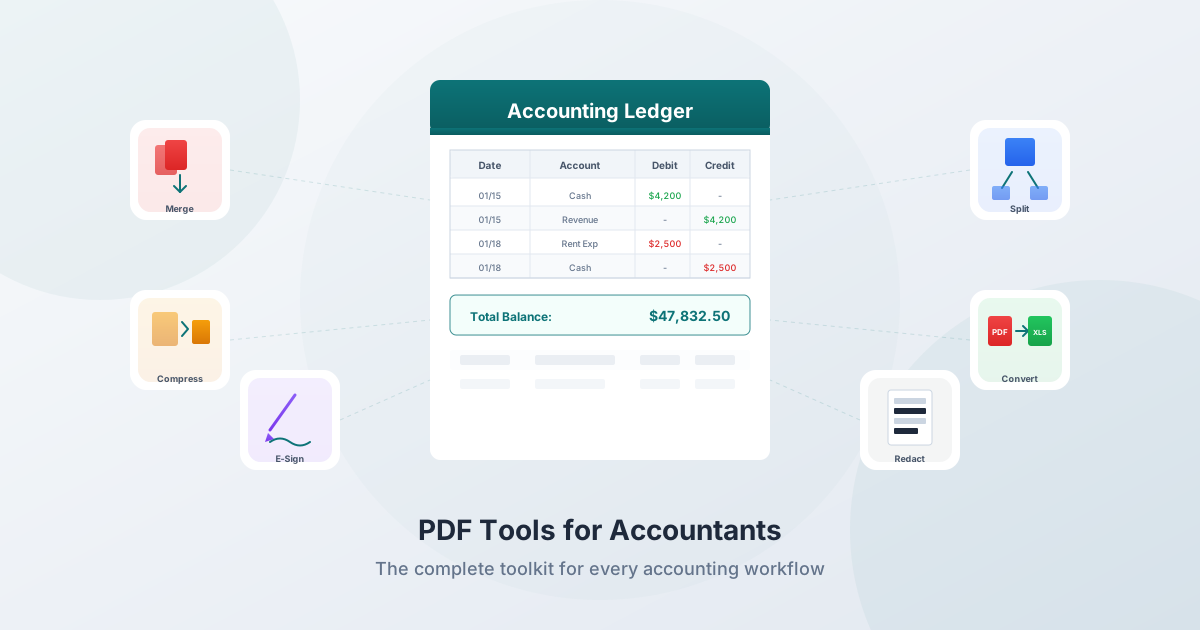
Accountants live in PDFs. Bank statements, invoices, receipts, tax forms, financial reports, engagement letters, audit workpapers - virtually every document that flows through an accounting practice arrives as a PDF or needs to become one.
The problem isn't the format. It's that PDFs are designed for viewing, not for working with data. Extracting a table from a bank statement, pulling line items from an invoice, or merging 47 pages of client documents into a single organized file - these tasks consume hours every week. Industry surveys consistently show that accountants spend over 6 hours per week on manual PDF data entry alone, with 40–70% of billable hours going to data entry, reconciliation, and document management.
This guide maps every PDF task in an accounting practice to the right tool, organized by the workflows you actually do: tax preparation, bookkeeping, audit, and advisory.
Why Accountants Need Specialized PDF Tools
The Time Problem
The numbers are hard to ignore:
| Metric | Value |
|---|---|
| Time spent on manual data entry per week | 9+ hours (average employee) |
| Billable hours lost to non-billable tasks | 17–20% |
| Time spent searching for documents daily | 2 hours |
| Annual cost of manual data entry per employee | $28,500 |
| Manual data entry error rate | 1–4% |
| Cost per error to find and fix | $50–$150 |
When a staff accountant earning $32/hour spends 15 hours a week on tasks that could be automated, that's $24,960 in annual labor cost - or $136,500 in lost billable capacity at typical billing rates.
The Compliance Problem
Beyond efficiency, accountants face specific compliance requirements for handling client documents:
- AICPA Rule 1.700.001 presumes confidentiality is threatened whenever you use a third-party service provider
- IRS WISP requirements mandate documenting every tool that handles client financial data
- FTC Safeguards Rule requires encryption, vendor evaluation, and breach reporting
- IRC Section 7216 imposes criminal penalties (up to 1 year imprisonment) for unauthorized disclosure of tax return information
Every tool in your workflow that uploads client data to external servers creates a compliance obligation. Browser-based tools that process files locally eliminate that obligation entirely.
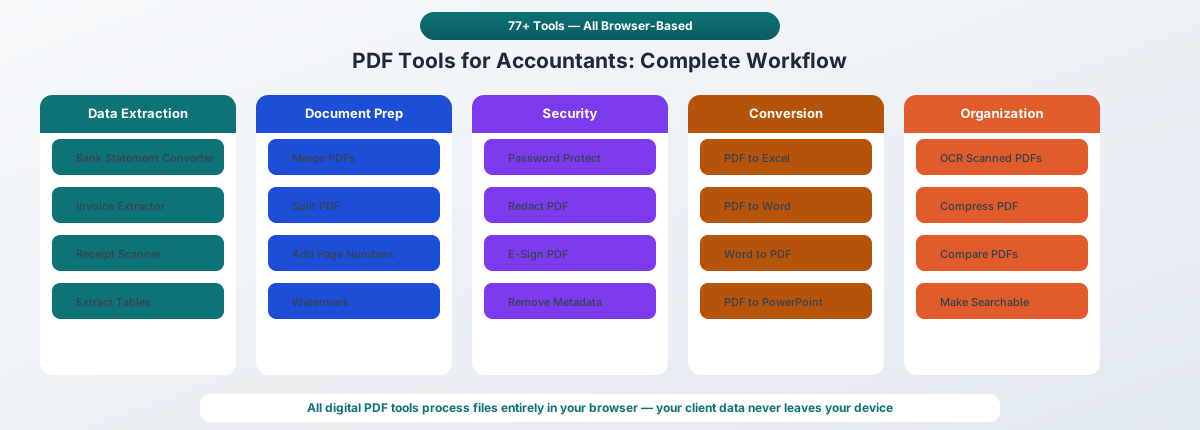
PDF Tools by Task Category
Data Extraction
This is where accountants lose the most time. Converting financial data from PDFs into structured formats for accounting software.
Bank Statement Conversion
The single highest-impact automation for most accounting practices. Converting PDF bank statements to Excel, CSV, QBO, OFX, QFX, or QIF eliminates hours of manual keying per client.
- Manual processing: 10–30 minutes per statement
- Automated conversion: under 30 seconds
- Time saved: 80%+ per statement
PDFSub's Bank Statement Converter supports 20,000+ bank formats in 130+ languages. Digital PDFs are processed entirely in your browser - the file never leaves your device. Output formats include Excel, CSV, QBO (QuickBooks), OFX (Xero/Sage), QFX, and QIF.
Invoice Data Extraction
Manually entering vendor invoices averages 12–15 minutes each - about 5 invoices per hour. Automated extraction pulls vendor name, invoice number, date, line items, tax, and total in seconds.
PDFSub's Invoice Extractor handles invoices from any vendor without templates. Extract structured data ready for import into your accounting system.
Receipt Scanning
Bookkeepers spend 40–50% of their time on receipt-related tasks: photographing, typing numbers, categorizing expenses, and hunting for data entry mistakes. Manual expense reports have a 22% error rate.
PDFSub's Receipt Scanner extracts merchant name, date, amounts, tax, and categories from receipt PDFs with over 95% accuracy.
Table Extraction
Financial reports, research papers, and regulatory filings contain tables that need to get into spreadsheets. PDFSub's Extract Tables tool uses coordinate-based detection first (free, browser-based), with AI fallback for complex layouts.
Document Preparation
Assembling, organizing, and formatting documents for delivery.
Merge PDFs
Combine multiple client documents into a single organized file. Tax returns, supporting schedules, client deliverables, and audit workpapers all require merging.
PDFSub's Merge PDFs tool lets you combine files, reorder pages, and create a single document - all in your browser.
Split PDF / Extract Pages
Pull specific pages from large documents. Extract a single month's transactions from an annual statement, or separate individual forms from a combined PDF.
Add Page Numbers
Essential for audit workpapers, legal filings, and multi-page financial reports. Cross-referencing requires consistent page numbering.
Add Watermark
Mark preliminary financial statements as "DRAFT" or "CONFIDENTIAL." Watermarks deter unauthorized distribution and signal document status.
Headers and Footers
Add engagement information, dates, and document identifiers to every page. Standard practice for audit workpapers and client deliverables.
Security and Compliance
Protecting sensitive client data throughout the document lifecycle.
Password Protection
Required under GLBA/FTC Safeguards Rule when transmitting client documents electronically. PDFSub's Password Protect tool encrypts PDFs with strong passwords - all processing happens in your browser.
Best practice: Use passwords of at least 12 characters. Send the password in a separate communication from the document.
Redaction
Federal standards require using only the last four digits of SSNs and taxpayer identification numbers when sharing documents. Traditional black-box overlays leave underlying data extractable - they're cosmetic, not secure.
PDFSub's Redact PDF tool permanently removes text and metadata. The redacted content cannot be recovered.
E-Signatures
Engagement letters, W-9s, Form 8879 (IRS e-file authorization), and financial statement approvals all require signatures. E-signatures are legally binding under the ESIGN Act (2000) and UETA.
PDFSub's E-Sign PDF creates timestamped digital records for accountability and compliance.
Remove Metadata
PDFs contain hidden metadata - author names, creation dates, editing history, software versions. Before sharing documents externally, strip this metadata to prevent unintended information disclosure.
Conversion
Moving between file formats for different stages of the workflow.
| Conversion | Use Case |
|---|---|
| PDF to Excel | Financial statement analysis, bank reconciliation |
| PDF to Word | Editing engagement letters, proposals |
| Word to PDF | Finalizing engagement letters, reports |
| Excel to PDF | Converting worksheets for client delivery |
| PDF to PowerPoint | Advisory presentations |
| PowerPoint to PDF | Archiving client presentations |
Organization
Making documents searchable, manageable, and efficient.
OCR (Optical Character Recognition)
Scanned documents - client submissions, legacy records, photographed receipts - need OCR to become searchable and extractable. PDFSub's OCR tools convert scanned PDFs to searchable text.
Compress PDF
Most email platforms limit attachments to 20–25 MB (Gmail: 25 MB, Outlook: 20 MB). Compression reduces file sizes by 20–60% with minimal quality loss.
Compare PDFs
Compare current-year and prior-year financial statements, track changes in engagement letters, or verify document versions. Visual side-by-side comparison catches discrepancies that manual review misses.
Workflow: Tax Preparation
Tax season runs January through April 15, with extensions through October. During this period, accountants handle the highest document volume of the year, with cyberattacks on accounting firms spiking to 900+ per week.
Phase 1: Client Document Collection
Clients submit W-2s, 1099-NEC, 1099-MISC, 1099-K, K-1s, and supporting documents - often as scanned PDFs, email attachments, or photos. Documents arrive piecemeal: 15 different emails with one attachment each is the norm.
Tools needed:
- OCR - Make scanned documents searchable and extractable
- Merge PDFs - Combine multiple submissions into one organized file per client
- Unlock PDF - Remove passwords from bank statements (most banks password-protect emailed statements)
Naming convention: ClientName_2025_FormType_Payer.pdf (e.g., Smith_2025_W2_Acme-Corp.pdf)
Phase 2: Data Extraction
This is where the hours go. Manually keying data from tax forms, bank statements, and financial documents into tax software.
Tools needed:
- Bank Statement Converter - Convert PDF statements to Excel for review or QBO/OFX for direct import into accounting software
- Invoice Extractor - Pull vendor data for business deduction documentation
- Receipt Scanner - Extract amounts and categories from expense receipts
- Extract Tables - Pull data from financial reports and schedules
Time impact: Well-organized and pre-extracted source documents reduce 1040 preparation time by 40–60%.
Phase 3: Return Preparation and Review
Compile supporting documents, verify data, and prepare the return package.
Tools needed:
- Add Page Numbers - Number workpapers for cross-referencing
- Watermark - Mark draft returns as "DRAFT" until finalized
- Compare PDFs - Compare current-year return against prior-year for reasonableness
Phase 4: Filing and Delivery
Finalize returns, secure them, and deliver to clients.
Tools needed:
- Password Protect - Encrypt completed returns before emailing to clients
- E-Sign - Collect signatures on Form 8879 (e-file authorization)
- Compress PDF - Keep file sizes under email attachment limits
- Merge PDFs - Combine return with engagement letter and filing confirmation
Workflow: Bookkeeping
Monthly bookkeeping revolves around bank statement reconciliation - matching bank transactions to the general ledger.
Monthly Reconciliation Process
- Download PDF bank statements from online banking
- Convert statements to Excel/CSV for review, or QBO/OFX for direct import
- Import transactions into QuickBooks, Xero, Sage, or FreshBooks
- Reconcile by comparing starting balances, identifying deposits in transit and outstanding checks
- Record adjustments for bank fees, returned checks, and collections
- Verify ending balance matches
Tools needed:
- Bank Statement Converter - The core tool. Convert to the format your accounting software accepts
- Unlock PDF - Remove bank-applied password protection
- Extract Tables - Pull data from financial reports and vendor statements
Accounting Software Import Formats
| Software | Preferred Format | Also Accepts |
|---|---|---|
| QuickBooks Online | QBO | CSV, QFX, OFX |
| QuickBooks Desktop | QBO | CSV, QFX |
| Xero | OFX | CSV, QBO, QFX |
| Sage | CSV | OFX, QIF |
| FreshBooks | CSV | - |
PDFSub's Bank Statement Converter exports to all of these formats, covering every major accounting platform.
Invoice and Receipt Processing
For accounts payable and expense management clients:
- Invoice Extractor - Pull vendor, amount, date, line items from incoming invoices
- Receipt Scanner - Extract expense data from receipt PDFs
- Merge PDFs - Compile monthly expense documentation into organized reports
Best practice: Perform bank reconciliation at least once per month. More frequently if the bank issues weekly statements.
Workflow: Audit
Audit engagements require meticulous documentation. Every piece of evidence must be organized, cross-referenced, and retained.
Evidence Gathering
- Collect financial statements, contracts, and supporting documents from clients
- OCR any scanned documents to make them searchable
- Extract Tables from financial statements for analysis
- Compare PDFs - current-year vs. prior-year financial statements
Workpaper Compilation
- Merge supporting evidence into organized workpaper sets
- Add Page Numbers for cross-referencing
- Watermark draft workpapers as "DRAFT" until finalized
- Headers and Footers with engagement information on every page
Report Preparation
- Excel to PDF - Convert analysis worksheets for final reports
- Redact sensitive information before sharing with third parties
- Password Protect confidential audit reports
- Compress for electronic delivery
Critical deadline: Completed audit workpapers must be compiled for retention within 45 days after the report release date.
Workflow: Advisory and Consulting
Advisory services command 300–400% higher fees than compliance work. CPA firms offering Client Advisory Services (CAS) reported 17% median revenue growth in 2023. These engagements require professional document preparation.
Financial Analysis
- Extract Tables from client financial reports for modeling
- PDF to Excel for detailed analysis and forecasting
- Bank Statement Converter for cash flow analysis
Client Deliverables
- Word to PDF - Finalize advisory reports and recommendations
- Watermark draft deliverables with "DRAFT" or "CONFIDENTIAL"
- Merge PDFs - Combine multiple sections into comprehensive advisory reports
- Add Page Numbers, Headers and Footers for professional presentation
- Password Protect sensitive financial analyses
Presentations
- PDF to PowerPoint - Convert reports for client presentations
- Compress large documents for email distribution
Privacy: Why Browser-Based Processing Matters
The Risk of Cloud-Based Tools
When you upload a client's bank statement to a cloud-based converter:
- The PDF travels across the internet
- The service provider's server receives and stores it (sometimes for hours, sometimes for years)
- System logs capture filenames and extracted text
- Subprocessors (OCR engines, AI services) may receive copies
- Backups create persistent copies that survive "deletion"
At every step, you're potentially violating AICPA confidentiality rules and creating a WISP compliance gap.
How Browser-Based Processing Works
When PDFSub processes a document in your browser:
- You select the file - the browser reads it from your hard drive
- JavaScript/WebAssembly parses the PDF in browser memory
- Data extraction happens locally - dates, descriptions, amounts are structured
- Output is generated in your browser - Excel, CSV, QBO, OFX
- You download the result directly from browser memory
No network request is made with your PDF data. You can verify this: open DevTools (F12 → Network tab) while processing a document. Zero outbound requests with the PDF payload.
Compliance Implications
| Requirement | Cloud Upload | Browser Processing |
|---|---|---|
| AICPA 1.700.001 (confidentiality) | May require client consent or vendor DPA | No disclosure - data stays on your device |
| IRS WISP (vendor evaluation) | Must document cloud vendor risks | No vendor to evaluate |
| FTC Safeguards Rule | Must address cloud storage in security plan | Minimal risk - no data transmitted |
| IRC Section 7216 (tax return data) | Potential unauthorized disclosure | No disclosure |
| Cyber insurance | Cloud tools may affect coverage | Strongest position |
Tax Season Survival Guide
Tax season amplifies every inefficiency. Document volume spikes 3–5x, deadlines are non-negotiable, and the talent shortage means fewer hands to do the work.
The Numbers
- 48% of public accounting professionals work 51–60 hours/week during busy season
- 19% work 61–70 hours; 12% report 71+ hours
- 99% of accountants report experiencing burnout
- 83% of senior leaders report an accounting talent shortage
- 300,000+ professionals have left the field since 2020
How PDF Automation Helps
| Task | Without Automation | With Automation | Time Saved |
|---|---|---|---|
| Bank statement entry (per client) | 10–30 min | Under 30 sec | 95%+ |
| Invoice processing (per invoice) | 12–15 min | 1–2 min | 85%+ |
| Receipt categorization | 40–50% of bookkeeper time | OCR + AI | 75% |
| Document search | 2 hours/day | Organized + searchable | 80% |
| Tax form data extraction | 60% of compliance time | AI extraction | 70%+ |
Priority Automation Order
If you're automating for the first time, start with the highest-impact tasks:
- Bank statement conversion - Highest time savings, lowest risk, immediate ROI
- Invoice extraction - Second-highest volume task
- Document organization - Merge, page numbers, naming conventions
- Receipt scanning - Automate expense documentation
- Security workflow - Password protection, redaction, e-signatures
ROI: The Business Case
For a Single Accountant
| Metric | Manual | Automated | Savings |
|---|---|---|---|
| Weekly data entry hours | 15 hrs | 3 hrs | 12 hrs |
| Annual labor cost (at $32/hr) | $24,960 | $4,992 | $19,968 |
| Annual billable capacity (at $175/hr) | - | $109,200 | Recovered revenue |
| Error correction time | 2.5 hrs/wk | 0.5 hr/wk | 2 hrs/wk |
For a 5-Person Firm
| Metric | Annual Value |
|---|---|
| Labor cost savings | $99,840 |
| Recovered billable capacity | $546,000 |
| Error reduction (at $100/error avg.) | $26,000 |
| Total annual impact | $671,840 |
Advisory Revenue Opportunity
The hours you reclaim aren't just cost savings - they're revenue opportunities. Advisory services command 300–400% higher fees than compliance work:
- Typical compliance client: ~$1,200/year
- Advisory client: $5,000+/year
- Converting even 10% of recovered hours to advisory work transforms the ROI
The Complete PDFSub Toolkit for Accountants
| Category | Tools |
|---|---|
| Data Extraction | Bank Statement Converter, Invoice Extractor, Receipt Scanner, Extract Tables, Financial Report Analyzer |
| Document Prep | Merge PDFs, Split PDF, Add Page Numbers, Add Watermark, Headers & Footers, Reorder Pages, Extract Pages |
| Security | Password Protect, Unlock PDF, Redact PDF, E-Sign PDF, Remove Metadata |
| Conversion | PDF to Word, Word to PDF, Excel to PDF, PDF to Excel, PDF to PowerPoint, PowerPoint to PDF |
| Organization | OCR - Extract Text, Make Searchable, Compress PDF, Clean Scanned PDF, Compare PDFs |
| AI-Powered | Summarize PDF, Translate PDF, Chat with PDF |
All tools that process digital PDFs work entirely in your browser. Your client files never leave your device.
Getting Started
-
Audit your current PDF workflow. Track where hours go for one week. Bank statement conversion and invoice processing are typically the highest-impact areas.
-
Start with bank statement conversion. Convert a statement now - it takes under 30 seconds and you'll immediately see the time savings.
-
Update your WISP. Document that your PDF tools process files in the browser and don't upload client data to external servers. This strengthens your compliance posture.
-
Roll out to your team. Once you've validated the workflow with a few clients, expand to all client work.
Try PDFSub Free - 98+ PDF tools, all in one platform. Editing tools run in your browser. Conversions use the PDFSub Engine - an isolated service with auto-deletion.