Year-End Bank Statement Processing: A Checklist for Accountants (2026)
Complete year-end bank statement checklist for accountants and bookkeepers. Step-by-step process for reconciling, organizing, and archiving 12 months of client bank data.
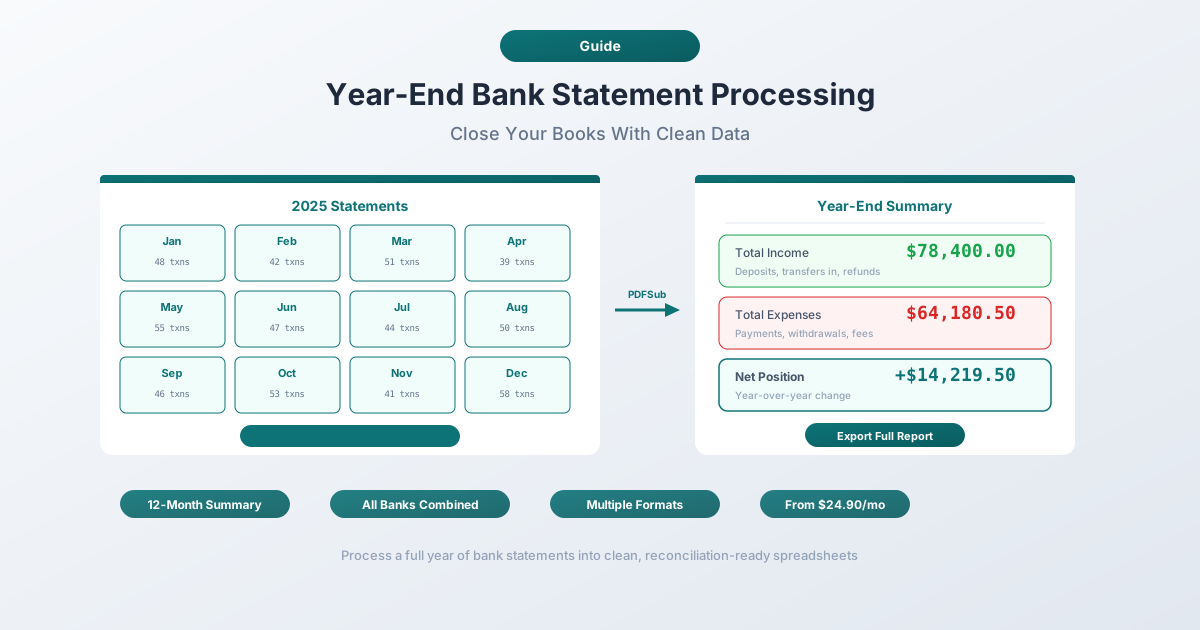
Year-end is the most consequential period in any accounting practice. Twelve months of financial activity converge into a single set of deliverables: accurate financial statements, compliant tax filings, and a clean audit trail. The foundation for all of it is bank statement data.
If December's statements haven't been reconciled, if there are gaps in the record, or if outstanding items from prior months were never resolved, those problems don't surface gradually. They surface in January, all at once, when deadlines are tightest and client volume is highest.
The difference between a smooth year-end close and a chaotic one comes down to process. This guide provides a complete year-end bank statement processing checklist - the specific steps, the common problems, and the tools that turn a multi-week ordeal into a manageable workflow.
The Year-End Bank Statement Checklist
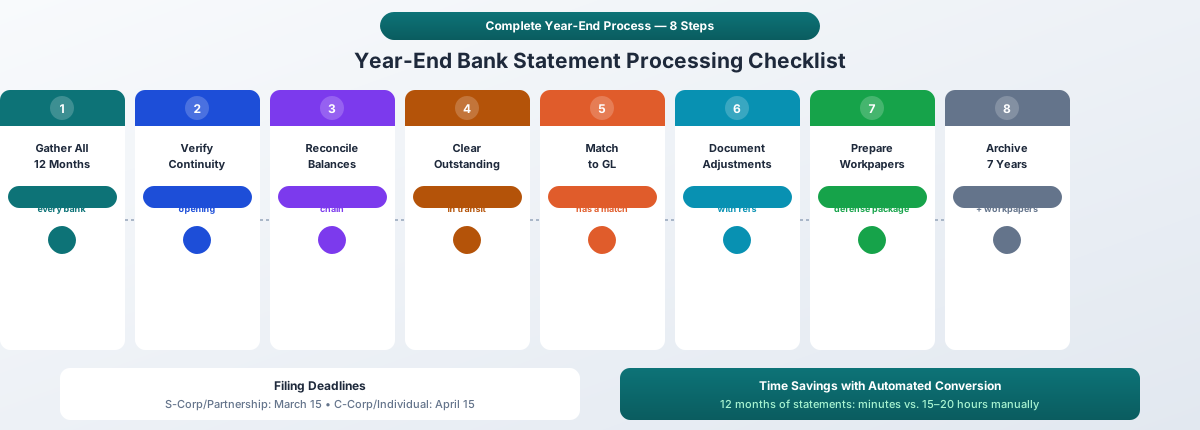
This is the sequence that experienced accountants follow. Each step builds on the previous one, so working through them in order prevents rework.
1. Gather All 12 Months of Statements for Every Account
Start with a complete inventory. For each client, list every bank account - checking, savings, credit cards, lines of credit, money market, and investment accounts - and confirm you have all 12 monthly statements for each.
What to collect:
- Primary business checking account(s)
- Savings and money market accounts
- Business credit card statements
- Loan and line of credit statements
- Merchant services / payment processor statements
- Investment and brokerage accounts
Where statements go missing: Clients who switched banks mid-year, accounts that were opened or closed, and statements from banks that only keep 90 days of history online. December statements are the most commonly missing - clients don't download them because they arrive in early January when everyone is distracted.
Create a tracking spreadsheet: client name, account, institution, and a checkbox for each month January through December. Don't proceed to step 2 until every box is checked.
2. Verify Statement Continuity
With all statements collected, verify there are no gaps or overlaps:
- Closing balance of month N must equal the opening balance of month N+1. If January's closing balance is $14,832.19, February's opening balance must be exactly $14,832.19. Any discrepancy means you have the wrong statement, a missing statement, or an account with mid-cycle statement dates.
- Statement periods should be contiguous. January 1–31, February 1–28, March 1–31, and so on. Watch for banks that use non-calendar statement cycles (e.g., the 15th to the 14th).
- Check for account number consistency. If an account was migrated to a new system mid-year, the account number may have changed even though it's the same account.
3. Reconcile Each Month's Closing Balance to the Next Month's Opening Balance
This is the sequential chain-of-custody verification. Walk through each account, month by month:
| Month | Closing Balance | Next Month Opening | Match? |
|---|---|---|---|
| January | $14,832.19 | $14,832.19 | Yes |
| February | $16,401.55 | $16,401.55 | Yes |
| March | $15,200.00 | $15,200.00 | Yes |
| ... | ... | ... | ... |
| November | $22,150.88 | $22,150.88 | Yes |
| December | $19,445.32 | - (year-end) | - |
If any balance doesn't match, stop and resolve it before proceeding. A break in the chain means every subsequent reconciliation is built on an incorrect foundation.
4. Identify and Resolve Outstanding Items
At year-end, you need a clean cutoff between what belongs in the current year and what belongs in the next:
- Outstanding checks: Checks issued in December that haven't cleared the bank by December 31. List each one with the date, payee, check number, and amount.
- Deposits in transit: Deposits made in the last days of December that don't appear on the December statement. These are current-year revenue even if the bank posts them in January.
- Pending ACH transactions: Automatic payments and transfers initiated in December but not yet settled.
- Bank errors: Rare, but they happen. If the bank posted a transaction incorrectly, document it and verify the correction appears in January.
Each outstanding item needs a clear disposition: is it a timing difference that will self-correct in January, or does it require an adjusting entry?
5. Match to Accounting Records
Compare the bank statement data against your general ledger and sub-ledgers:
- Every bank transaction should have a corresponding entry in the GL
- Every GL entry referencing the bank account should appear on the statement
- Investigate any items that appear in one place but not the other
This is where automated conversion saves the most time. When you can export bank statement data directly into your accounting software, the matching process becomes a reconciliation report rather than a manual line-by-line comparison.
6. Document Adjusting Journal Entries
Year-end adjustments based on bank statement review typically include:
- Bank fee reclassifications - fees that were expensed to the wrong category during the year
- Interest income accruals - interest earned but not yet credited
- NSF check reversals - bounced checks that need to be written off or re-billed
- Foreign currency adjustments - for accounts denominated in foreign currencies, year-end exchange rate adjustments
- Reconciling items - any persistent differences between the book balance and bank balance
Document each adjusting entry with a reference to the specific bank statement and transaction that triggered it. Auditors will ask for this documentation.
7. Verify Interest Income and Expense Totals Against 1099-INT
Banks issue 1099-INT forms in January for interest paid during the prior year. Cross-reference:
- Total interest income per bank statements (sum of all monthly interest credits) against the 1099-INT amount
- Total interest expense on loans and credit lines against lender-provided statements
Discrepancies usually stem from:
- Timing differences in December interest postings
- Compounding calculations that don't match simple monthly addition
- Promotional rate changes that affect the calculation basis
Resolve any difference before filing. The IRS receives a copy of every 1099-INT and will flag mismatches.
8. Review Bank Fees and Service Charges for Deductibility
Year-end is the time to total all bank-related expenses for the year and confirm they're properly categorized:
- Monthly maintenance fees
- Wire transfer fees
- Overdraft charges
- Safe deposit box rental
- Check printing costs
- Merchant processing fees
- ATM fees
All of these are typically deductible business expenses, but they need to be in the correct expense category on the return. A common mistake: lumping all bank charges into a generic "Bank Fees" account when some should be allocated to specific cost centers or projects.
9. Check for Year-End Accruals
Review December statements for transactions that create accrual requirements:
- Payroll accrual: Wages earned in December but paid in January
- Credit card accrual: Charges posted in December on a card with a January due date
- Loan interest accrual: Interest accrued from the last payment date through December 31
- Prepaid expenses: Annual subscriptions or insurance premiums paid in December that cover future periods
For accrual-basis taxpayers, getting these right directly affects taxable income. For cash-basis taxpayers, accruals still matter for financial statement accuracy.
10. Prepare Reconciliation Workpapers
For each account, create a year-end reconciliation workpaper that includes:
- Bank statement balance as of December 31
- Less: outstanding checks (itemized)
- Plus: deposits in transit (itemized)
- Plus/minus: other reconciling items (itemized)
- Equals: adjusted bank balance
- Book balance as of December 31
- Plus/minus: adjusting entries
- Equals: adjusted book balance
- Adjusted bank balance must equal adjusted book balance
These workpapers are your primary audit defense. They prove that you verified every account, identified every discrepancy, and resolved each one with a documented adjustment.
11. Archive Statements for Retention
Once reconciliation is complete and the year is closed, archive all original PDF statements along with your converted data files and reconciliation workpapers.
Retention periods:
- 3 years minimum - standard IRS statute of limitations
- 6 years - if unreported income exceeds 25% of gross income
- 7 years - recommended default for business bank statements
- Indefinitely - for statements supporting property basis or if returns were never filed
Digital storage makes this trivial. A full year of PDF bank statements typically consumes less than 50 MB. Store them in an organized folder structure: [Client]/[Year]/Bank Statements/[Institution]/[Month].pdf.
Common Year-End Problems
Even with a solid process, these issues come up repeatedly.
Missing Statements
The most common problem. December statements are the worst offenders - they're generated in January and clients forget to download them. Banks typically keep statements available online for 12–18 months, but older statements may require a request to the bank (sometimes with a fee).
Prevention: Build statement collection into your monthly workflow. Don't wait until year-end to discover that July is missing.
Cross-Year Transactions
December 30 charges that post on January 2. December 31 deposits that clear on January 3. ACH transfers initiated on December 29 that settle on January 4. These create reconciliation headaches because the bank's cutoff and your accounting cutoff may differ.
Resolution: For each cross-year item, determine the correct accounting period based on your client's method (cash vs. accrual), document the timing difference, and make sure both years' reconciliations account for the item.
Bank Fee Changes Mid-Year
Banks change fee structures, often with minimal notice. If monthly fees increased from $15 to $25 in August, your budget variance analysis needs to reflect that. More importantly, the total annual bank fees on the return need to match what actually cleared the account.
Account Closures and Openings
When a client opened a new account in March and closed the old one in April, you need:
- Statements from the old account: January through the closure date
- The final closing statement showing the balance transfer
- Statements from the new account: opening date through December
- Verification that the closing balance of the old account matches the opening deposit on the new account
Multi-Bank Consolidation
Clients with accounts at multiple banks create a matrix: every bank times every account times 12 months. A client with a checking account, savings account, and credit card at one bank plus a business line of credit at another has 48 individual statements to collect and reconcile.
Use your tracking spreadsheet religiously. Mark each statement as collected, converted, and reconciled.
How to Process 12 Months of Statements Efficiently
Processing a full year of statements manually - downloading PDFs, opening each one, typing transactions into a spreadsheet - takes 20 to 60 minutes per statement. For a single client with three accounts, that's 36 statements and potentially 36 hours of data entry for the year.
Batch Conversion Approach
Instead of processing one statement at a time, batch the work:
- Collect all 12 months of PDF statements for the account
- Upload to PDFSub's Bank Statement Converter - processing happens in your browser, so files never leave your device
- Export in the format your accounting software needs: Excel for analysis, CSV for universal import, QBO for QuickBooks, OFX for Xero
- Repeat for each account
A statement that takes 20–30 minutes to key manually converts in seconds. Twelve months of a single account takes minutes instead of hours.
Converting to Accounting Software Formats
The output format matters. Choose the format that minimizes post-import work:
| Accounting Software | Recommended Format | Why |
|---|---|---|
| QuickBooks Online | QBO | Native format with transaction IDs; automatic duplicate detection |
| QuickBooks Desktop | QBO or QFX | Direct Web Connect import |
| Xero | OFX | Auto-maps columns without manual field configuration |
| Sage | OFX or CSV | Broad format support |
| FreshBooks | CSV | Flexible column mapping |
For detailed import instructions, see the QuickBooks import guide and the Xero import guide.
Building a Year-End Reconciliation Spreadsheet
After converting all statements, build a master reconciliation spreadsheet:
Tab 1: Account Summary
- One row per account
- Columns: institution, account number, account type, January opening balance, December closing balance, total deposits, total withdrawals, reconciliation status
Tab 2: Monthly Balances
- One row per account
- Columns: opening balance, then closing balance for each month January through December
- Conditional formatting to flag any month where the closing balance doesn't equal the next month's opening balance
Tab 3: Outstanding Items
- All outstanding checks, deposits in transit, and other reconciling items as of December 31
Tab 4: Adjusting Entries
- Each year-end adjustment with date, description, debit account, credit account, and amount
This spreadsheet becomes your year-end reconciliation package - everything an auditor or reviewer needs in one place.
Year-End Deadlines and Compliance
Federal Tax Filing Deadlines
| Entity Type | Tax Form | Filing Deadline | Extended Deadline |
|---|---|---|---|
| S-Corporation | 1120-S | March 15 | September 15 |
| Partnership | 1065 | March 15 | September 15 |
| C-Corporation (calendar year) | 1120 | April 15 | October 15 |
| Sole Proprietor | Schedule C (1040) | April 15 | October 15 |
| Trust/Estate | 1041 | April 15 | September 30 |
Bank statement processing needs to be complete well before these dates. For S-Corps and partnerships filing on March 15, that means all year-end reconciliation should be finished by mid-February at the latest - earlier if you're preparing K-1s that partners need for their own returns.
State-Level Considerations
State deadlines often mirror federal deadlines, but not always:
- Some states have earlier filing deadlines
- State-specific deductions may require separate categorization of bank transactions
- Sales tax reconciliation against bank deposits may be required
- State payroll tax filings need their own bank-to-ledger matching
Check each state where your client has nexus. Don't assume state deadlines match federal.
Document Retention Requirements
Beyond the IRS minimums, consider:
- State retention requirements vary - some states require up to 8 years (California, Montana)
- Industry regulations may impose longer retention (financial services, healthcare)
- Litigation holds can override normal retention schedules
- Loan covenants may require maintaining financial records for the life of the loan
The safest practice: retain all bank statements and reconciliation workpapers for 7 years, and indefinitely for property-related transactions.
Multi-Client Year-End Management
Bookkeepers and accounting firms managing dozens of clients face a scaling problem. Twenty clients with three accounts each means 720 individual bank statements to collect, convert, reconcile, and archive - and they all need to be done in roughly the same four-to-six-week window.
Prioritization Strategies
Not all clients have the same urgency:
Priority 1 - File by March 15:
- S-Corporations and partnerships
- Clients with K-1 recipients who need early filing
- Clients with estimated tax payment obligations
Priority 2 - File by April 15:
- C-Corporations
- Sole proprietors
- Individual returns with business income
Priority 3 - Extension filers:
- Clients who consistently file extensions
- Complex returns requiring additional documentation
- New clients whose records need significant cleanup
Start with Priority 1 clients in January. If their bank statements aren't processed by early February, you're already behind.
Client Communication Templates
Send a standardized request to every client in early January:
What to request:
- All 12 months of bank statements for every account (PDF format preferred)
- Year-end loan statements showing principal and interest breakdown
- December credit card statements
- Any new accounts opened or closed during the year
- 1099 forms as they arrive (1099-INT, 1099-NEC, 1099-K, etc.)
Key message: Set a firm deadline. Clients who deliver documents late push your entire schedule back. Make clear that late document delivery may result in filing an extension.
Status Tracking
Maintain a master tracking sheet across all clients:
| Client | Statements Received | Converted | Reconciled | Adjustments | Workpapers | Filed |
|---|---|---|---|---|---|---|
| Client A | 12/12 | Done | Done | Done | Done | March 12 |
| Client B | 10/12 | In progress | - | - | - | - |
| Client C | 6/12 | - | - | - | - | - |
Update this daily during January and February. It's the single best tool for identifying bottlenecks before they become crises.
Year-End Statement Processing by Account Type
Different account types require different attention during year-end processing.
Checking Accounts
The highest-transaction-volume accounts and usually the most time-consuming to reconcile. Focus on:
- Outstanding checks (the most common reconciling item)
- Unrecorded automatic payments
- Voided and reissued checks
- NSF items and returned deposits
Savings Accounts
Lower volume, but interest income is the key concern:
- Verify total interest earned matches 1099-INT
- Confirm interest is recorded in the correct periods
- Check for any penalty charges on early withdrawals (deductible)
Credit Card Accounts
Credit cards create accrual-basis complications because the charge date, statement date, and payment date can fall in different months - or even different years:
- December charges appearing on a January statement still belong in the current year (accrual basis)
- Annual fees charged in December may need to be prorated
- Cash-back rewards may be taxable income - verify treatment
- Reconcile the December statement balance to the GL payable balance
Loan Accounts
Year-end loan reconciliation requires:
- Principal and interest breakdown for each payment (banks provide annual summaries)
- Verification that interest expense per your books matches the 1098 form
- Confirmation that the year-end principal balance matches the GL
- Proper amortization of loan fees and origination costs
Investment and Brokerage Accounts
The most complex account type for year-end:
- Unrealized vs. realized gains and losses
- Dividend and interest income matching to 1099-DIV and 1099-INT
- Cost basis tracking for sales
- Year-end fair market value for financial statement reporting
FAQ
When should I start year-end bank statement processing?
Ideally, you should begin in early January as soon as December statements become available. For firms with many clients, some preparatory work - collecting January through November statements, reconciling through November - can begin in December. The goal is to have everything except December reconciliation complete before January 1, so you can finish quickly once December statements arrive.
What if a client can't provide a bank statement for a specific month?
Contact the bank directly. Most banks can reissue statements for a fee ($5–$25 per statement). If the bank can't provide one (rare for recent years), you may need to reconstruct the month's activity from check registers, deposit slips, and the GL - and document your reconstruction method for the workpapers.
How long should year-end reconciliation take per client?
With automated statement conversion, a straightforward client (2–3 accounts, moderate transaction volume) takes 2–4 hours for all 12 months. Manual processing for the same client can take 15–20 hours. Complex clients with multiple banks, foreign transactions, or high volumes can take significantly longer in either case.
Can I process multiple months' statements at once?
Yes. Batch processing is the most efficient approach. Convert all 12 months of a single account, then import the full year into your accounting software and reconcile. PDFSub's Bank Statement Converter handles each statement individually for accuracy, but you can work through a year's worth in minutes rather than hours.
What output format should I use for year-end processing?
Use QBO for QuickBooks, OFX for Xero, and CSV as a universal fallback. For year-end reconciliation work specifically, Excel is valuable because you can build the reconciliation spreadsheet directly from the converted data. Many accountants convert to both - one format for accounting software import, and Excel for workpaper documentation.
Do I need to keep the original PDF statements if I've converted them?
Yes. Always retain the original PDF bank statements alongside your converted files. The original is the source document - it's what an auditor will want to see. Converted files (Excel, QBO) are working copies. Store both in your archive.
How do I handle a client who changed banks mid-year?
Treat the old and new accounts as separate reconciliation paths. Verify the closing balance on the old account matches the opening deposit on the new account. You'll have two sets of statements for the year - collect all of them and reconcile each account independently, then verify the transition point.
Start Your Year-End Processing
The checklist above is sequential and complete. Work through it account by account, client by client, and the year-end close becomes a predictable process rather than an annual crisis.
The single biggest time saver: stop typing transaction data from PDFs. Converting 12 months of bank statements manually takes hours per account. Automated conversion takes minutes.
Try PDFSub Free - convert bank statements to Excel, CSV, QBO, or OFX entirely in your browser. Your files never leave your device.