How to Summarize a PDF with AI (Step-by-Step Guide)
Need the key points from a 60-page report in 2 minutes? Here's how to use AI to summarize any PDF - with structured output, not just a wall of text.
You have a 60-page quarterly report. The meeting starts in 10 minutes. Your boss will ask what the report says, and "I haven't read it yet" is not an acceptable answer.
This is the moment where AI PDF summarization goes from nice-to-have to essential. Instead of speed-reading and hoping you catch the important parts, you upload the document and get a structured breakdown -- key findings, action items, and critical details -- in under two minutes.
Not a vague paragraph that could describe any report. An actual summary that tells you what matters.
What AI PDF Summarization Actually Does
Traditional document summarization meant pulling out the first sentence of each section or truncating the text to a set length. The results were predictably bad -- you got fragments without context and missed the points that actually mattered.
AI summarization works differently. It reads the entire document, identifies the core arguments and data, and generates a new summary that captures the substance rather than just shortening the text. Good AI summarization will:
- Identify key findings buried across multiple sections, not just whatever appears in the executive summary
- Extract specific numbers and data points that support the main conclusions
- Surface action items that are scattered throughout the document
- Distinguish between important details and boilerplate -- the disclosure language and standard definitions do not need to be in your summary
- Preserve the relationships between ideas, so the summary makes logical sense rather than reading like a list of disconnected facts
Think of it as the difference between a colleague who read the whole report and gives you a briefing, versus someone who tore out the first page and handed it to you.
How PDFSub's Summarize Tool Works
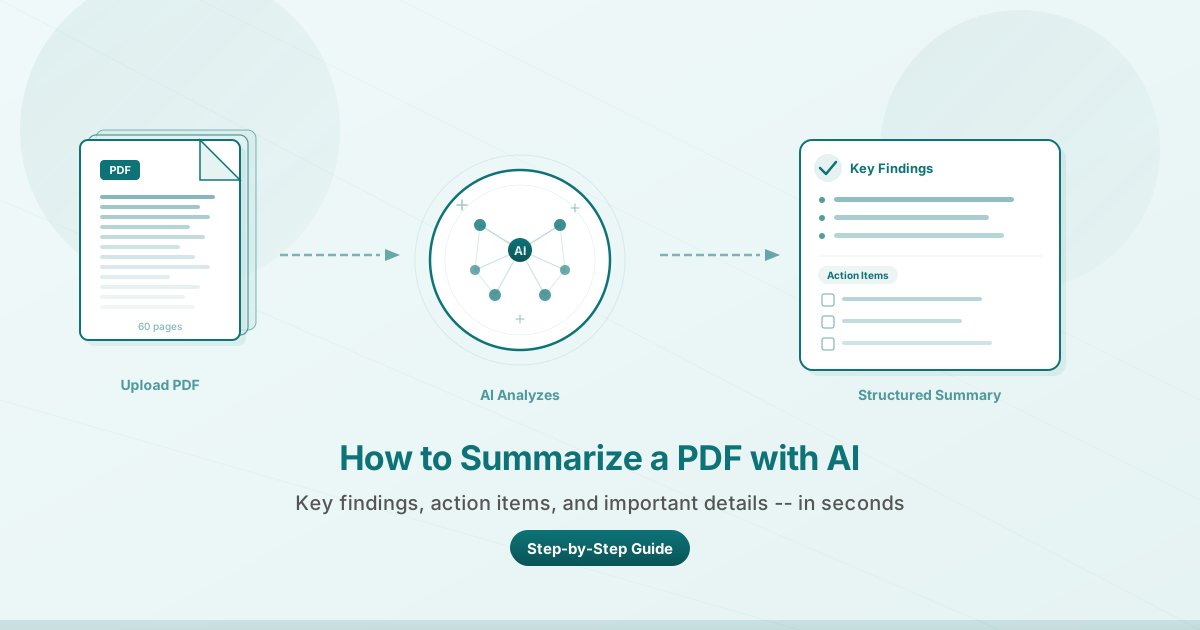
PDFSub's Summarize PDF tool is built for structured output. When you upload a document, the AI does not hand you back a single paragraph. It produces an organized summary broken into sections:
- Key Findings -- the most important conclusions and insights from the document
- Action Items -- specific next steps or decisions that need attention
- Important Details -- supporting data, deadlines, financial figures, or conditions worth noting
- Overview -- a brief description of what the document is, who wrote it, and its purpose
This structure means you can scan the summary in 30 seconds and know exactly where to focus. If the action items section says "Board approval required by March 30," you do not need to read the other 59 pages to know what is urgent.
Step-by-Step: Summarize a PDF with PDFSub
Step 1: Open the Summarize Tool
Go to pdfsub.com/tools/summarize or open PDFSub Studio and select "Summarize PDF" from the tool menu. You will need a PDFSub account with available AI credits.
Step 2: Upload Your PDF
Drag and drop your PDF into the upload area, or click to browse your files. PDFSub accepts standard digital PDFs -- the kind generated by Word, Google Docs, financial software, or any application that exports to PDF.
Step 3: Click Summarize
Hit the "Summarize" button. The AI reads through your entire document, analyzing the content structure, identifying key themes, and extracting the most important information. Processing typically takes 10 to 30 seconds depending on document length.
Step 4: Review Your Structured Summary
The output appears organized into clear sections. Read through the key findings first. Check the action items for anything time-sensitive. Refer to important details for specific numbers or conditions you need.
Step 5: Copy or Use the Results
Copy the summary to paste into an email, meeting notes, or your project management tool. The structured format means it is already organized for sharing with your team.
What You Get: Structured Output, Not a Wall of Text
Many AI tools give you back a single dense paragraph that requires almost as much effort to parse as the original document. PDFSub's output is structured by design. Here is what a typical summary of a financial report looks like:
Key Findings:
- Revenue grew 12% year-over-year to $4.2M, exceeding Q3 guidance
- Operating expenses increased 8%, driven by new hires in engineering
- Customer churn dropped to 3.1%, the lowest in six quarters
Action Items:
- Board approval needed for Series B terms by March 30
- Revised budget proposal due to CFO before next quarter
Important Details:
- Deferred revenue balance of $1.8M (up from $1.2M in Q2)
- Three enterprise contracts in late-stage negotiation, combined value $600K
This kind of output is immediately actionable. You can walk into that meeting and speak to the numbers.
Best Practices for AI PDF Summarization
Use clean digital PDFs. Documents generated from word processors, spreadsheets, or business software produce the best results. Scanned documents or image-heavy PDFs may have reduced accuracy.
Check the AI output against the source. AI summarization is highly accurate but not infallible. For high-stakes decisions -- legal contracts, regulatory filings, medical reports -- verify key claims against the original. Use the summary as a starting point, not a substitute for due diligence.
Best results come from text-heavy documents. Reports, proposals, research papers, contracts, and meeting minutes summarize exceptionally well. Documents that are primarily charts or images with minimal prose will produce shorter summaries.
Use summaries for comprehension, not legal reliance. AI summaries help you understand and act on documents faster. They are not a replacement for reading the full text when legal or financial liability is involved.
Use Cases: Where AI Summarization Saves Hours
Research papers and academic articles. Summarize dozens of papers to quickly identify which ones are relevant, then deep-read only the most promising ones.
Contracts and legal documents. Get the key terms, obligations, and deadlines from a 40-page contract in minutes. Focus your legal review on the details that need human judgment.
Financial reports and earnings statements. Quarterly reports, annual filings, and investor presentations are built for thoroughness, not readability. AI summarization pulls out the numbers and trends that drive decisions.
Meeting minutes and internal reports. When your team circulates 15-page meeting notes, a structured summary tells everyone what was decided and who is responsible.
Compliance and regulatory documents. Policy updates and regulatory guidance often run long. Summaries help compliance teams triage what requires immediate action versus what is informational.
Due diligence packages. Summarize hundreds of pages of financials, contracts, and operating documents to create a navigable overview of the entire package.
How AI Credits Work
PDFSub's Summarize tool uses AI credits. Each summarization costs credits based on the length of your document -- a 10-page report uses fewer credits than a 60-page one.
PDFSub's All-In-One plan includes 500 AI credits per month at $20/user/mo (annual) or $25/user/mo (monthly). If you need more, stackable add-on packs (500 AI Credits at ~$7/month, annual rate) cover higher volumes.
The 7-day free trial (credit card required to start) gives you full access so you can test summarization on your own documents before committing. Credits refresh monthly, and you can see your remaining balance in your account dashboard.
Credits are shared across all AI tools -- Translate PDF, Chat with PDF, Extract Data, and more -- so you can allocate them however you need.
Frequently Asked Questions
How long does it take to summarize a PDF?
Most documents are summarized in 10 to 30 seconds. Longer documents (50+ pages) may take slightly longer as the AI processes more content. The total time is still measured in seconds, not minutes.
What types of PDFs work best for summarization?
Digital PDFs with selectable text produce the best results. These include documents exported from Word, Google Docs, Excel, or any business application. Scanned PDFs (essentially images of text) can also be summarized, but the quality depends on the scan clarity.
Is my document kept after summarization?
PDFSub processes your document to generate the summary. Review the privacy policy for full details on data handling and retention. Your document is not used to train AI models.
Can I summarize a PDF in a language other than English?
Yes. The AI can summarize documents written in many languages. For documents in non-English languages, you can also use the Translate PDF tool first if you need the summary in English, or summarize directly in the original language.
How many credits does a summarization cost?
Credit usage scales with document length. A short document (under 10 pages) typically costs 1 to 2 credits. Longer documents use more. You can check the estimated credit cost before confirming the summarization.
What if the summary misses something important?
AI summaries are designed to capture the most significant content, but they prioritize brevity. If you need detail on a specific topic within the document, try the Chat with PDF tool -- it lets you ask targeted questions about specific sections, data points, or clauses.
Ready to stop reading 60-page reports from cover to cover? Try PDFSub's Summarize tool with a free 7-day trial on any plan.