The Hidden Cost of 'Free' PDF Tools: What Happens to Your Files
Free PDF tools have to make money somehow. Here's what actually happens to your files when you use 'free' online converters - and how to protect yourself.
You need to merge two PDFs. You search "merge PDF free," click the first result, upload your files, and download the merged document. Done in sixty seconds. Didn't cost a penny.
Or did it?
Free online PDF tools process billions of documents every year. They need servers, bandwidth, engineers, and infrastructure to do it. All of that costs real money. When a tool doesn't charge you, it has to make that money somewhere else - and that "somewhere else" is almost always you. Your data, your attention, or your privacy.
This isn't speculation. It's documented in the privacy policies and terms of service that almost nobody reads. Let's look at what's actually happening behind the scenes.
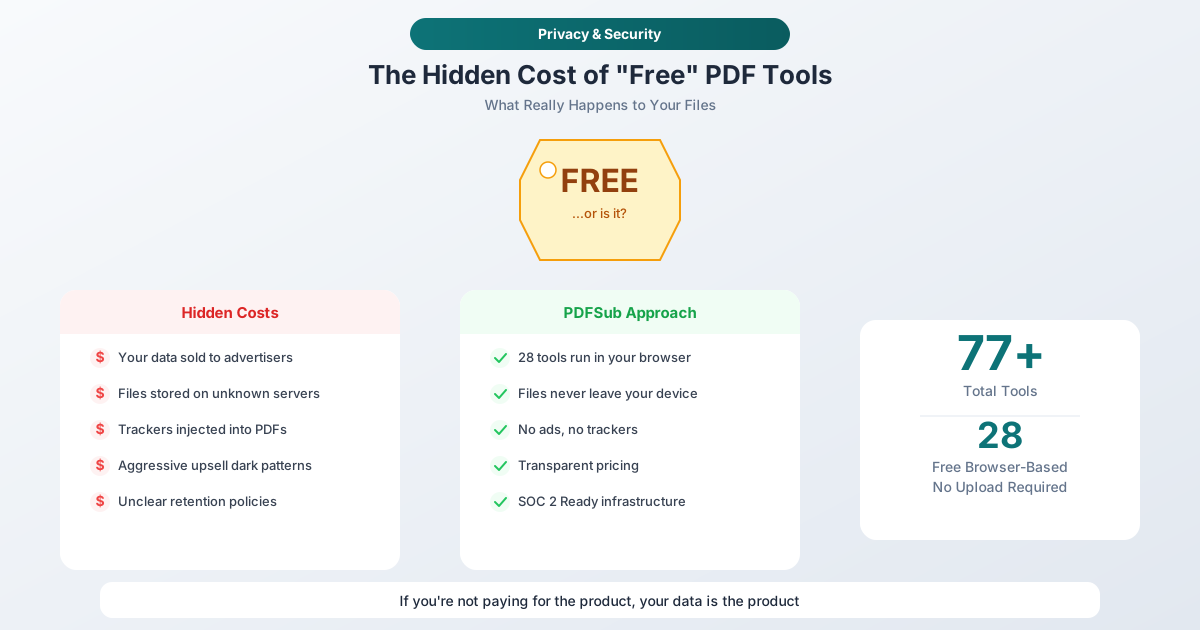
How "Free" PDF Tools Actually Make Money
There are five primary monetization strategies for free PDF tools, and most tools use a combination of several.
1. Advertising and Tracker Networks
The most visible model. Free tools plaster ads across their pages - banner ads, interstitial ads, pop-ups, and video pre-rolls. But the visible ads are just the surface.
Behind them sit advertising trackers: small scripts that follow you across the web, building a profile of your browsing behavior, device fingerprint, and interests. These trackers report back to advertising networks, which use the data to serve targeted ads on other sites. Every time you visit a free PDF tool, your behavior gets added to a profile that may already contain hundreds of data points about you.
Some tools go further. They inject tracking pixels into the PDFs themselves, so your documents can be tracked after you download them.
2. File Retention and Data Mining
This is the one that should concern you most. When you upload a file to a free PDF tool, your document travels across the internet and lands on someone else's server. What happens next depends entirely on the tool's retention policy - and those policies vary wildly.
Some tools claim to delete files immediately after processing. Others retain files for one hour, two hours, twenty-four hours, or indefinitely. A 2026 security audit of popular PDF platforms found that several retained documents far longer than their stated policies indicated, and some didn't delete files at all without a specific user request.
The longer your file sits on someone else's server, the greater the risk. Server breaches, unauthorized access, and data leaks are not theoretical - they happen regularly. In early 2026, researchers identified 13 vulnerability categories across major PDF platforms, including zero-day flaws that could allow attackers to take over accounts or extract files from backend servers.
3. Aggressive Upsell Funnels
The "freemium" model gives you basic functionality for free and locks essential features behind a paywall. That's a legitimate business model - until it crosses into dark pattern territory.
Common tactics include:
- Processing limits that reset every hour or day, creating artificial urgency
- File size caps that reject your document right when you need it
- Watermarks added to output files, forcing you to pay to remove them
- Feature lockouts that let you start a task but prevent downloading the result without payment
- Subscription traps that auto-renew at full price after a "free trial" that required your credit card
The goal is frustration. Make the free tier annoying enough that you'll pay just to stop the friction.
4. Third-Party Data Sharing
Read the privacy policy of any major free PDF tool carefully. You'll find language about sharing data with "service providers," "analytics partners," and "affiliates." These terms are intentionally vague.
What they mean in practice: your usage data - which documents you process, when, how often, and from what device - gets shared with third parties. Some tools share anonymized data. Others share identifiable data with broad categories of "business partners."
When a tool is free, the privacy policy tends to be more permissive. Paid tools have a financial incentive to respect your privacy because trust is part of the product. Free tools don't have that constraint.
5. Browser Extension Permissions
Some free PDF tools come as browser extensions that request sweeping permissions: access to all websites you visit, ability to read and change data on every page, and permission to manage your downloads.
These permissions go far beyond what's needed to convert a PDF. They allow the extension to monitor your browsing activity, inject scripts into pages you visit, and potentially intercept sensitive data. Browser extension stores have repeatedly removed PDF tools caught harvesting user data through over-broad permissions.
The Real-World Impact
The costs of "free" tools aren't abstract. Here's what they look like in practice:
For individuals: You upload a tax return to merge pages. That document contains your Social Security number, income, and address. It sits on a server you can't audit, protected by security practices you can't verify. If that server is breached, your most sensitive financial data is exposed.
For businesses: An employee uploads a contract to convert it to Word. That contract contains pricing terms, client names, and confidential negotiation details. The tool's privacy policy allows sharing data with "analytics partners." Your confidential business information is now part of someone else's data pipeline.
For professionals: An accountant uploads bank statements to a free tool for format conversion. Those statements contain client financial data subject to professional confidentiality obligations. If the data leaks, the accountant faces both reputational damage and potential regulatory liability.
What to Look For in a PDF Tool's Privacy Policy
If you're evaluating any PDF tool, ask these questions:
-
Where does processing happen? Browser-based tools that process files on your device eliminate server-side risk entirely. If the tool requires uploading, your files are on their servers.
-
What's the retention policy? Look for specific timeframes, not vague language like "we may retain files as needed."
-
Who has access? Check for language about third-party sharing, subprocessors, and "affiliates."
-
Is there an audit trail? Serious tools can tell you exactly what happened to your data and when.
-
What jurisdiction applies? Data protection laws vary by country. A tool hosted in a jurisdiction with weak privacy laws provides less protection regardless of what the policy says.
The Browser-Based Alternative
The architecture question is fundamental. When a tool processes files inside your web browser, the entire risk profile changes:
- Your files never travel across the internet
- No server stores or retains your documents
- No third party has access to your content
- The tool can't mine your data because it never sees your data
- Privacy is structural, not policy-dependent
This is the approach PDFSub takes with browser-based processing. Merge PDFs, Split PDF, Compress PDF, Rotate PDF, Extract Pages, Add Watermark, Image to PDF - all processed entirely in your browser. Your files never leave your device. There's no upload, no server storage, and no retention policy to worry about because there's nothing to retain.
For operations that genuinely require server-side processing - like AI-powered extraction or complex format conversions - PDFSub uses isolated secure processing through PDFSub Engine. Files are processed in ephemeral environments and deleted immediately after processing completes. The key difference is transparency: you know exactly when a file leaves your device and why, because the tool tells you.
The Trust Equation
Free tools face an inherent conflict of interest. Their users are their product, which means the incentive is to collect as much data as possible, not to protect it. Paid tools face the opposite incentive: privacy and security are selling points.
That doesn't mean every paid tool is trustworthy or every free tool is dangerous. But when a tool charges nothing and provides real value, the question "how do they make money?" deserves a clear answer. If the answer isn't obvious, your data is probably filling in the gap.
A Practical Approach to PDF Tool Security
You don't need to be paranoid, but you should be informed. Here's a practical framework:
For non-sensitive documents (public reports, published papers, marketing materials): Use whatever tool is convenient. The risk is low because the data isn't sensitive.
For sensitive documents (financial records, legal contracts, medical files, personal information): Use browser-based tools that never upload your files. If server-side processing is required, use a tool with clear retention policies, strong security practices, and a business model that doesn't depend on monetizing your data.
For regulated documents (client files subject to HIPAA, GDPR, SOC 2, or professional confidentiality): Use only tools with documented compliance practices and infrastructure you can verify. Browser-based processing is the safest option because compliance is built into the architecture.
Frequently Asked Questions
Are all free PDF tools unsafe?
No. Some tools - including PDFSub's browser-based tools (paid subscription with a 7-day free trial) - process files entirely on your device with no upload at all. The key is understanding where processing happens. If files stay in your browser, the privacy risk is essentially zero regardless of whether the tool is free or paid. The risk comes from tools that upload your files to their servers - that's where retention, sharing, and breach risks emerge.
How can I tell if a tool is uploading my files?
Open your browser's Developer Tools (F12) and switch to the Network tab before using the tool. If you see large outgoing requests that match the size of your file, the tool is uploading it. Browser-based tools will show no file-sized uploads - all processing happens locally.
What does "files deleted after processing" actually mean?
It means the tool's policy says files are removed from their active servers after a specified period. However, this claim is unverifiable from the outside. Files may persist in backups, logs, or caching layers. "Deleted" doesn't necessarily mean "irrecoverably destroyed from all storage systems." Browser-based tools avoid this ambiguity entirely.
Are paid PDF tools always more secure?
Not automatically, but the incentive structure is better. Paid tools make money from subscriptions, not from your data. They have a financial motivation to invest in security because a breach would cost them paying customers. Free tools funded by advertising have less incentive to minimize data collection - the more they know about you, the more targeted ads they can serve.
What should I do if I've already uploaded sensitive documents to a free tool?
First, check the tool's privacy policy for data deletion requests - under GDPR and similar regulations, many tools are required to delete your data upon request. Second, consider what information was in the documents and whether you need to take protective steps (like monitoring for identity theft if SSNs were involved). Going forward, use browser-based tools for sensitive documents to eliminate the risk entirely.
The Bottom Line
Free PDF tools aren't free. They cost you in ways that aren't visible on the surface: data collection, file retention, tracking, and privacy erosion. The question isn't whether to use PDF tools - they're essential for modern document workflows. The question is whether the tool's business model aligns with your privacy needs.
PDFSub offers 98+ tools, with most processing entirely in your browser so your files never leave your device. For everything else, there's transparent, secure server-side processing with clear privacy practices. The All-In-One plan is $20/user/mo (annual) or $25/user/mo (monthly), with a 7-day free trial. Because the best price for a tool isn't "free" - it's one where you understand exactly what you're paying.
Try PDFSub's browser-based tools - start with a 7-day free trial.