Best HelloSign (Dropbox Sign) Alternatives (2026)
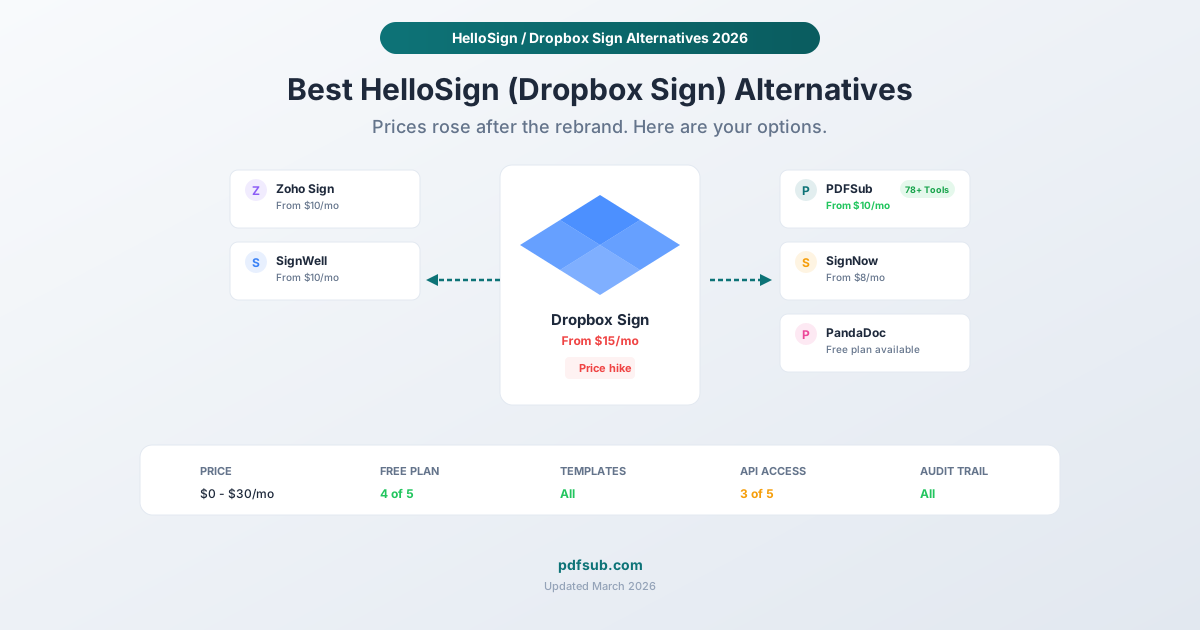
HelloSign rebranded to Dropbox Sign and raised prices. Here are the best alternatives - from free options to full-featured e-signature platforms.
PDFSub is best for:
- Users who liked HelloSign's simplicity but don't want to pay $15-40/user/mo for Dropbox Sign
- Freelancers and solopreneurs needing e-sign plus 98+ PDF tools at $20/mo annual total
- Teams who want signing without being locked into the Dropbox ecosystem
- Users who also need AI document features (summarize, translate, extract) alongside e-signing
PDFSub is NOT best for:
- Developers who need a well-documented e-signature API (Dropbox Sign's API remains strong)
- Teams requiring multi-signer workflows with sequential routing and automated reminders
- Organizations needing bulk send, reusable templates, and enterprise admin controls
HelloSign was one of the friendliest e-signature tools on the market. Simple interface, fair pricing, generous free tier. Then Dropbox acquired it, rebranded it to Dropbox Sign, and gradually nudged the pricing upward while folding it deeper into the Dropbox ecosystem.
If you're reading this, you probably noticed the changes. Maybe you were on the old free plan that suddenly felt more limited. Maybe your Essentials plan went from $15/month to $20/month. Or maybe you just don't want your e-signature tool bundled with a cloud storage subscription you already have elsewhere.
Whatever the reason, you're looking for alternatives. This guide covers the best ones in 2026, with honest pricing comparisons and real tradeoffs.
What Happened to HelloSign?
HelloSign launched in 2011 as a lightweight, developer-friendly e-signature tool. It earned a loyal following by being the "not DocuSign" option - simpler, cheaper, and less enterprise-focused.
Dropbox acquired HelloSign in 2019 for $230 million. The rebrand to Dropbox Sign happened gradually, with the HelloSign name officially retired in 2023. Along the way:
- Pricing shifted. The free plan went from 3 documents per month to 3 "envelopes" per month. The Essentials plan settled at $15/month (billed annually). Standard is $25/month per user. Premium is $40/month per user.
- Integration priorities changed. Dropbox Sign now integrates most deeply with Dropbox and other Dropbox products, which is great if you're already in that ecosystem - less so if you use Google Drive or OneDrive.
- The API remains solid. For developers, the Dropbox Sign API is still one of the better e-signature APIs available, with good documentation and reasonable rate limits.
The product itself hasn't gotten worse. But the value proposition changed. If you liked HelloSign because it was simple and affordable, the current Dropbox Sign might not hit the same notes.
What to Look for in an Alternative
Before comparing tools, here's what actually matters for most e-signature use cases:
Legal validity. All electronic signatures are legally binding under the ESIGN Act (2000) and UETA (adopted by 49 U.S. states). In the EU, eIDAS provides the legal framework. You don't need a specific tool for your signature to be legal - you need intent and a record of it.
Ease of use. Can you upload a document, place signature fields, send it, and get it signed without a tutorial? Can your recipients sign without creating an account?
Pricing model. Per-user? Per-envelope? Flat rate? The pricing model matters as much as the price itself. A $15/month tool with unlimited documents can be cheaper than a $5/month tool that charges per signature.
Audit trails. For business documents, you want a timestamped record of who signed what and when. Most reputable tools provide this automatically.
The Best Alternatives to HelloSign / Dropbox Sign
1. PDFSub - Best for All-in-One PDF + E-Signatures
Pricing: $20/month annual ($240/yr) or $25/month billed monthly (includes 98+ PDF tools) Free tier: 7-day free trial Best for: People who need e-signatures plus a full suite of PDF tools
PDFSub is not a dedicated e-signature platform. It's an all-in-one PDF platform with 98+ tools that happens to include E-Sign PDF alongside Merge PDFs, Split PDF, Compress PDF, Redact PDF, Translate PDF, OCR, Bank Statement Converter, and dozens of other capabilities.
The e-sign experience is straightforward: upload your PDF, draw or type your signature, place it on the document, and download. It processes in your browser, so your document never uploads to a server - a meaningful privacy advantage over most cloud-based e-signature tools.
Where PDFSub shines:
- Browser-based processing means sensitive documents stay on your device
- One subscription replaces multiple PDF tools (compression, conversion, editing, AI features)
- Includes financial document tools (bank statements, Invoice Extractor, Receipt Scanner) that no e-signature platform offers
Where it falls short:
- No multi-party signing workflows (you can sign, but you can't send a document to three people for sequential signatures)
- No CRM integrations or advanced routing
- Not designed for teams that send hundreds of contracts per month
Honest take: If you need basic e-signatures and also use PDF tools regularly, PDFSub is excellent value. If you specifically need to send documents for others to sign with tracking and reminders, look at the dedicated e-signature tools below.
2. SignNow - Best Budget E-Signature Platform
Pricing: From $8/month per user (billed annually); $20/month billed monthly Free tier: Free trial only Best for: Small teams that need proper e-signature workflows on a budget
SignNow (by airSlate) is the value play in the e-signature market. The Business plan at $8/month per user (annual) includes templates, bulk sending, and basic integrations - features that cost significantly more on Dropbox Sign.
Where SignNow shines:
- Lowest price for a full-featured e-signature platform
- Unlimited documents on all paid plans
- Team features (bulk sending, templates) available on the cheapest plan
- Mobile app for signing on the go
Where it falls short:
- The interface feels more utilitarian than polished
- Some advanced features require the Business Premium ($15/month per user) or Enterprise tiers
- Brand recognition is lower, which can matter when sending documents to clients who want to see a familiar name
Honest take: SignNow is the closest thing to what HelloSign used to be: affordable, functional, no frills. If you left HelloSign because of pricing, SignNow is probably where you'll land.
3. PandaDoc - Best Free E-Signature Option
Pricing: Free plan available; Essentials $19/month per user (billed annually) Free tier: Yes - unlimited e-signatures, 3 active documents Best for: Freelancers and solo professionals who sign occasionally
PandaDoc's free plan is genuinely useful. You get unlimited e-signatures with up to 3 active documents at a time. For a freelancer who sends a few contracts per month, that might be all you need.
The paid plans add document automation, templates, analytics, and CRM integrations. The Business plan ($49/month per user) unlocks unlimited documents and API access.
Where PandaDoc shines:
- The most generous free plan among dedicated e-signature tools
- Document creation and proposal tools built in (not just signatures)
- Strong CRM integrations (HubSpot, Salesforce)
- Payment collection built into signed documents
Where it falls short:
- The free plan limits you to 3 active documents, which means 3 documents pending signatures at once
- Paid plans are more expensive than SignNow or Zoho Sign
- The platform does more than e-signatures, which adds complexity if you only need signatures
Honest take: Start with PandaDoc's free plan. If 3 active documents is enough, you may never need to pay. If you outgrow it, the Essentials plan at $19/month is reasonable but not cheap.
4. Zoho Sign - Best for Zoho Ecosystem Users
Pricing: Free plan available; Standard $15/month per user (billed annually) Free tier: Yes, basic functionality Best for: Businesses already using Zoho CRM, Zoho Books, or other Zoho products
Zoho Sign fits seamlessly into the Zoho ecosystem, which is both its greatest strength and its limitation. If you already use Zoho products, the integration is effortless. If you don't, there's no compelling reason to choose Zoho Sign over the alternatives.
Where Zoho Sign shines:
- Deep integration with Zoho CRM, Zoho Books, and other Zoho apps
- Competitive pricing at $15/month per user
- Professional plan ($16/month per user) includes bulk sending and custom branding
- Enterprise plan ($22/month per user) is still cheaper than Dropbox Sign Premium
Where it falls short:
- Less polished signing experience compared to Dropbox Sign or PandaDoc
- Outside the Zoho ecosystem, integrations are limited
- Smaller community and fewer third-party resources
Honest take: If you're a Zoho shop, this is a no-brainer. Otherwise, SignNow or PandaDoc offer a better standalone experience at similar prices.
5. SignWell - Best Simple Alternative
Pricing: Free plan (3 documents/month); paid plans from $15/month Free tier: Yes, 3 documents per month Best for: People who want a simple, no-nonsense e-signature tool
SignWell is the spiritual successor to what HelloSign used to be. It's simple, affordable, and focused purely on e-signatures. Unlimited signers on all plans. Unlimited documents on paid plans. No enterprise complexity.
Where SignWell shines:
- Clean, intuitive interface - the easiest to learn on this list
- Free plan includes 3 documents per month (similar to old HelloSign)
- Unlimited documents on all paid plans
- No per-signer fees - only senders need licenses
Where it falls short:
- Fewer integrations than larger platforms
- No built-in document creation or proposal tools
- Smaller company, less brand recognition
Honest take: SignWell is the most HelloSign-like alternative on this list. If you valued HelloSign's simplicity above all else, start here.
Quick Comparison Table
| Feature | Dropbox Sign | PDFSub | SignNow | PandaDoc | Zoho Sign | SignWell |
|---|---|---|---|---|---|---|
| Starting price | $15/mo | $15/mo | $8/mo | Free | Free | Free |
| Free plan | 3 envelopes | Yes | Trial only | Yes | Yes | 3 docs/mo |
| Unlimited docs | From Standard | Yes (paid) | All paid | Essentials+ | Standard+ | All paid |
| Templates | Yes | No (e-sign templates) | Yes | Yes | Yes | Yes |
| API access | Yes (e-sign API) | HTML rendering API (no e-sign API) | Paid | Business+ | Professional+ | No |
| Audit trail | Yes | Basic | Yes | Yes | Yes | Yes |
| Multi-party signing | Yes | No | Yes | Yes | Yes | Yes |
| Bulk sending | Standard+ | No | Yes | Essentials+ | Professional+ | Business |
| PDF tools included | No | 98+ tools | No | No | No | No |
Which Alternative Should You Choose?
You need the cheapest full e-signature platform: SignNow ($8/month per user)
You want a free plan that actually works: PandaDoc (unlimited signatures, 3 active docs)
You want HelloSign's simplicity back: SignWell (clean, focused, affordable)
You're already using Zoho: Zoho Sign (seamless integration)
You need e-signatures plus PDF tools, compression, conversion, AI features, and more: PDFSub ($20/month annual; $25/month billed monthly for 98+ tools)
You need enterprise features, complex workflows, and API access: Stay with Dropbox Sign or look at DocuSign
Frequently Asked Questions
Are electronic signatures from these alternatives legally binding?
Yes. All electronic signatures are legally binding under the U.S. ESIGN Act (2000) and UETA, regardless of which tool you use. The law recognizes any electronic sound, symbol, or process attached to a record and adopted with intent to sign. Whether you use Dropbox Sign, PDFSub, SignNow, or draw your signature in Apple Preview, the legal validity is the same.
Can I migrate my templates from Dropbox Sign to another tool?
Most e-signature platforms don't support direct template migration from competitors. You'll need to recreate your templates in the new tool. If you have dozens of complex templates with conditional fields, factor in the migration time when choosing an alternative. For simple templates, recreation takes minutes.
Is Dropbox Sign still the same as HelloSign?
Yes. Dropbox Sign is HelloSign with a new name and updated branding. The core technology, API, and functionality remain the same. The main changes since the acquisition are pricing adjustments, deeper Dropbox integration, and the retirement of the HelloSign brand name.
Do signers need an account with these tools?
In most cases, no. All the tools listed here allow recipients to sign documents without creating an account. The signer receives an email with a link, clicks it, signs, and they're done. Some tools optionally allow signers to create accounts for convenience, but it's not required.
What if I need both e-signatures and other PDF tools?
This is where PDFSub stands out. Most e-signature platforms are exactly that - e-signature platforms. If you also need to compress, merge, split, redact, translate, or convert PDFs, you'll need separate tools (and separate subscriptions). PDFSub bundles e-signatures (no per-envelope fees) with 98+ PDF tools in one subscription at $20/month annual ($25/month billed monthly). The tradeoff is that PDFSub's e-signatures are simpler - great for signing your own documents, but not designed for complex multi-party workflows.