PDF Tools for Lawyers: Redact, Compare, and E-Sign
Law firms handle thousands of PDFs - contracts, briefs, discovery documents, court filings. Here's the complete toolkit for redaction, document comparison, e-signatures, OCR, and court-ready formatting, mapped to real legal workflows.
Every law firm runs on PDFs. Contracts arrive as PDFs. Briefs are filed as PDFs. Discovery productions are exchanged as PDFs. Court orders come back as PDFs. From engagement letters to settlement agreements, from FOIA responses to exhibit packages, the legal profession generates, reviews, and produces more PDFs per capita than virtually any other industry.
But lawyers don't just read PDFs. They need to redact privileged information without leaving a trace. They need to compare contract versions and spot every changed comma in a 90-page agreement. They need to merge dozens of exhibits into a single, Bates-numbered production set. They need signatures on engagement letters by end of day. And they need all of it done in a way that protects client confidentiality and meets court formatting requirements.
Generic PDF viewers aren't built for this. Legal work demands tools that understand redaction isn't just a black box drawn over text - it's the permanent, irrecoverable removal of data. Tools that know the difference between a visual cover-up and true redaction. Tools that process sensitive documents without uploading them to servers where opposing counsel's data mingles with yours in a shared cloud.
This guide maps the critical PDF workflows in a legal practice to the right tools, with a focus on ethics, compliance, and the practical realities of litigation, transactional work, and court filing.
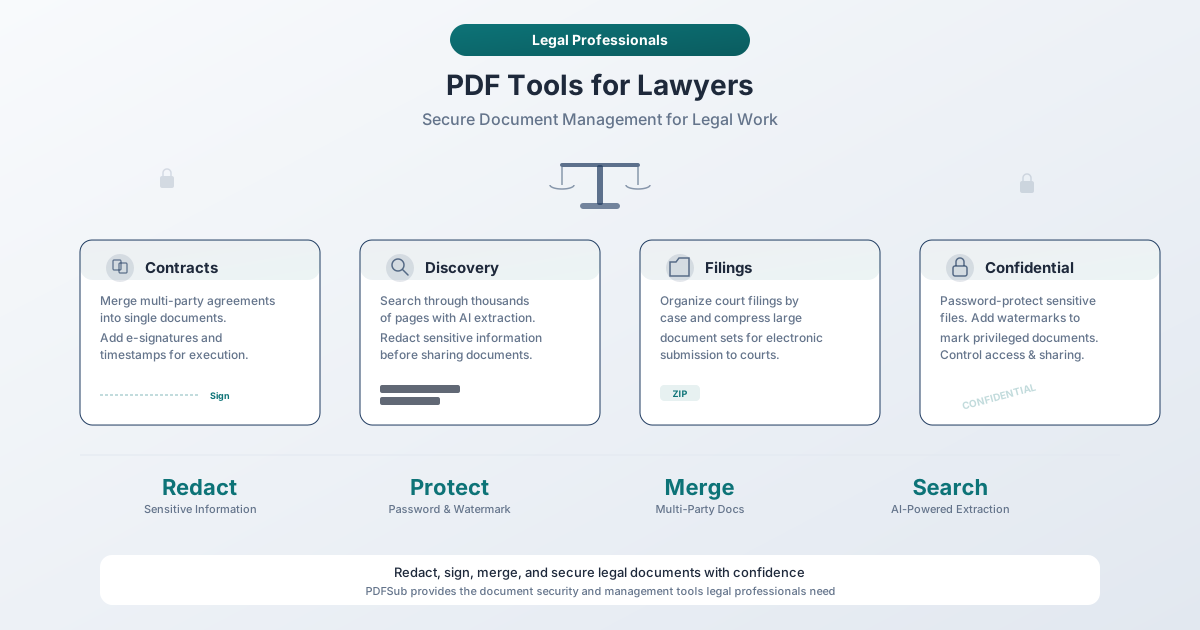
Why Lawyers Need Specialized PDF Tools
The Volume Problem
A single litigation matter can generate tens of thousands of pages. A mid-size firm handling 200 active matters might manage millions of pages at any given time. And every one of those pages may need to be searched, reviewed, redacted, stamped, formatted, signed, or produced - often under tight deadlines with discovery cutoffs and court filing windows.
Consider the typical document lifecycle in a litigation matter:
| Stage | PDF Tasks |
|---|---|
| Intake | Receive client documents, convert paper to searchable PDF via OCR |
| Investigation | Search and review documents, extract financial data |
| Discovery production | Redact privileged information, apply Bates numbers, merge exhibits |
| Motions and briefs | Merge pleadings with attachments, format for court filing |
| Settlement | E-sign agreements, compare final vs. draft versions |
| Closing | Archive in PDF/A format for long-term preservation |
Each stage requires different PDF capabilities. Using a single all-in-one tool that handles redaction, comparison, signing, merging, OCR, and format conversion eliminates the sprawl of six different applications - and the security risk of six different vendors handling your client data.
The Ethics Problem
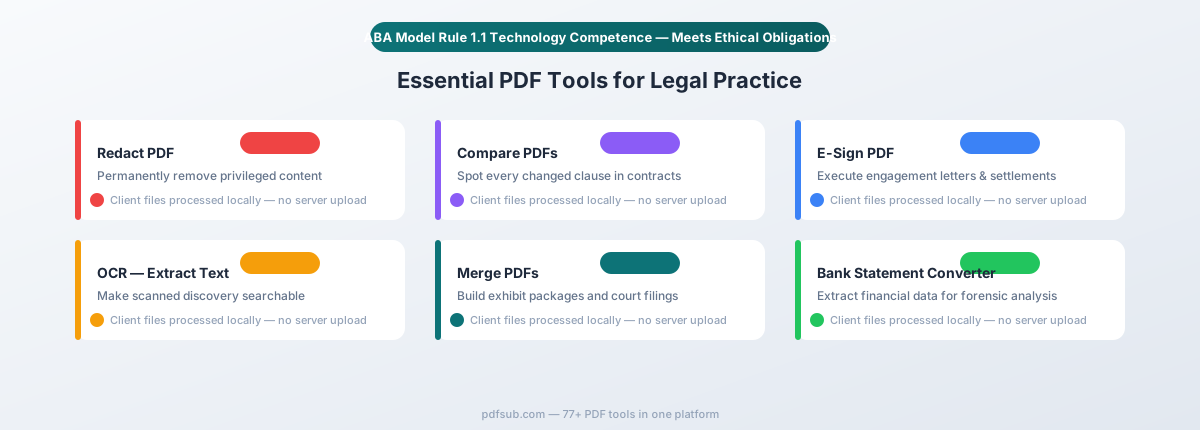
The legal profession has specific ethical obligations around technology that other industries don't face. In 2012, the American Bar Association amended Comment 8 to Model Rule 1.1 (Competence) to explicitly include technology:
"To maintain the requisite knowledge and skill, a lawyer should keep abreast of changes in the law and its practice, including the benefits and risks associated with relevant technology."
As of 2025, 40 states plus the District of Columbia and Puerto Rico have formally adopted this language. The message is clear: technology competence is not optional for lawyers - it is an ethical obligation.
This obligation extends to every PDF tool in your workflow. If you use a redaction tool that merely draws a black rectangle over text without removing the underlying data, you've committed a confidentiality breach that could result in disciplinary action. If you upload a client's financial records to a cloud service without understanding where that data goes, you may be violating Model Rule 1.6 (Confidentiality of Information).
Browser-based tools that process documents locally - without uploading files to external servers - eliminate an entire category of ethical risk.
Critical PDF Workflows for Lawyers
1. Redaction: Protecting Privileged and Confidential Information
Redaction is the single most legally consequential PDF operation. Get it wrong, and you've disclosed privileged attorney-client communications, exposed a client's social security number, or produced trade secrets to opposing counsel. The consequences range from sanctions to malpractice claims to disciplinary proceedings.
When lawyers need redaction:
- Discovery production - Redacting privileged information, work product, and irrelevant personal data before producing documents to opposing counsel
- FOIA and public records responses - Government attorneys redacting exempted information from records before public release
- Client confidentiality - Removing identifying information when sharing documents with third parties, expert witnesses, or co-counsel
- Court filings - Redacting social security numbers, financial account numbers, dates of birth, and other personal identifiers as required by court rules (e.g., Fed. R. Civ. P. 5.2)
True redaction vs. visual cover-up - the critical distinction:
This is where legal professionals cannot afford to cut corners. There are two fundamentally different approaches to "redacting" a PDF, and only one of them actually works:
| Approach | What It Does | Is Data Removed? | Legal Risk |
|---|---|---|---|
| Visual cover-up | Draws a black rectangle or annotation over text | No - text remains in the file and can be copied, extracted, or revealed by removing the annotation | Extreme - data is fully recoverable |
| True redaction | Permanently removes the underlying text content, metadata, and any references to the redacted data from the PDF file structure | Yes - data is irrecoverably destroyed | Minimal - data cannot be recovered |
High-profile redaction failures have made national news. In 2019, lawyers for Paul Manafort filed a document with "redactions" that were simply black highlighting - the full text was accessible by copying and pasting. In numerous other cases, attorneys have produced documents where "redacted" text was fully readable simply by selecting the text layer beneath the black box.
PDFSub's Redact tool performs true redaction. When you redact content, the underlying text data is permanently removed from the PDF - not masked, not hidden, but destroyed. The redacted areas are replaced with solid fills that contain no recoverable data beneath them.
Metadata removal - the hidden disclosure risk:
Even after redacting visible text, a PDF can contain metadata that reveals sensitive information:
- Author name and organization - May reveal which attorney or firm drafted a document
- Revision history - Track changes and editing history can expose deleted content
- Hidden text layers - Text that isn't visible on the page but exists in the file structure
- Embedded comments and annotations - Internal notes that weren't meant for production
- Creation and modification timestamps - Can reveal when a document was created or altered
A comprehensive redaction workflow includes stripping this metadata before production. Failing to do so is a documented source of ethics complaints - multiple state bars have issued opinions emphasizing that lawyers must scrub metadata from documents before transmitting them to third parties.
2. Document Comparison: Tracking Every Change
Contract negotiation, settlement drafting, and brief revision all require comparing document versions to identify exactly what changed. Missing a single modified clause in a 60-page agreement can cost a client millions.
When lawyers need document comparison:
- Contract negotiation - Comparing redlined versions to verify all agreed-upon changes were incorporated
- Brief revision - Tracking changes between draft and final versions of motions and briefs
- Regulatory compliance - Comparing policy documents to identify updates and amendments
- Due diligence - Comparing corporate documents across different versions to flag discrepancies
PDFSub's Compare tool provides visual side-by-side comparison that highlights every difference between two PDF documents - additions, deletions, and modifications. This is particularly valuable when you receive a "clean" version of a contract from opposing counsel and need to verify it matches the redline you agreed to.
Why visual comparison matters for legal work:
Word-level diffing tools miss formatting changes that can alter legal meaning - a paragraph moved from one section to another, a defined term that was reformatted from bold to regular text (potentially removing it from the definitions section), or a page break that separates a clause from its exception. Visual PDF comparison catches these structural changes that text-only tools miss.
3. E-Signatures: Engagement Letters, Settlements, and Beyond
Electronic signatures have been legally binding in the United States since the Electronic Signatures in Global and National Commerce (ESIGN) Act of 2000. Forty-nine states plus the District of Columbia, Puerto Rico, and the U.S. Virgin Islands have also adopted the Uniform Electronic Transactions Act (UETA). Together, these laws establish that electronic signatures carry the same legal weight as wet-ink signatures for most documents.
Documents that can be e-signed (most legal documents):
- Engagement letters and fee agreements
- Settlement agreements and releases
- Non-disclosure agreements (NDAs)
- Service agreements and vendor contracts
- Real estate purchase agreements (in most jurisdictions)
- Employment contracts
- Powers of attorney (in many jurisdictions)
- Affidavits and declarations (where permitted by local court rules)
- Corporate resolutions and board consents
Documents that generally cannot be e-signed:
- Wills, codicils, and testamentary trusts
- Adoption and certain family law documents
- Court orders and judicial decrees
- Marriage, birth, and death certificates
- Documents requiring notarization (unless using a jurisdiction-approved remote online notarization platform)
Why e-signatures matter for law firm efficiency:
An engagement letter that sits on a client's desk for a week is a week of unbilled work at risk. Settlement agreements that require in-person signing delay resolution and increase costs. E-signatures eliminate these bottlenecks.
PDFSub's E-Sign tool lets you add signatures directly to any PDF - sign engagement letters, initial contract pages, or execute settlement documents without printing, signing, scanning, and emailing back. The signed document is a standard PDF that can be filed, archived, or transmitted like any other.
For legal work, the key advantage is that the signing happens in your browser. The document doesn't need to be uploaded to a third-party signature platform where it sits on someone else's server alongside documents from thousands of other users. This matters when the document you're signing contains privileged information, confidential settlement terms, or sensitive client data.
4. Merge: Assembling Exhibit Packages and Court Filings
Litigation regularly requires combining multiple documents into a single organized PDF:
- Exhibit packages - Merging 20 exhibits into a single PDF for deposition or trial
- Court filings - Combining a motion with supporting declarations, exhibits, and a proposed order
- Discovery productions - Assembling responsive documents into organized production sets
- Closing binders - Creating comprehensive transaction closing sets
PDFSub's Merge tool combines multiple PDFs into a single document with drag-and-drop ordering. This is critical when courts require filings to be submitted as a single PDF (common in federal e-filing systems) or when you need to assemble a clean exhibit package for deposition.
Practical tip: When merging exhibits, consider adding page numbers after merging (PDFSub offers page numbering as well) so that deposition or trial references have consistent pagination throughout the combined document.
5. OCR: Making Scanned Discovery Documents Searchable
Discovery productions frequently include scanned documents - paper records that were photocopied to PDF, fax transmissions, handwritten notes, and legacy documents from before the digital era. These image-only PDFs look like documents but are functionally useless for review because you cannot search, select, or copy their text.
When you're reviewing 50,000 pages of production and need to find every mention of a specific date, account number, or company name, unsearchable documents are a serious problem. You'd have to visually review every page - the legal equivalent of searching for a needle in a haystack without a magnet.
PDFSub's OCR tool converts scanned PDFs into fully searchable documents by recognizing the text in the scanned images and adding an invisible text layer. The visual appearance stays the same, but now you can search, select, and copy text. This is essential for:
- Document review - Running keyword searches across an entire production set
- Privilege review - Searching for attorney names, firm names, and privileged communication markers
- Deposition preparation - Finding specific documents by content rather than flipping through pages
- Brief writing - Quoting from scanned documents without retyping
PDFSub supports OCR in over 130 languages, which matters for international litigation, cross-border transactions, and immigration cases involving foreign-language documents.
6. Financial Data Extraction: Discovery and Due Diligence
Financial litigation, divorce proceedings, fraud investigations, and due diligence reviews often involve analyzing bank statements, invoices, and financial reports produced in PDF format. Manually reviewing and transcribing this data is slow and error-prone.
PDFSub's Bank Statement Converter extracts transaction data from PDF bank statements and exports it to Excel, CSV, QBO, OFX, and other structured formats. This is invaluable for:
- Forensic accounting support - Converting bank statements to spreadsheets for tracing funds
- Divorce proceedings - Analyzing financial discovery to identify assets, income patterns, and spending
- Fraud investigation - Extracting transaction data for pattern analysis
- Tax litigation - Converting years of bank statements for IRS audit support
The Invoice Extractor does the same for invoices - pulling vendor names, amounts, dates, and line items from PDF invoices into structured data. For due diligence reviews involving hundreds of vendor invoices, this turns days of manual work into minutes.
Ethical Obligations: Technology Competence and Client Confidentiality
ABA Model Rule 1.1: The Duty of Technology Competence
As noted above, Comment 8 to Model Rule 1.1 requires lawyers to "keep abreast of changes in the law and its practice, including the benefits and risks associated with relevant technology." This isn't aspirational language - it's an ethical requirement adopted by the vast majority of U.S. jurisdictions.
What does this mean in practice for PDF tools?
- Understanding redaction. You must know the difference between true redaction and visual annotation. Using a tool that merely covers text with a black box - and producing that document in litigation - could constitute both a confidentiality violation (Rule 1.6) and a competence failure (Rule 1.1).
- Understanding metadata. You must be aware that PDFs contain hidden information and take reasonable steps to remove it before production. Several state bar ethics opinions have addressed metadata, consistently holding that lawyers have a duty to scrub it.
- Understanding where files go. When you use a cloud-based PDF tool, your client's documents are transmitted to and stored on third-party servers. You must understand this data flow and evaluate whether it meets your confidentiality obligations.
ABA Model Rule 1.6: Confidentiality of Information
Rule 1.6(a) provides that a lawyer "shall not reveal information relating to the representation of a client" without informed consent. Rule 1.6(c) adds that a lawyer "shall make reasonable efforts to prevent the inadvertent or unauthorized disclosure of, or unauthorized access to, information relating to the representation of a client."
Every PDF tool that uploads client documents to an external server implicates Rule 1.6. The question isn't whether the tool vendor promises security - it's whether you've made "reasonable efforts" to protect client information.
Why browser-based processing matters for attorney-client privilege:
Tools that process PDFs entirely in your browser - without uploading files to external servers - create a fundamentally different risk profile:
| Processing Method | Data Leaves Your Device? | Third-Party Access Risk | Confidentiality Concern |
|---|---|---|---|
| Browser-based (local) | No | None | Minimal |
| Cloud-based (uploaded) | Yes | Server breach, employee access, subpoena | Significant |
PDFSub processes digital PDFs directly in your browser. Your files are not uploaded to any server, which means there is no third-party data storage, no transmission risk, and no cloud-based attack surface. For scanned documents that require server-side OCR or AI processing, files are processed in isolation and deleted after processing - but the browser-first approach means the majority of your documents never leave your device at all.
This distinction matters for privilege specifically. Attorney-client privilege can be waived by voluntary disclosure to third parties. While most courts have held that using a cloud service provider doesn't constitute waiver (analogizing it to using a photocopier service), the analysis becomes less certain when the service provider retains documents, shares infrastructure with other users, or experiences a data breach. Eliminating the third party from the equation eliminates the question entirely.
Court Filing Requirements
PDF Format Standards
Different courts impose different PDF requirements. Understanding these prevents rejected filings and missed deadlines.
Federal courts (CM/ECF system):
- Files must be in standard PDF format
- Maximum file sizes typically 35-50 MB per document (varies by district)
- PDFs with JavaScript, encryption, password protection, or embedded multimedia will be rejected
- Documents must be text-searchable when technologically feasible
- Scanned documents should include an OCR text layer
State courts (varies by jurisdiction):
- California requires text-searchable PDFs per Rule of Court 8.74
- New York requires all PDFs to be text-searchable
- Kentucky requires PDF/A format specifically
- Most jurisdictions prohibit password-protected or encrypted PDFs for filing
PDF/A for archival compliance:
Some courts require or recommend PDF/A - a standardized archival format designed for long-term preservation. PDF/A prohibits features that could render the file unreadable in the future: no JavaScript, no encryption, no external font references, no embedded multimedia. PDFSub's PDF/A Conversion tool converts standard PDFs to PDF/A format for jurisdictions that require it.
Formatting Requirements
Court rules typically specify:
- Page size: Letter (8.5" x 11") for U.S. courts
- Margins: Usually 1 inch minimum on all sides
- Font size: Typically 12-point minimum for body text, 10-point for footnotes
- Line spacing: Double-spaced for briefs, single-spaced for certain exhibits
- Page limits: Vary by document type and jurisdiction (word counts increasingly replacing page limits)
- Bookmarks: Required for longer documents in many courts (table of contents entries linked to sections)
E-Discovery Workflow: From Production to Review to Re-Production
E-discovery is where most of these PDF tools come together in a single workflow. Here's how a typical e-discovery workflow maps to specific tools:
Step 1: Receive the Production
Opposing counsel produces documents in PDF format (or you convert native files to PDF for review). Many productions arrive as a collection of PDFs with a load file.
Step 2: Make Documents Searchable
If the production includes scanned documents, run them through OCR to add searchable text layers. Without this step, keyword searches will miss every scanned document in the set.
Step 3: Review and Search
With searchable PDFs, you can run keyword searches across the production to identify relevant documents, prioritize review, and flag key evidence.
Step 4: Extract Financial Data
For financial litigation, extract transaction data from bank statements and invoices using the Bank Statement Converter and Invoice Extractor. Convert to Excel or CSV for forensic analysis.
Step 5: Privilege Review and Redaction
Review documents for privilege. Redact privileged information, attorney-client communications, work product, and personal identifiers that are responsive but partially privileged.
Step 6: Prepare for Production
Merge documents into organized production sets. Apply page numbers for consistent reference. Convert to PDF/A if required by the requesting party or court order.
Step 7: Produce
Deliver the production with a log identifying any redacted or withheld documents and the privilege basis for each.
Security Considerations for Law Firms
Client Data Protection
Law firms are high-value targets for cyberattacks. The ABA's 2024 Legal Technology Survey found that 29% of law firms have experienced a security breach at some point. When evaluating PDF tools, security considerations include:
- Data residency - Where are your files stored? For how long? Browser-based tools that don't upload files eliminate this concern entirely.
- Encryption - Are files encrypted in transit and at rest? What encryption standard?
- Access controls - Who at the vendor can access your documents?
- Data retention - Does the tool retain copies of your documents after processing? For how long?
- Compliance certifications - SOC 2, ISO 27001, or other security frameworks?
Opposing Counsel Documents
Documents received from opposing counsel in discovery may contain metadata revealing their legal strategy, internal review notes, or privileged information that was inadvertently included. Under ABA Model Rule 4.4(b), if you receive a document that was inadvertently sent, you must "promptly notify the sender." Depending on your jurisdiction, you may also be required to stop reviewing the document and return or destroy it.
This creates a tension: you need to be aware of potential metadata issues in received documents, but you also have ethical obligations around inadvertently disclosed privileged material.
Privilege Review
When producing documents, a missed privilege redaction can waive privilege over the document - and potentially over the entire subject matter. Federal Rule of Evidence 502(b) provides some protection for inadvertent disclosure, but only if the producing party took "reasonable steps to prevent disclosure" and "promptly took reasonable steps to rectify the error."
Using a reliable redaction tool with clear visual indicators of what has been redacted is part of demonstrating "reasonable steps." A workflow that includes quality control review of redactions before production further strengthens this defense.
Getting Started with PDFSub for Legal Work
PDFSub offers a 7-day free trial that gives you full access to every tool discussed in this guide - redaction, comparison, e-signatures, merge, OCR, financial data extraction, PDF/A conversion, and more. Cancel anytime.
For law firms evaluating the platform, here's a suggested approach:
- Start with redaction. Test the Redact tool on a non-sensitive document. Verify that redacted text is truly removed (try selecting or copying text from the redacted area in the output PDF).
- Test document comparison. Take two versions of a contract and run them through the Compare tool to see the visual diff output.
- Try OCR on a scanned document. Use the OCR tool on a scanned document and verify the text layer is accurate and searchable.
- Process a financial document. If you handle financial litigation, test the Bank Statement Converter on a bank statement to see the structured data output.
The browser-based processing model means you can evaluate every tool using actual client documents without any confidentiality concern - the files never leave your device for standard digital PDFs.
Frequently Asked Questions
How do I ensure my PDFs are PDF/A compliant for court filing?
Use PDFSub's PDF/A Conversion tool to convert standard PDFs to PDF/A format. The tool strips JavaScript, encryption, and external dependencies that violate PDF/A requirements while preserving the visual appearance of your document. After conversion, verify the output by checking document properties in any PDF reader - it should show PDF/A conformance level.
What is Bates numbering and how do I add it to documents?
Bates numbering assigns a unique sequential identifier to every page in a document production (e.g., SMITH_001, SMITH_002). It provides a consistent reference system so that every attorney, witness, and judge in a case can refer to the same page by the same number. You can add sequential numbering to your PDFs using PDFSub's Page Numbers tool with a custom prefix format.
How can I verify that my redactions are truly permanent?
After redacting a document with PDFSub's Redact tool, open the output PDF and attempt to select or copy text from the redacted areas. In a properly redacted document, there should be no selectable text beneath the redaction marks. You can also check the document properties for residual metadata. True redaction removes the text data from the PDF file structure - it's not recoverable through any means.
What are the court e-filing PDF requirements I need to know?
Requirements vary by jurisdiction, but common rules include: PDF format (not Word or other formats), text-searchable when feasible, no JavaScript or encryption, specific file size limits (typically 35-50 MB), and in some jurisdictions PDF/A format specifically. Federal courts using CM/ECF will reject PDFs with scripts, embedded multimedia, or password protection. Always check your specific court's local rules before filing - requirements differ between federal districts and state courts.
Can settlement agreements be legally e-signed?
Yes. Under the federal ESIGN Act and state UETA laws, settlement agreements are fully enforceable with electronic signatures. Most courts accept e-signed settlement agreements. However, if the settlement requires court approval (as in class actions or cases involving minors), the court order itself will typically require a judge's wet-ink or digital certificate signature. The settlement agreement between the parties, though, can be e-signed.
What about client confidentiality when using cloud-based PDF tools?
ABA Model Rule 1.6(c) requires lawyers to make "reasonable efforts" to prevent unauthorized access to client information. When you upload client documents to a cloud-based PDF tool, you're transmitting confidential information to a third party. This isn't automatically a violation, but it does require you to evaluate the vendor's security practices. Browser-based tools like PDFSub that process files locally sidestep this issue entirely - no upload means no third-party access.
How should I handle metadata in documents I produce?
Before producing any document, strip metadata that could reveal privileged information - author names, revision history, comments, tracked changes, and hidden text. This is especially important for documents originally created in Word and then converted to PDF, as they may retain Word metadata. Several state bar ethics opinions have specifically addressed metadata scrubbing as part of a lawyer's competence obligation.
Is OCR accurate enough for legal document review?
Modern OCR achieves 95-99% accuracy on clearly printed documents, which is sufficient for keyword searching and initial document review. However, OCR should not be relied upon as a substitute for reading the actual document. Use OCR to make documents searchable for review prioritization, but always verify critical text - especially names, dates, and numbers - against the original scanned image. For handwritten documents, OCR accuracy drops significantly and manual review is essential.
Conclusion
The legal profession's relationship with PDFs is not going away. If anything, the shift toward electronic filing, remote closings, and digital discovery has made PDF competence more important than ever. The question isn't whether you need PDF tools - it's whether the tools you're using meet the ethical, security, and practical requirements of legal practice.
Redaction that actually removes data. Comparison that catches every change. E-signatures that are legally enforceable. OCR that makes discovery productions searchable. Merge and formatting tools that meet court filing requirements. And all of it handled with a level of security and confidentiality that your ethical obligations demand.
PDFSub brings these capabilities together in a single platform where the majority of processing happens in your browser - no file uploads, no third-party servers, no confidentiality questions. Start your 7-day free trial and see how it fits into your practice.