Best PDF Tools with AI Features (2026)
AI is transforming how we work with PDFs - summarize, translate, chat, extract data. Here are the platforms that combine traditional PDF tools with AI capabilities.
PDFSub is best for:
- Users who want deep AI (12+ AI tools) integrated into a full PDF platform - not bolted-on chat
- Financial professionals needing AI extraction for bank statements, invoices, and receipts alongside PDF editing
- Budget-conscious teams wanting AI features included at $15-25/mo instead of $23+/mo add-on pricing
- Privacy-focused users who prefer browser-based PDF processing with server-side AI only when needed
PDFSub is NOT best for:
- Enterprise teams already invested in Adobe Acrobat who just want to add AI Assistant to their existing workflow
- Users who need offline desktop PDF editing (PDFSub is browser-based)
- Organizations requiring enterprise-grade admin controls, user management, and audit logging
Two years ago, PDF tools did one category of things: edit pages, merge files, convert formats, and add signatures. AI was a separate world -- you would upload a document to ChatGPT or Claude and ask questions about it.
In 2026, the two worlds have merged. The leading PDF platforms now include AI features directly: summarize a document, translate it to another language, chat with it, extract structured data, and more -- all within the same tool you use to merge PDFs or add a watermark.
But the implementations vary wildly. Some platforms bolted on a basic AI chat and called it a day. Others built deep AI capabilities across multiple document workflows. And the pricing models range from "AI included" to "AI costs extra per query."
Here is an honest comparison of the PDF platforms that have added AI features -- and how deep those features actually go.
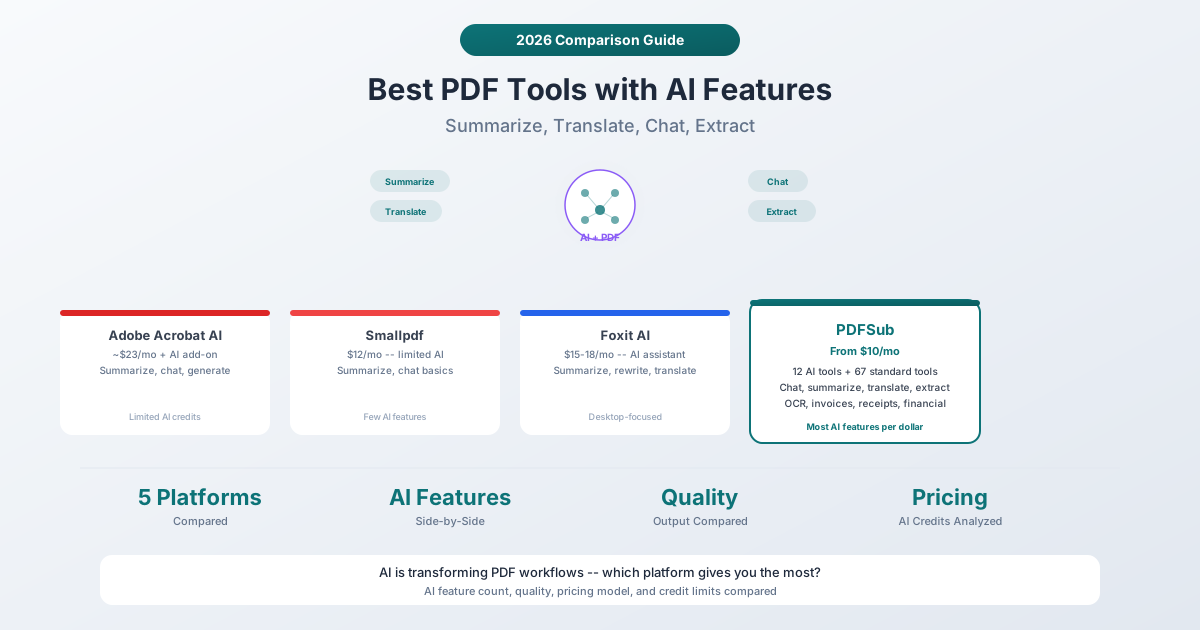
The AI Feature Spectrum
Before comparing individual platforms, it helps to understand what "AI features" can mean in a PDF tool:
Basic AI (most platforms): Summarize a document. Maybe chat with it. That is it.
Moderate AI (some platforms): Summarize, chat, translate, and possibly extract some data. Usually credit-limited.
Deep AI (few platforms): Summarize, chat, translate, extract structured data, extract tables, process invoices, scan receipts, analyze financial reports, convert handwriting, OCR -- all AI-powered, all integrated into the same platform.
The difference matters because "has AI features" can mean anything from a single summarize button to a dozen specialized AI tools.
1. Adobe Acrobat AI Assistant
Best for: Enterprise users already invested in the Adobe ecosystem who want AI built into their existing workflow.
Adobe launched its AI Assistant as an add-on to Acrobat in 2024 and has expanded it through 2025 and 2026. The AI Assistant can summarize documents, answer questions about content, generate text, and provide citations with page references.
Pricing: Acrobat Pro starts at approximately $23/month. The AI Assistant is an additional cost on top of the base subscription -- pricing varies but typically adds $5-10/month per user. Enterprise pricing is custom.
AI features:
- Document summarization with key point extraction
- Conversational Q&A with page-level citations
- Text generation and editing assistance
- Content overview for long documents
Strengths:
- Integrated into the most widely-used PDF editor
- Citations reference specific pages in the document
- Works with the full Acrobat editing workflow
- Enterprise-grade security and compliance
- Part of the broader Adobe Creative Cloud ecosystem
Limitations:
- AI is an extra-cost add-on (not included in the base price)
- Limited to summarize, chat, and text generation -- no data extraction, translation, or financial document AI
- AI credits are capped per month
- The base Acrobat subscription is already expensive before adding AI
- Desktop app required for the best experience
AI depth: Basic to moderate. Summarize and chat are solid. But no translation, no data extraction, no invoice processing, no receipt scanning.
2. Smallpdf
Best for: Users who want a clean, simple interface with basic AI features.
Smallpdf has added AI features gradually. The current implementation includes document summarization and basic chat functionality. It is not the platform's primary focus -- Smallpdf's strength remains its simple, browser-based PDF editing tools.
Pricing: Pro plan is approximately $12/month (billed annually). AI features are included but with usage limits. The free tier offers very limited AI access.
AI features:
- Document summarization
- Basic AI chat
- AI-assisted editing suggestions
Strengths:
- Clean, intuitive interface
- AI features included in the base price (no separate add-on)
- Browser-based -- no installation needed
- Affordable relative to Adobe
Limitations:
- AI features are limited in scope -- summarize and basic chat only
- No translation, data extraction, or specialized document AI
- Usage limits on AI features
- About 21 total tools (compared to 98+ on PDFSub)
- No financial document processing
AI depth: Basic. Summarize and chat cover the minimum. If you need translation, data extraction, or specialized AI for financial documents, you need a different platform.
3. iLovePDF
Best for: Budget-conscious users who want affordable PDF tools with some AI credits.
iLovePDF added AI features through a credit-based system. Premium users receive 2,000 AI credits that can be used for AI-powered operations. The AI capabilities focus on document understanding and content generation.
Pricing: Premium starts at $9/month or $5/month billed annually. The free tier includes very limited access. Business pricing (25+ users) is custom. AI credits are included with Premium (2,000 credits).
AI features:
- AI-powered document analysis
- Content suggestions
- Credit-based usage system
Strengths:
- Lowest per-user pricing when billed annually ($5/month)
- 25+ PDF tools covering standard operations
- AI credits included with paid plans
- Regional processing options (13 data centers) for compliance
- Available as web, desktop, and mobile app
Limitations:
- AI features are credit-limited (2,000 credits may run out quickly for regular use)
- Unclear what happens when credits run out (purchase more or wait for reset)
- AI capabilities are less developed than competitors
- No specialized AI for financial documents
- Credit-based pricing makes costs less predictable
AI depth: Basic. Credits-based AI with general document features. Limited compared to platforms that have invested heavily in AI-specific document tools.
4. Foxit PDF Editor
Best for: Desktop power users who want a lighter alternative to Adobe with integrated AI.
Foxit has positioned itself as the performance-oriented alternative to Adobe Acrobat. Its AI features -- branded as Foxit AI -- include document summarization, content rewriting, translation, and a conversational assistant.
Pricing: Foxit PDF Editor plans range from approximately $15-18/month depending on the edition. AI features are included in most paid plans. One-time purchase options are also available for the desktop app.
AI features:
- Document summarization
- Content rewriting and editing
- Translation to multiple languages
- Conversational document Q&A
- Text generation assistance
Strengths:
- AI features included in the base price (no separate add-on like Adobe)
- Translation is a standout feature not offered by Adobe's AI
- Lightweight desktop app (faster than Adobe Acrobat)
- One-time purchase option for the desktop editor
- Cross-platform (Windows, Mac, iOS, Android)
- Good form creation and editing tools
Limitations:
- Desktop-focused -- the browser version has fewer features
- AI features are solid but not deep (no data extraction, invoice processing, etc.)
- Smaller market share means fewer community resources
- The interface can feel cluttered
- No specialized financial document AI
AI depth: Moderate. Summarize, chat, translate, and rewrite puts Foxit ahead of Smallpdf and iLovePDF on AI features. But it still lacks data extraction, invoice processing, and financial document capabilities.
5. PDFSub
Best for: Teams that want the deepest AI integration with the most features at a competitive price.
PDFSub was built from the ground up with AI as a core capability rather than a bolt-on. It offers 12 distinct AI-powered tools alongside 67+ standard PDF tools, all accessible through the browser.
Pricing: The All-In-One plan is $20/user/mo (annual) or $25/user/mo (monthly) - every user gets the full feature set, including all AI features with 500 credits per month. A 7-day free trial provides full access.
AI features (12 tools):
- Chat with PDF -- Conversational Q&A with document context and conversation history
- Summarize PDF -- Structured summaries with key points extraction
- Translate PDF -- Full document translation across 130+ languages
- Extract Data -- Pull structured data from any document type
- Extract Tables -- Detect and extract tables with AI vision
- Invoice Extractor -- Extract vendor, amounts, line items from invoices
- Receipt Scanner -- Extract merchant, items, tax, total from receipts
- Financial Report Analyzer -- Analyze balance sheets, income statements, cash flow
- OCR -- Extract text from scanned and image-based PDFs
- Make Searchable -- Add searchable text layer to scanned documents
- Handwritten Conversion -- Convert handwritten notes to editable text
- Compare PDFs -- AI-assisted document comparison
Strengths:
- 12 AI tools -- more than any other PDF platform on this list
- No separate AI add-on pricing -- all AI included in base plans
- Financial document AI (invoices, receipts, bank statements, financial reports) unique to PDFSub
- 130+ language support for translation and multilingual documents
- Standard PDF tools process in the browser (no file upload for Merge PDFs, Split PDF, Compress PDF, etc.)
- 98+ total tools -- the most comprehensive tool set
- Competitive pricing ($15-45/month vs. $23+ for Adobe)
- SOC 2 Ready
Limitations:
- Newer platform -- less established brand recognition than Adobe or Foxit
- No desktop app (browser-only)
- AI features require server-side processing (documents are uploaded for AI operations)
- The editing experience for complex PDF modification is less mature than Adobe's
- No one-time purchase option (subscription only)
AI depth: Deep. 12 AI tools covering chat, summarize, translate, extract, OCR, financial documents, and handwriting. The broadest AI feature set on any PDF platform currently available.
AI Features Side-by-Side
| AI Feature | Adobe | Smallpdf | iLovePDF | Foxit | PDFSub |
|---|---|---|---|---|---|
| Summarize | Yes (add-on) | Yes | Yes (credits) | Yes | Yes |
| Chat/Q&A | Yes (add-on) | Yes | Limited | Yes | Yes |
| Translate | No | No | No | Yes | Yes (133 langs) |
| Extract Data | No | No | No | No | Yes |
| Extract Tables | No | No | No | No | Yes |
| Invoice Extraction | No | No | No | No | Yes |
| Receipt Scanning | No | No | No | No | Yes |
| Financial Analysis | No | No | No | No | Yes |
| OCR | Yes | Yes | Yes | Yes | Yes (AI-powered) |
| Handwriting | No | No | No | No | Yes |
| AI Pricing | Extra add-on | Included | Credits | Included | Included |
| Total AI Tools | ~3 | ~2 | ~2 | ~4 | 12 |
The difference is stark. Adobe and Foxit offer 3-4 AI features. Smallpdf and iLovePDF offer 2. PDFSub offers 12. And PDFSub's AI is included in the base price -- no add-on, no per-query credits.
How to Choose
You are already deeply invested in Adobe and need the best PDF editor: Adobe Acrobat + AI Assistant. The editor is unmatched, and the AI features are adequate for basic summarization and chat. Be prepared to pay $28-33/month per user.
You want simple tools with some AI at a low price: iLovePDF or Smallpdf. Both are affordable and handle basic PDF operations well. The AI features are limited but may be enough for occasional summarization.
You want a lighter desktop alternative to Adobe with good AI: Foxit. The translation feature is a genuine differentiator, and the desktop app is faster than Adobe's.
You want the most AI features and the most tools at a competitive price: PDFSub. 12 AI tools plus 72+ standard tools (98+ total) for $20-25/month is the best value in the market. The financial document AI (invoices, receipts, bank statements) is unique.
The AI Credit Question
One important consideration: how AI usage is metered.
Adobe: AI credits that reset monthly. Heavy users may run out.
Smallpdf: Usage limits on AI features. Not always transparent about exact limits.
iLovePDF: 2,000 AI credits with Premium. Once exhausted, you need more credits or wait for reset.
Foxit: AI features included without explicit credit limits in most plans.
PDFSub: AI credits included per plan (varies by tier). Clear credit amounts listed per plan.
If you plan to use AI features regularly (daily summarization, frequent data extraction), platforms with clear, generous AI allowances are important. Running out of AI credits mid-month is frustrating.
Frequently Asked Questions
Are AI-generated PDF summaries accurate?
AI summaries are generally accurate for capturing the main points of a document. They are best used as a starting point -- read the summary to understand the document's scope, then dive into specific sections as needed. Accuracy is highest on well-structured documents (reports, contracts, research papers) and lower on documents with complex tables or heavy use of domain-specific jargon. Always verify critical details against the source document.
Can AI features in PDF tools replace human review?
For many routine tasks (summarizing meeting notes, extracting invoice data, translating documents), AI features save significant time and produce good-enough results. For high-stakes documents (legal contracts, medical records, regulatory filings), AI should assist human review, not replace it. Use AI to surface key information quickly, then verify the critical parts manually.
Why do some platforms charge extra for AI features?
AI features cost real money to provide. Every time a document is summarized or a question is answered, the platform pays for AI model inference (GPT, Claude, Gemini, etc.). Platforms that charge separately for AI (Adobe) or use credit systems (iLovePDF) are passing this cost through directly. Platforms that include AI in the base price (PDFSub, Foxit) absorb the cost into the subscription.
Is it safe to use AI features with confidential documents?
AI features require sending document content to AI models for processing. This is true for every platform on this list. If you work with highly confidential documents, understand each platform's data handling policies. PDFSub processes standard PDF operations (merge, split, compress) entirely in the browser without uploading files. AI operations on all platforms require server-side processing. Check each platform's security certifications and data retention policies against your requirements.
Will AI features in PDF tools keep improving?
Yes. AI model capabilities are improving rapidly, and PDF platforms are integrating these improvements. Features that were experimental in 2024 (like AI data extraction and financial document analysis) are now reliable production features in 2026. Expect better accuracy, faster processing, and new AI capabilities (like automated form filling and intelligent document routing) in the coming years.
The Bottom Line
AI is no longer a nice-to-have for PDF tools -- it is becoming the expected baseline. The question is how deep the AI integration goes and whether it is included in the price or costs extra.
For teams that want the broadest AI toolkit alongside comprehensive PDF tools, PDFSub offers 12 AI features plus 72+ standard tools (98+ total) at $20/user/mo (annual). The combination of AI chat, translation, data extraction, financial document processing, and standard PDF operations in a single browser-based platform is currently unmatched in terms of features per dollar.