Best Invoice Data Extraction Tools (2026)
Manually typing invoice data is slow and error-prone. Here are the best tools for extracting line items, totals, and vendor details from PDF invoices automatically.
PDFSub is best for:
- Small firms and freelancers who need invoice extraction without per-client or per-document pricing
- Users who also process bank statements, receipts, and general PDFs in one platform
- Teams wanting full line-item extraction to Excel/CSV at $20/user/mo (annual)
- Practices needing invoice extraction alongside AI summarization, translation, and 98+ PDF tools
PDFSub is NOT best for:
- Firms that need extracted invoices auto-published directly into QuickBooks, Xero, or Sage
- Accounting practices requiring automated AP workflows with approval routing and PO matching
- High-volume firms processing thousands of invoices monthly who need dedicated accounting integrations
If you have ever manually typed an invoice number, vendor name, line item description, and total into QuickBooks or Xero, you know the pain. One invoice takes 2-5 minutes. Do that 50 times a week, and you are spending an entire workday just on data entry. And you will make mistakes -- transposed numbers, missed line items, wrong dates.
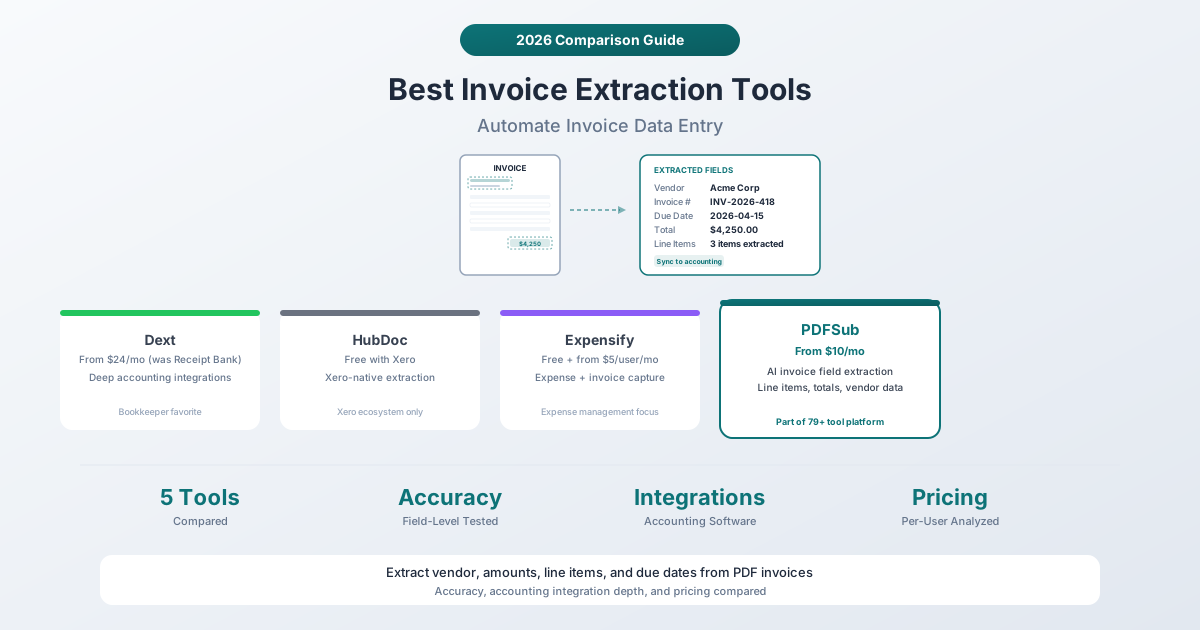
Invoice data extraction tools read the PDF and pull out the fields automatically: vendor name, invoice number, date, due date, line items, subtotal, tax, total. The best tools get this right 95%+ of the time and save hours of manual work every week.
Here is an honest comparison of the leading tools, from simple AI extractors to full accounting automation platforms.
What to Look For in an Invoice Extraction Tool
Before comparing tools, here is what actually matters:
-
Accuracy on your invoices. Some tools are great with standard invoice layouts but fail on non-standard formats. The only way to know is to test with your actual invoices.
-
Accounting software integration. If extracted data cannot flow into QuickBooks, Xero, Sage, or your accounting system, you are still doing manual work -- just a different kind.
-
Line item extraction. Many tools extract header fields (vendor, total, date) but struggle with individual line items. If you need line-item detail, verify this specifically.
-
Price per invoice. Some tools charge per user, some per document, some per page. Calculate the actual cost per invoice for your volume.
-
Handling of edge cases. Multi-page invoices, credit notes, foreign currency, handwritten additions, poor scans -- these separate good tools from great ones.
1. Dext (formerly Receipt Bank)
Best for: Bookkeepers and accountants who manage multiple clients and need deep accounting software integration.
Dext (rebranded from Receipt Bank in 2020) is arguably the most popular invoice and receipt extraction tool among accounting professionals. It is built specifically for the accounting workflow: capture invoices, extract data, code to chart of accounts, and push to your accounting software.
Pricing: Plans start around $24/month for small businesses. Accountant/bookkeeper plans are priced per client. Annual contracts reduce the per-month cost.
How it works: Forward invoices to a dedicated email address, upload via the mobile app, or use the Dext browser extension. The system extracts vendor, date, amount, tax, and line items. You review and approve, and Dext publishes the transaction to your accounting software.
Strengths:
- Deep integrations with Xero, QuickBooks, Sage, and FreeAgent
- Supplier rules learn your coding preferences over time
- Multi-currency support with automatic conversion
- Dedicated mobile app for on-the-go capture
- Strong brand trust among accounting professionals
- Client management for bookkeepers with multiple businesses
Limitations:
- Can be expensive for solo freelancers or small businesses
- The interface has a learning curve
- Extraction accuracy varies on non-standard invoice formats
- Not a general-purpose PDF tool -- invoices and receipts only
- Occasional issues with multi-page invoices
2. HubDoc
Best for: Xero users who want free invoice extraction bundled with their accounting software.
HubDoc was acquired by Xero in 2018 and is now included free with all Xero subscriptions. It fetches bills and receipts from supplier portals, extracts key data, and pushes it into Xero. If you already use Xero, this is the obvious starting point.
Pricing: Free with any Xero subscription ($15-78/month depending on Xero plan). HubDoc also integrates with QuickBooks Online, but the Xero integration is tighter.
How it works: Connect your supplier accounts (utilities, internet, etc.) and HubDoc automatically fetches new bills. You can also forward invoices via email or upload them manually. Extracted data is matched to Xero contacts and pushed as draft bills.
Strengths:
- Free with Xero -- no additional cost
- Automatic document fetching from connected suppliers
- Native Xero integration (bills, contacts, bank reconciliation)
- Simple interface that non-accountants can use
- Email forwarding for easy invoice submission
Limitations:
- Extraction accuracy is lower than Dext on complex invoices
- Limited to Xero and QuickBooks Online (no Sage, FreeAgent, etc.)
- Line item extraction is inconsistent
- No mobile scanning app (email forwarding or web upload only)
- Being free means less investment in the product compared to paid competitors
3. Expensify
Best for: Companies that need invoice extraction alongside expense management and corporate cards.
Expensify is primarily an expense management platform, but it includes invoice processing capabilities. Its SmartScan technology reads invoices and receipts using a combination of OCR and AI, plus human verification for edge cases.
Pricing: The free plan handles basic receipt scanning for individuals. Paid plans start around $5/user/month (Collect plan) for teams, with the Control plan at around $9/user/month for larger organizations.
How it works: Upload or photograph an invoice. SmartScan extracts the fields and creates an expense or bill. For invoices, you can set up approval workflows before payment. Expensify integrates with QuickBooks, Xero, NetSuite, Sage, and others.
Strengths:
- Combines expense management, receipt scanning, and invoice processing in one platform
- SmartScan uses human reviewers for low-confidence extractions (better accuracy)
- Corporate card management and reconciliation
- Approval workflows for invoice processing
- Broad accounting software integrations
Limitations:
- Invoice extraction is a secondary feature -- the primary product is expense management
- Per-user pricing adds up quickly for larger teams
- The interface can feel cluttered with features you may not need
- SmartScan human review adds latency (not always instant)
- Not designed for high-volume invoice processing (hundreds per day)
4. AutoEntry (by Sage)
Best for: Sage users and accounting firms that want automated data entry with multi-client management.
AutoEntry (acquired by Sage in 2019) is a data entry automation tool for accountants. It extracts data from invoices, receipts, bank statements, and expense claims, and publishes directly to Sage, QuickBooks, or Xero.
Pricing: Plans are based on credits (each document costs credits). The entry plan starts around $12/month for 50 credits. Higher tiers offer more credits at lower per-document costs. Accountant plans are available for multi-client management.
Strengths:
- Strong Sage integration (owned by Sage)
- Credit-based pricing is transparent and predictable
- Handles invoices, receipts, bank statements, and expense claims
- Multi-client management for accounting firms
- Automatic supplier matching and category coding
Limitations:
- Credit system means you pay per document regardless of complexity
- The interface feels dated compared to Dext
- Extraction accuracy on complex invoices lags behind Dext
- Primarily positioned for the Sage ecosystem
- Mobile app is functional but not as polished as Dext's
5. PDFSub Invoice Extractor
Best for: Teams that need invoice extraction as part of a broader document workflow -- without paying for a full accounting automation platform.
PDFSub's Invoice Extractor uses AI to read invoice PDFs and extract structured data: vendor details, invoice number, dates, line items, subtotals, tax amounts, and totals. It works on any invoice format -- standard or non-standard -- because it uses AI vision rather than template matching.
Pricing: Included in PDFSub's All-In-One plan ($20/user/mo annual or $25/user/mo monthly) with 98+ tools. No per-invoice or per-page fees. All plans include the Invoice Extractor alongside other AI tools and standard PDF operations.
How it works: Upload an invoice PDF. The AI analyzes the document, identifies field locations, and extracts structured data. For text-based PDFs, it uses the text layer directly. For scanned invoices, it applies OCR first. Results can be exported or copied as structured data.
Strengths:
- No setup or template training required -- works on any invoice format immediately
- Uses AI vision, which handles non-standard layouts better than template-based tools
- Part of a complete document platform (after extracting invoice data, you can translate the invoice, merge it with other documents, or convert it)
- Fixed monthly pricing -- no per-invoice charges regardless of volume
- Browser-based -- accessible from any device
- Also includes receipt scanning, bank statement conversion, financial report analysis, and data extraction tools
Limitations:
- No direct accounting software integration (export to Excel/CSV/JSON, then import)
- Not designed for automated high-volume processing pipelines
- No email forwarding for automatic invoice capture
- No approval workflows or multi-step processing
- Best as a complement to -- not replacement for -- a full AP automation system
Pricing Comparison
| Tool | Starting Price | Pricing Model | Best Value For |
|---|---|---|---|
| Dext | ~$24/mo | Per user/client | Accountants with multiple clients |
| HubDoc | Free (with Xero) | Included with Xero | Xero users |
| Expensify | ~$5/user/mo | Per user | Teams needing expense + invoice |
| AutoEntry | ~$12/mo | Per document (credits) | Sage users |
| PDFSub | $20/user/mo annual | Flat per-user monthly | Occasional extraction + PDF tools |
How to Choose
You are a bookkeeper managing multiple clients: Dext. The client management features, supplier rules, and deep accounting integrations justify the cost.
You use Xero and want free extraction: HubDoc. It is included with your Xero subscription and the integration is seamless.
You need expense management alongside invoices: Expensify. The combined expense/invoice workflow eliminates a separate tool.
You use Sage as your primary accounting software: AutoEntry. The Sage ownership means the tightest integration.
You need occasional invoice extraction alongside other PDF tasks: PDFSub. At $20/user/mo annual for 98+ tools including invoice extraction, it is the best value if you do not need full AP automation.
The honest truth: if you process more than 50 invoices per week and need them to flow directly into your accounting software with category coding and approval workflows, you need Dext, HubDoc, or a similar dedicated platform. PDFSub's Invoice Extractor is better suited for ad-hoc extraction, occasional processing, or as a complement to manual workflows.
Frequently Asked Questions
How accurate is AI invoice extraction?
On standard invoice formats (clear layout, text-based PDF), accuracy rates of 95-99% for header fields (vendor, total, date) are common across all tools on this list. Line item accuracy is lower -- typically 85-95% -- because line item tables have more variation. Scanned invoices are less accurate than text-based PDFs. The best approach is to test each tool with your actual invoices before committing to a subscription.
Can these tools handle invoices in different currencies?
Yes, but with varying sophistication. Dext and Expensify include multi-currency support with automatic conversion rates. HubDoc handles multiple currencies through Xero's multi-currency feature. PDFSub extracts the currency and amounts as-is without conversion. If you regularly process international invoices, multi-currency support should be a key selection criterion.
What if an invoice is a scanned image rather than a text PDF?
All tools on this list support scanned invoices through OCR. The accuracy will be lower than text-based PDFs, and the processing time will be longer. Dext, Expensify, and PDFSub all apply OCR automatically when they detect an image-based document. For the best results with scanned invoices, ensure the scan is high-resolution (300 DPI or higher) and the image is not skewed.
Do I need a dedicated invoice tool if I already use QuickBooks or Xero?
QuickBooks and Xero both include basic document capture features. QuickBooks lets you photograph receipts, and Xero includes HubDoc for free. These built-in features handle basic use cases. You need a dedicated tool when you process high volumes, need better accuracy, want automated supplier rules, or manage multiple client businesses.
Can I use PDFSub's Invoice Extractor without subscribing to the full platform?
The Invoice Extractor is part of PDFSub's All-In-One plan ($20/user/mo annual or $25/user/mo monthly) and includes all 98+ tools. There is no standalone invoice-only plan. However, since you also get PDF merging, splitting, conversion, compression, AI chat, translation, summarization, bank statement conversion, receipt scanning, and dozens more tools, the value extends well beyond invoice extraction. A 7-day free trial lets you test everything before committing.
The Bottom Line
The best invoice extraction tool depends on your volume and workflow. Dedicated accounting platforms like Dext and HubDoc are the right choice for professionals processing hundreds of invoices with direct accounting software integration. For teams that need occasional extraction alongside a broader document toolkit, PDFSub's Invoice Extractor offers excellent value at $20/user/mo (annual) as part of an 98+ tool platform.