PDF Tools for Real Estate Agents: Contracts, Closings, and Signatures
Real estate agents handle more PDFs than almost any other profession. Here's how to streamline every stage of a transaction - from listing to closing - with the right PDF workflow.
You just closed a deal. Congratulations. Now count the pages.
Between the purchase agreement, seller disclosures, inspection reports, title documents, loan paperwork, closing statements, and HOA documents, a single residential real estate transaction generates somewhere between 150 and 400 pages of PDFs. Commercial transactions can push well past that.
And that's just one deal. A busy agent juggling 15 to 20 active transactions is managing thousands of pages simultaneously - all of which need to be organized, signed, shared, and archived without a single document falling through the cracks.
Real estate runs on PDFs. Purchase agreements arrive as PDFs. Disclosures are PDFs. Inspection reports, appraisals, title commitments, closing statements - all PDFs. Yet most agents are still handling these documents with a patchwork of tools: one app for signatures, another for merging, email for sharing, and a prayer for organization.
This guide breaks down every PDF workflow a real estate professional encounters, maps each one to the right tool, and walks through the entire transaction lifecycle so you can stop wrestling with documents and start closing more deals.
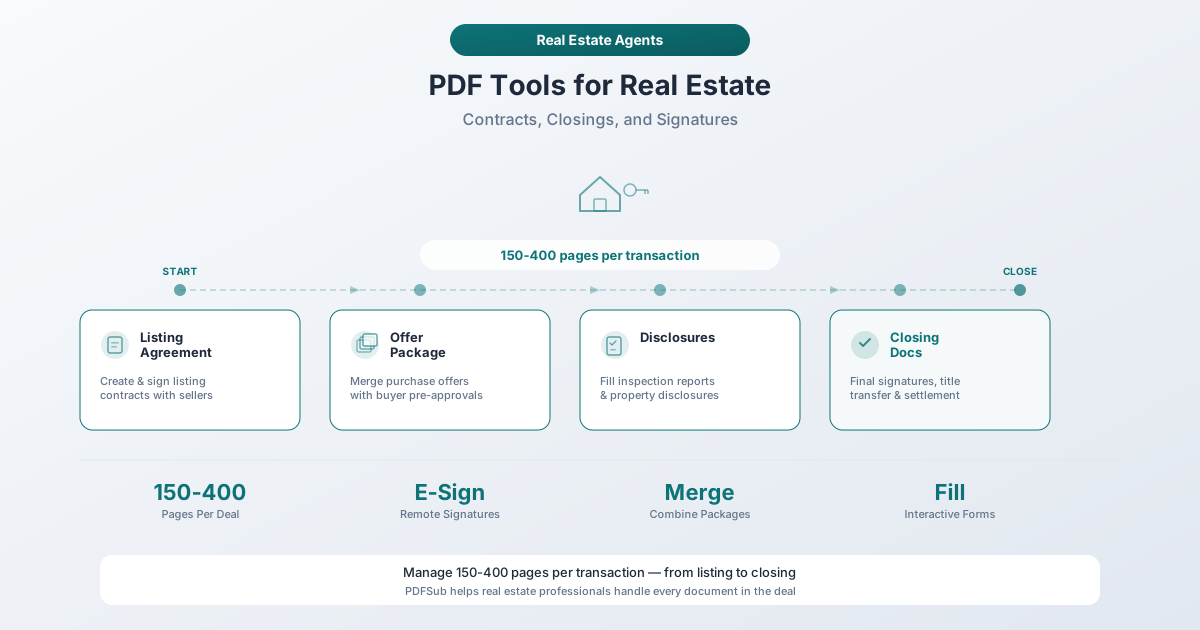
The Real Estate PDF Problem (By the Numbers)
Real estate agents spend up to 50% of their working hours on paperwork - the same amount of time it takes to actually close a deal. That's not a minor inconvenience. It's half your productive capacity consumed by document management instead of client relationships, showings, and negotiations.
Here's what the typical agent is dealing with:
- 150–400+ pages per transaction - A standard residential closing generates 150 to 200 pages of paperwork. Add in a complex financing arrangement, multiple counteroffers, or HOA documentation and you can easily exceed 400 pages.
- 8+ hours per week on repetitive paperwork - That's an entire working day every week spent on document tasks that should take minutes, not hours.
- Dozens of document types - Purchase agreements, listing agreements, seller disclosures, buyer agency agreements, inspection reports, repair requests, amendments, addenda, title commitments, title insurance policies, closing disclosures, settlement statements, wire instructions, HOA documents, property surveys, appraisals, lead paint disclosures, and more.
- Multiple parties per transaction - Buyers, sellers, co-agents, lenders, title companies, inspectors, appraisers, and attorneys all need access to different documents at different times.
- State-specific requirements - Every state has its own set of required forms, disclosures, and timelines. California alone requires over 50 disclosure forms for a standard residential sale.
The agents who close the most deals aren't necessarily better negotiators - they're often just better at managing document workflows. When you can turn around a counteroffer in minutes instead of hours, or assemble a complete disclosure package while your competitor is still hunting for the right form, you win deals.
The Documents You'll Handle in Every Transaction
Before diving into workflows, here's a quick inventory of the PDF documents that cross an agent's desk in a typical residential transaction:
| Category | Documents |
|---|---|
| Listing & Marketing | Listing agreement, CMA, listing presentation, property flyers, MLS data sheets |
| Disclosures & Due Diligence | Seller property disclosure, lead-based paint disclosure, natural hazard disclosure, HOA documents (CC&Rs, bylaws, financials), property survey, home inspection report, pest inspection report, appraisal |
| Contracts & Negotiation | Purchase agreement, counteroffers, amendments, addenda, buyer agency agreement |
| Closing & Financial | Closing Disclosure, settlement statement (HUD-1/ALTA), title commitment, title insurance policy, deed, wire instructions, proof of funds, mortgage documents |
That's 25+ distinct document types in a single transaction - and many of them run multiple pages. An inspection report alone can be 30 to 60 pages. Now let's talk about what to do with all of it.
Six PDF Workflows Every Agent Needs
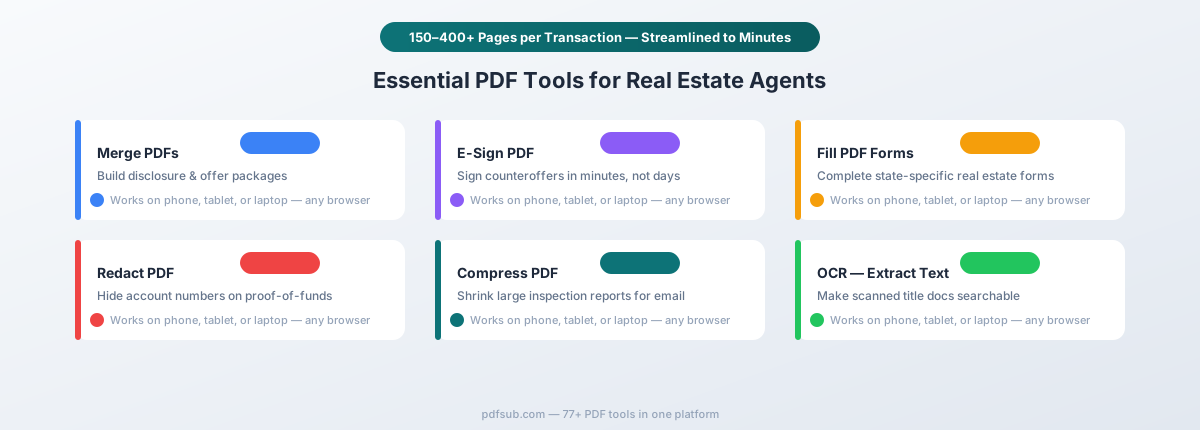
1. Merge: Assembling Document Packages
Real estate is a packaging business. You're constantly combining individual documents into organized packages that need to be delivered as a single file.
Common merge scenarios:
- Disclosure packages - Combining 10 to 20 individual disclosure forms into a single PDF that buyers can review in one sitting
- Offer packages - Assembling the purchase agreement, proof of funds, pre-approval letter, cover letter, and any addenda into one complete offer submission
- Listing packages - Combining the listing agreement, CMA, marketing plan, and property information into a professional presentation
- Transaction archives - Merging all executed documents from a completed transaction into a single file for your records and your brokerage's compliance files
Without a merge tool, you're either emailing 15 separate attachments (which no one wants to receive) or manually printing and scanning everything back into one PDF (which degrades quality and wastes time).
The tool: PDFSub's Merge PDFs lets you drag and drop multiple PDFs in any order, rearrange them, and combine them into a single document. The merged file keeps all the original formatting, bookmarks, and resolution. You can assemble a complete disclosure package in under a minute.
2. E-Sign: Getting Contracts Signed Without Meeting in Person
The days of driving across town to get a signature on an addendum are over. Electronic signatures have fundamentally changed how real estate transactions move forward, and the agents who embrace them close faster.
Common e-sign scenarios:
- Purchase agreements and counteroffers - Getting buyer and seller signatures on the core contract documents
- Amendments and addenda - Modifying terms after the contract is executed (inspection repair requests, closing date extensions, price adjustments)
- Listing agreements - Securing the seller's authorization to list the property
- Buyer agency agreements - Formalizing the buyer-agent relationship
- Disclosure acknowledgments - Confirming that buyers have received and reviewed all required disclosures
Speed matters here. In a competitive market with multiple offers, the agent who can get a signed counteroffer back in 20 minutes has a massive advantage over the agent whose client won't be available until tomorrow.
The tool: PDFSub's E-Sign PDF lets you place signature fields, initials, dates, and text fields on any PDF, then sign directly in your browser. No account required for signers. Documents are processed in your browser, so sensitive contract details never sit on a third-party server.
3. Fill Forms: Completing State-Specific Real Estate Forms
Every state real estate commission and local association publishes its own set of standardized forms. California uses C.A.R. forms. Texas has TREC forms. New York has its own set. And they're almost always distributed as fillable PDFs with interactive form fields.
Common form-fill scenarios:
- State purchase agreement templates - Pre-formatted contracts with fields for property address, price, contingency dates, and terms
- Disclosure forms - Standardized checklists where sellers mark known conditions
- Addendum templates - Pre-built forms for common contract modifications (financing contingency, inspection contingency, lead paint disclosure)
- Agency disclosure forms - State-required forms explaining representation relationships
- Wire fraud advisory notices - Increasingly required forms warning parties about wire fraud schemes
The challenge isn't just filling in blanks - it's doing it accurately across dozens of forms per transaction, often on a tight deadline when a counteroffer expires at midnight.
The tool: PDFSub's PDF Form Filler detects interactive form fields automatically and lets you tab through them, fill in data, and save the completed form. It handles checkboxes, radio buttons, dropdown menus, and text fields - all the field types you'll encounter in state real estate forms.
4. Compress: Getting Document Packages Under Email Size Limits
Here's a scenario every agent recognizes: you've assembled a perfect 45-page disclosure package, and your email bounces back because the file exceeds the 25 MB attachment limit.
Real estate PDFs tend to be large because they often contain:
- High-resolution photos embedded in marketing flyers and CMA reports
- Scanned documents from title companies and inspectors (scans are significantly larger than native PDFs)
- Survey maps and plat drawings with detailed vector graphics
- Inspection reports with dozens of photos documenting every defect
You need to send these documents to clients, co-agents, lenders, and title companies - many of whom still rely on email as their primary document delivery channel.
The tool: PDFSub's Compress PDF reduces file size by optimizing images, removing duplicate resources, and streamlining the document structure. A 40 MB inspection report can often be compressed to under 10 MB without visible quality loss. The compression happens in your browser, so the document never leaves your device.
5. Redact: Protecting Sensitive Client Information
Real estate transactions involve some of the most sensitive financial information your clients will ever share. And in many situations, you need to share documents that contain information that should be partially hidden.
Common redaction scenarios:
- Proof of funds - Buyers provide bank statements to prove they can close, but those statements contain account numbers, routing numbers, and transaction histories that sellers and co-agents don't need to see. Redact everything except the account holder's name and the ending balance.
- Pre-approval letters with financial details - Some lenders include income figures, debt ratios, and credit score ranges on pre-approval letters. Redact the specifics before sharing with the listing agent.
- Tax returns used for loan qualification - If you're helping a buyer assemble their mortgage application package, Social Security numbers and employer identification numbers should be redacted from any copies.
- Settlement statements being shared with third parties - Account numbers, wire routing information, and other financial details should be removed before sharing closing documents outside the immediate transaction parties.
This isn't optional. Mishandling client financial information can result in identity theft, regulatory complaints, and lawsuits. The National Association of Realtors' Code of Ethics requires agents to protect confidential information.
The tool: PDFSub's Redact PDF permanently removes sensitive content from PDFs. Unlike simply drawing a black box over text (which can be removed), true redaction destroys the underlying data. Select the text or area to redact, apply, and the information is gone - not hidden, not covered up, but permanently deleted from the document.
6. Convert: Extracting Data and Digitizing Scanned Documents
Not every document arrives as a clean, digital PDF. Title companies still fax documents. Inspectors sometimes deliver scanned reports. And when you need to extract financial data from closing statements or bank statements for analysis, you need conversion tools.
Common conversion scenarios:
- Scanned inspection reports - Converting image-based PDFs into searchable, text-selectable documents
- Closing statement data extraction - Pulling line items from settlement statements into a spreadsheet for commission tracking or client accounting
- Older documents - Digitizing paper documents from previous transactions or county records
- Bank statement conversion - Extracting transaction data from proof-of-funds documents for verification
The tools: PDFSub offers several conversion tools relevant to real estate workflows:
- OCR - Extract Text turns scanned documents into searchable PDFs with selectable text
- PDF to Word converts contracts and reports into editable Word documents when modifications are needed
- Bank Statement Converter extracts financial data from bank statements into Excel, CSV, or accounting formats
- Extract Data pulls structured data from any PDF document using AI
Transaction Lifecycle: PDF Needs at Every Stage
Understanding when you need each tool helps you build efficient workflows. Here's how PDF tasks map to each phase of a real estate transaction.
Pre-Listing
Win the listing by merging your CMA data, market reports, and comparable sales into a polished presentation (Merge PDFs), compressing it for email delivery (Compress PDF), and getting the listing agreement signed electronically (E-Sign PDF).
Active Listing
Assemble all required disclosures into a single buyer package (Merge PDFs), fill in state-specific disclosure forms (PDF Form Filler), and compress marketing PDFs with high-resolution photos for distribution (Compress PDF).
Offer and Negotiation
Merge the purchase agreement, proof of funds, pre-approval letter, and cover letter into a complete offer package (Merge PDFs). Redact account numbers from proof-of-funds documents before sharing with the seller (Redact PDF). Get signatures on the purchase agreement and any counteroffers (E-Sign PDF).
Under Contract
Sign inspection amendments, repair requests, and addenda quickly (E-Sign PDF). Combine multiple inspection reports into one package (Merge PDFs). Make scanned inspection or appraisal reports searchable (OCR - Extract Text).
Closing
Extract data from the settlement statement for verification (Extract Data). Sign final closing documents (E-Sign PDF). Redact wire instructions before archiving (Redact PDF). Add password protection to sensitive closing documents (Password Protect).
Post-Closing
Merge all executed documents into a single transaction archive (Merge PDFs). Compress the file for long-term storage (Compress PDF). Convert to archival PDF/A format for permanent retention (PDF/A Conversion). Strip editing history and metadata from archived documents (Remove Metadata).
Most state regulations require agents and brokerages to retain transaction files for three to seven years. A well-organized, compressed, archival-format transaction file makes compliance straightforward.
The Privacy Advantage: Why Browser-Based Processing Matters
Here's something most agents don't think about until it's too late: every time you upload a client's financial documents to a cloud-based PDF tool, you're sending their most sensitive information to a third-party server.
Bank statements with account numbers. Closing disclosures with Social Security numbers. Wire instructions with routing numbers. Pre-approval letters with income figures.
Most online PDF tools upload your files to their servers for processing. The file sits on their infrastructure, gets processed, and then gets downloaded back to you. During that time, your client's financial data exists on a server you don't control, subject to that company's security practices and data retention policies.
PDFSub takes a different approach. For most operations - merging, compressing, filling forms, e-signing, redacting - the document is processed entirely in your browser. The file never leaves your device. There's no upload, no server-side storage, no data retention, and no risk of a third-party data breach exposing your client's financial information.
For real estate agents who handle proof-of-funds documents, bank statements, and closing disclosures daily, this isn't a minor feature. It's a fundamental difference in how you protect your clients.
Tips for Organizing Real Estate PDFs
Having the right tools is only half the battle. You also need a system for organizing the hundreds of documents flowing through your transactions.
Folder Structure Per Transaction
Create a master folder for each transaction named with the property address, with numbered subfolders that follow the natural flow of a deal:
123 Oak Street, Springfield/
  01 - Listing Agreement/
  02 - Marketing Materials/
  03 - Disclosures/
  04 - Offers and Counteroffers/
  05 - Executed Contract/
  06 - Inspections and Repairs/
  07 - Financing and Appraisal/
  08 - Title and Survey/
  09 - Closing Documents/
  10 - Post-Closing/
Numbering forces chronological order. When you need to find the inspection amendment from three weeks ago, you know exactly where to look.
File Naming Convention
Use a consistent format: PropertyAddress_DocumentType_Date_Status.pdf
For example: 123OakSt_PurchaseAgreement_20260302_Executed.pdf
Use status labels like Draft, Pending, Executed, Final, or Revised-v2 so you never accidentally send the wrong version. Within each subfolder, consider separating working documents from executed ones to keep the distinction clear.
Store your transaction folders in a cloud service like Google Drive, Dropbox, or OneDrive for access from any device, automatic backup, easy sharing with your team, and built-in version history.
Frequently Asked Questions
Are e-signatures legally valid on real estate contracts?
Yes. Electronic signatures are legally binding on real estate contracts in all 50 states under two federal and state frameworks:
- The ESIGN Act (2000) - A federal law that gives electronic signatures the same legal standing as handwritten signatures. It applies across all 50 states and stipulates that a contract or signature cannot be denied legal effect solely because it is in electronic form.
- UETA (Uniform Electronic Transactions Act) - Adopted by 49 states plus the District of Columbia. New York has its own equivalent law called the Electronic Signatures and Records Act (ESRA), which provides the same legal equivalence.
Important exceptions: Some documents still require traditional signatures or notarization, including:
- Deeds - Many county recording offices still require wet-ink signatures and notarization for documents to be recorded, although this is changing with the adoption of Remote Online Notarization (RON)
- Mortgage documents - Promissory notes and deeds of trust often require notarized wet-ink signatures, though RON is increasingly accepted
- Wills and testamentary trusts - Explicitly excluded from both ESIGN and UETA
- Court orders and official court documents - Excluded from electronic signature laws
For the vast majority of real estate contracts - purchase agreements, listing agreements, disclosures, amendments, addenda, and buyer agency agreements - electronic signatures are fully valid and enforceable.
Do I need DocuSign, or are there cheaper alternatives?
DocuSign is the most recognized name in real estate e-signatures, but it's not the only option and it's not cheap. DocuSign's Real Estate plan starts at $25 per month per user billed annually. For a small team of five agents, that's $1,500 per year just for signatures.
Alternatives include industry-specific platforms like Dotloop (which is popular among real estate brokerages) and general-purpose e-signature tools. Many agents pay for e-signature capabilities they barely use - like workflow automation, templates, and CRM integrations - when all they really need is to place signature fields on a PDF and send it.
PDFSub's E-Sign tool handles the core workflow most agents need: place signature fields, sign in your browser, and download the signed document. It's included in every PDFSub subscription alongside 98+ other PDF tools, so you're not paying for a single-purpose tool. You can start a 7-day free trial to test it with your actual transaction documents.
Can I handle everything from my phone or tablet?
Modern real estate demands mobile workflows. You're at a listing appointment and the seller wants to sign the listing agreement now. You're at a showing and the buyer wants to submit an offer before another buyer does. You're at a coffee shop between appointments and need to merge a disclosure package.
PDFSub works entirely in the browser - no app download required. That means every tool works on your phone, tablet, or laptop. Open your browser, navigate to the tool you need, and process your document. The same browser-based processing that protects your privacy also means there's nothing to install or update.
For agents who work primarily from their phone, the key workflows that need to be mobile-friendly are e-signing (urgent contract turnaround), compressing (sending documents via email from your phone), and merging (assembling packages on the go). All three work in any mobile browser.
How long should I keep transaction files?
Retention requirements vary by state, but the general guidance is:
- Most states require 3 to 5 years from the date of closing or the termination of the transaction
- Some states require up to 7 years (California, for example, requires a minimum of 3 years but recommends longer)
- Your brokerage may have stricter requirements - many brokerages mandate 7 to 10 years regardless of state minimums
- Tax-related documents should be kept for at least 7 years per IRS guidelines
Use PDFSub's Merge PDFs to combine all transaction documents into a single archive file, Compress PDF to reduce the file size for long-term storage, and PDF/A Conversion to convert to archival format that will remain readable decades from now.
What about sensitive documents like wire instructions?
Wire fraud is one of the biggest threats in real estate. The FBI's Internet Crime Complaint Center reports that real estate wire fraud losses exceeded $446 million in 2024. Criminals intercept email communications and send fraudulent wire instructions that redirect closing funds to their accounts.
Protect yourself and your clients:
- Never send wire instructions via unencrypted email - Use Password Protect to encrypt wire instruction PDFs before sending, and communicate the password separately by phone
- Redact sensitive information - Use Redact PDF to permanently remove account numbers and routing numbers from documents before sharing them with parties who don't need that information
- Verify independently - Always confirm wire instructions by calling the title company or attorney at a phone number you already have on file, not a number included in the email
Getting Started
If you're spending hours each week on document tasks that should take minutes, the fix isn't working harder - it's using better tools.
PDFSub gives you every PDF tool a real estate agent needs in one place: merging, e-signing, form filling, compressing, redacting, converting, and more. All 98+ tools are included in every subscription, and most processing happens directly in your browser so your clients' sensitive documents stay on your device.
Start your 7-day free trial and test it with your next transaction. Bring your actual disclosure packages, purchase agreements, and inspection reports. See how much time you save when your PDF workflow is streamlined into a single platform.
No per-page fees. No per-signature charges. Just the tools you need to close deals faster. Cancel anytime.