PDF Tools for HR: Onboarding Documents and Employee Forms
HR teams process thousands of PDFs annually - from offer letters and tax forms to handbooks and policy acknowledgments. Here's how to streamline every onboarding document workflow with the right PDF tools.
It's Monday morning. You have three new hires starting today. Each one needs to complete a W-4, an I-9, a direct deposit authorization, a benefits enrollment form, a non-disclosure agreement, an employee handbook acknowledgment, an emergency contact form, and two company policy sign-offs. That's nine documents per person - 27 documents total - before lunch.
Now multiply that across every new hire this year. A company of 200 employees with 15% annual turnover onboards 30 new people. At 10-15 forms per new hire, that's 300 to 450 individual documents just for onboarding. Add in annual policy re-acknowledgments, benefits open enrollment, salary adjustments, performance reviews, and termination paperwork, and an HR department of that size easily processes 2,000 to 5,000 PDF documents per year.
Most of these documents arrive as PDFs, need to be completed as PDFs, or must be archived as PDFs for compliance. Yet the tools most HR teams use to manage them haven't changed in a decade: email attachments, desktop printers, physical signature routing, and filing cabinets (or the digital equivalent - an overflowing shared drive with no naming convention).
This guide maps every HR document workflow to the right PDF tool, from pre-populating forms before a new hire's first day to permanently redacting Social Security numbers before sharing files with a department manager.
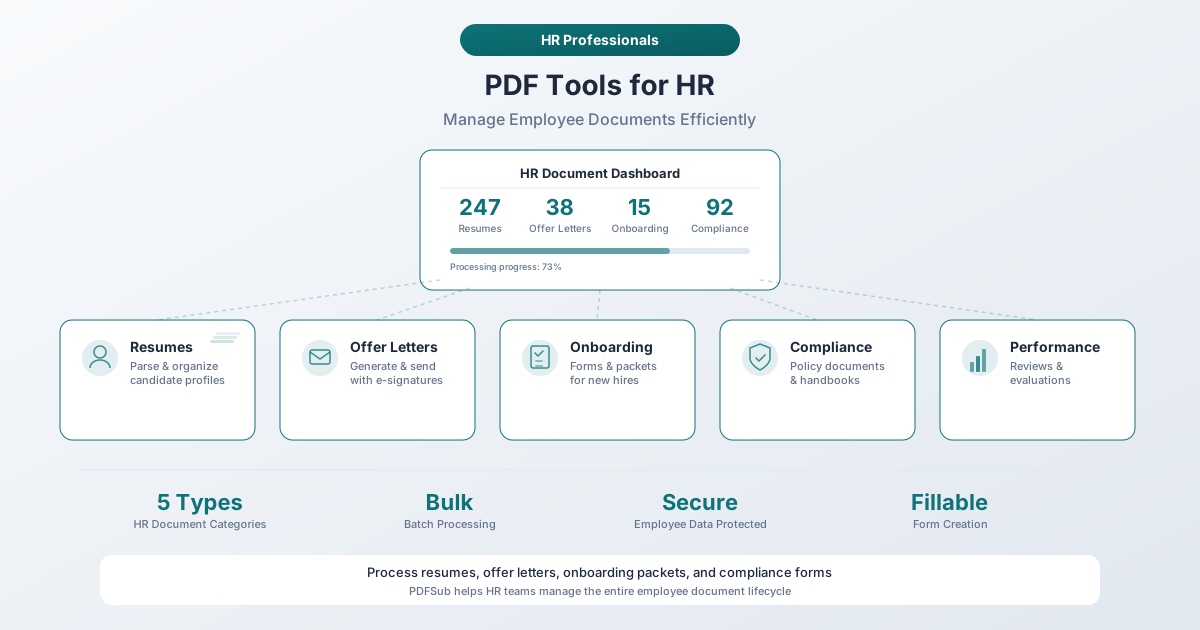
The Onboarding Document Challenge
Onboarding is where the document burden hits hardest. A typical new hire in the United States must complete between 5 and 15 forms on or before their first day of work. Some organizations push that number past 20 when you include role-specific certifications, equipment agreements, and IT access forms.
The paperwork isn't optional. Federal law requires the I-9 (Employment Eligibility Verification) to be completed by the end of the employee's third business day. The W-4 (Employee's Withholding Certificate) must be on file before the first paycheck. State tax withholding forms have their own deadlines. Benefits enrollment windows are time-sensitive. Miss any of these, and you're looking at compliance violations, payroll delays, or coverage gaps.
According to Harvard Business Review research, a well-structured onboarding process can increase new hire retention by up to 50% and boost productivity by over 62%. But when that process starts with a stack of misaligned PDFs and a broken printer, the first impression your company makes is one of disorganization.
Common HR PDF Documents
Here's what HR professionals deal with on a document level. Each category has its own compliance requirements, retention schedules, and handling considerations.
- Offer letters and employment agreements - Compensation details, start dates, job titles, at-will language, and non-compete clauses. Require signatures from both the employee and a company representative.
- Form W-4 - The IRS requires every employee to submit a W-4 before their first paycheck. The 2026 version uses the simplified format introduced in 2020.
- Form I-9 - USCIS requires employers to verify the identity and employment authorization of every person hired. Must be completed within three business days of the employee's start date.
- State tax withholding forms - Most states with income tax have their own withholding certificate separate from the federal W-4 (California's DE 4, New York's IT-2104, Illinois' IL-W-4).
- Benefits enrollment forms - Health, dental, vision, life insurance, disability, FSA/HSA elections, and 401(k) enrollment. New hires usually have 30 days to complete enrollment.
- Direct deposit authorization - Requires bank routing and account numbers - sensitive financial data that needs careful handling.
- Employee handbook acknowledgment - Companies distribute handbooks as PDFs (20 to 100+ pages) and require a signed acknowledgment confirming receipt and understanding.
- Non-disclosure and non-compete agreements - Must be retained for the duration of employment and often beyond.
- Emergency contact forms - Collect names, relationships, phone numbers, and sometimes medical information.
- Company policy acknowledgments - Harassment prevention, acceptable use, safety, remote work, social media, and dress code policies. Each typically requires its own signed acknowledgment.
PDF Workflows for HR
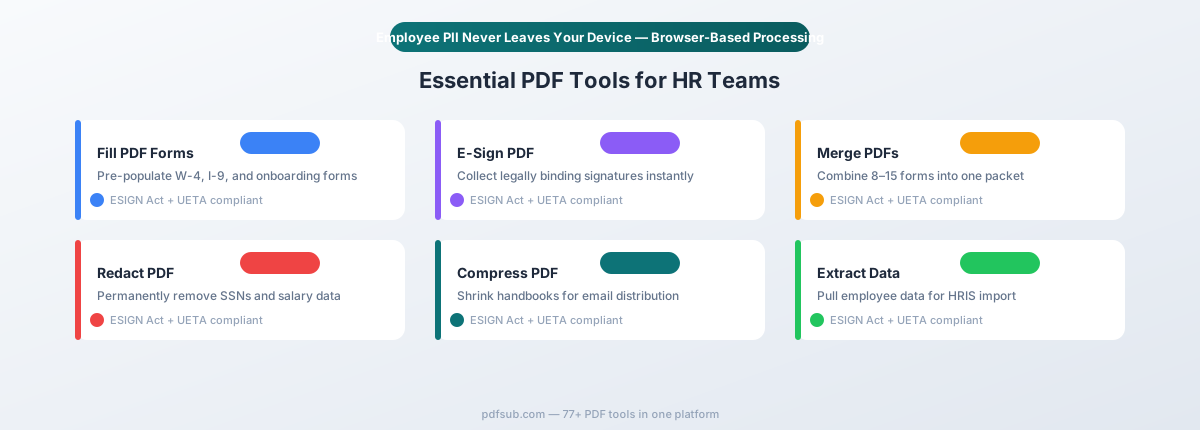
Here's where specific tools map to specific HR tasks.
Fill Forms: Pre-Populating Employee Information
The problem: You already have the new hire's name, address, Social Security number, start date, job title, and department from their application and offer letter. Yet on day one, they spend 45 minutes re-entering this same information across a dozen forms by hand. It's tedious and error-prone - a transposed digit in an SSN, a misspelled street name, an incorrect zip code.
The workflow: Pre-populate fillable PDF forms with information you already have before sending them to the new hire.
PDFSub's Fill PDF Form tool lets you open any fillable PDF, enter data into form fields, and save the completed version:
- Fill in the employee's name, address, SSN, and start date across all forms before day one
- Reduce form completion time from 45+ minutes to under 10 minutes
- Eliminate transcription errors from handwritten entries
The tool works directly in your browser - sensitive employee data like Social Security numbers and salary information never gets uploaded to an external server.
E-Sign: Getting Signatures on Employment Documents
The problem: Offer letters, NDAs, policy acknowledgments, and employment agreements all require signatures. The traditional print-sign-scan-email approach adds days to the onboarding timeline and generates paper that needs to be shredded or stored.
The workflow: Collect legally binding e-signatures without printing a single page.
PDFSub's Sign PDF tool supports typed, drawn, and image-based signatures that are legally valid under both the federal ESIGN Act (2000) and UETA (Uniform Electronic Transactions Act, adopted by 47 states plus DC). These laws confirm that electronic signatures carry the same legal weight as wet-ink signatures for employment documents - offer letters, NDAs, non-compete agreements, policy acknowledgments, benefits elections, and direct deposit authorizations.
For an e-signature to be legally valid, four conditions must be met: intent to sign, consent to conduct business electronically, association of the signature with the document, and the ability for both parties to retain a copy.
Tip: Include a sentence in the document itself stating that both parties consent to electronic signature. This strengthens enforceability and eliminates ambiguity.
Merge: Assembling Onboarding Packets
The problem: A new hire's onboarding packet consists of 8-15 separate PDF files. Sending these as individual attachments leads to confusion ("Which one did I already sign?"), lost documents ("I don't see the benefits form"), and incomplete submissions.
The workflow: Combine all onboarding forms into a single, ordered PDF document. The employee receives one file, works through it sequentially, and returns one completed packet.
PDFSub's Merge PDFs tool lets you:
- Combine 8-15+ separate PDF forms into one organized onboarding packet
- Reorder pages so documents flow logically (offer letter first, then tax forms, then benefits, then policies)
- Create a consistent onboarding experience for every new hire
Instead of tracking which of 12 attachments the employee has and hasn't returned, you track one document.
Reverse workflow: When the completed packet comes back, you may need to split it apart. The I-9 must be stored separately from other employment records. Use a split or extract pages tool to pull the I-9 into its own file for separate storage.
Redact: Removing PII for Compliance
The problem: A department manager needs to see a new hire's job title, start date, and reporting structure - but not their Social Security number, salary, or bank account details. HR shares documents across the organization regularly, and each sharing scenario requires different information to be visible or hidden.
The workflow: Permanently remove sensitive information from PDF copies before sharing.
PDFSub's Redact PDF tool permanently removes text and underlying data from the document. Unlike a black highlight or filled rectangle (which leaves the actual text extractable underneath), true redaction deletes the content. It cannot be recovered.
Common HR redaction scenarios:
- SSNs and tax IDs - Redact all but the last four digits when sharing employment verification documents
- Salary and compensation - Remove pay details from documents shared with non-HR managers
- Bank account numbers - Strip financial data from direct deposit forms
- Medical information - Remove health-related details before filing in general personnel folders
The redaction happens in your browser. Documents containing Social Security numbers and salary data are processed locally.
Compress: Sending Large HR Documents
The problem: Employee handbooks routinely exceed 50 pages and 5 MB. Benefits guides can top 100 pages. When you email these to 30 new hires plus their managers, attachments bounce and inboxes fill up.
PDFSub's Compress PDF tool reduces file sizes by 50-80% while preserving text clarity. A 78-page handbook at 8 MB compresses to under 2 MB. This is especially valuable for remote onboarding, where every document is delivered electronically.
Convert: Extracting Data for HRIS Import
The problem: Employee data arrives in PDF format - completed forms, prior employment records, certificates - but your HRIS needs structured data. Manually retyping information from PDFs into your HRIS is slow and error-prone.
PDFSub's data extraction tools pull structured information from PDF documents - names, addresses, dates, identification numbers, and tabular data like benefits elections or training records - and convert it into spreadsheet format for import. This is particularly valuable during mergers or acquisitions, when you may need to import hundreds of employee records from PDF personnel files.
Compliance and Retention Requirements
Federal and state laws dictate how long you must retain specific documents, who can access them, and how they must be stored.
Federal Retention Requirements
| Document | Retention Period | Governing Law |
|---|---|---|
| Form I-9 | 3 years after hire OR 1 year after termination, whichever is later | Immigration and Nationality Act |
| Form W-4 | 4 years after tax due date for last return filed using the W-4 | IRS / Internal Revenue Code |
| Payroll records | 3 years | FLSA |
| Employment tax records | 4 years after tax becomes due or is paid | IRS |
| EEOC personnel records | 1 year from record creation OR 1 year after involuntary termination | Title VII, ADA, GINA |
| FMLA records | 3 years | Family and Medical Leave Act |
| OSHA injury/illness records | 5 years following the year the record covers | OSHA |
| ERISA benefits records | 6 years | Employee Retirement Income Security Act |
The I-9 Storage Rule Most HR Teams Get Wrong
Form I-9 records must be stored separately from general personnel files. If an ICE (Immigration and Customs Enforcement) auditor requests I-9s, you need to produce them without handing over the rest of the employee's personnel file. Mixing I-9s into general employee folders means you either hand over more than required or spend hours extracting them under time pressure.
Best practice: Maintain a dedicated I-9 folder (physical or digital) separate from individual employee personnel files.
When Multiple Rules Apply
The same document can be subject to multiple retention requirements. An employee's payroll record might fall under FLSA (3 years), IRS requirements (4 years), and state law (California requires 4 years for payroll records). When rules overlap, always follow the longest applicable period.
Practical recommendation: Most employment lawyers advise retaining all employee records for a minimum of 7 years after termination. This covers virtually every federal and state requirement and provides a safety margin for late-filed claims.
Privacy: Why Browser-Based Processing Matters for HR
HR documents contain some of the most sensitive personal information in any organization - Social Security numbers on W-4s and I-9s, salary data on offer letters, bank account numbers on direct deposit forms, medical information on benefits elections, and immigration status on I-9 supporting documentation.
Every time you upload one of these documents to a cloud-based PDF tool, that data passes through an external server. Even if the service deletes files after processing, you've created a transmission event that falls under your organization's data handling policies - and potentially under state privacy laws like the CCPA, VCDPA, or CPA.
Browser-based PDF tools eliminate this risk entirely. When a tool processes your file locally in your browser, the document never leaves your device.
PDFSub processes PDF operations in your browser by default. Fill forms, sign documents, merge files, compress handbooks, and redact sensitive information - all without your employees' personal data ever leaving your computer. When your CISO asks which external services have access to employee PII, browser-based tools don't appear on that list.
Remote Onboarding Workflow
When your new hire is in a different city - or a different country - every document must be delivered, completed, signed, and returned electronically. Here's a complete remote onboarding document workflow:
Step 1: Prepare the Packet (Before Day One) - Gather all required forms. Fill PDF forms with pre-populated employee data. Merge all forms into a single, ordered onboarding packet. Compress the packet for email delivery.
Step 2: Deliver and Sign (Day One) - Email the packet to the new hire. The employee reviews pre-filled information, completes remaining fields, and signs each document electronically. They return the completed packet as a single PDF.
Step 3: Verify and Process (Days 1-3) - HR reviews the completed packet for accuracy. Verify I-9 documentation. Extract data from completed forms for HRIS entry. Process benefits elections within the enrollment window.
Step 4: Separate and File - Split the completed packet into individual documents. File the I-9 in dedicated I-9 storage (separate from the personnel file). Redact sensitive information from copies shared with department managers. File remaining documents in the employee's digital personnel folder.
Step 5: Confirm and Archive - Send the employee copies of all signed documents. Confirm filing matches your retention schedule. Set calendar reminders for I-9 reverification dates and benefits enrollment confirmation.
This entire workflow replaces what used to require an in-person meeting, a printer, a scanner, and a filing cabinet.
Employee File Management
Digital employee files are only useful if you can find what you need during an audit, a termination, or a routine verification request.
Folder Structure and Naming Conventions
Create a consistent structure for every employee:
/Employees
  /LastName_FirstName_EmployeeID
    /Onboarding
    /Compensation
    /Performance
    /Benefits
    /Training
    /Discipline
    /Termination
Standardize file names with the format DocumentType_LastName_FirstName_YYYYMMDD.pdf - for example, W4_Garcia_Maria_20260302.pdf or NDA_Patel_Priya_20260302.pdf. Use ISO 8601 date format (YYYYMMDD) so files sort chronologically. Avoid spaces - use underscores instead. The date is your version control; never use "final" or "v2" suffixes.
Retention Schedule Management
Don't rely on memory. Tag each document category with its retention period at the time of filing, set annual review dates to identify documents eligible for destruction, and document every destruction decision. Never destroy documents subject to a litigation hold. When retention expires, permanently delete digital files - don't just move them to a recycle bin.
Tips for Streamlining HR Document Workflows
-
Create a master onboarding checklist - Build a single PDF checklist as the first page of every onboarding packet. The employee checks off each item, and HR can immediately see what's missing.
-
Standardize on fillable PDFs - Fillable forms with defined fields are faster to complete, easier to pre-populate, and produce cleaner data than hand-completed forms. Every minute you invest in creating proper fillable forms saves hours across dozens of new hires.
-
Build template packets by role - An engineering hire and a sales hire may need different documents. Pre-build merged packets for each role type so you're not assembling documents from scratch for every hire.
-
Pre-fill everything you can - If you have the employee's name, address, SSN, job title, and start date from the offer letter stage, fill it in before sending. Employees should only add information you don't already have.
-
Compress before all-company distributions - A 5 MB handbook sent to 200 employees is 1 GB of email server load. Compressed to 1 MB, it's 200 MB - and employees on mobile devices can actually download it.
-
Redact before sharing across departments - Before sharing any HR document outside the HR team, ask: "Does this recipient need every piece of information in this document?" If not, redact what they don't need.
-
Separate I-9s immediately - The moment an I-9 is completed and verified, extract it from the onboarding packet and file it in dedicated I-9 storage. Making this a same-day habit prevents panic during audits.
Frequently Asked Questions
Are e-signatures legally valid for employment documents?
Yes. The federal ESIGN Act (2000) and the Uniform Electronic Transactions Act (adopted by 47 states plus DC) establish that electronic signatures have the same legal standing as handwritten signatures for virtually all employment documents - including offer letters, NDAs, non-compete agreements, policy acknowledgments, and benefits elections.
Four requirements must be met: (1) intent to sign, (2) consent to conduct business electronically, (3) association of the signature with the document, and (4) the ability for all parties to retain a signed copy. Standard employment documents do not fall into any exception category.
How should we store digital employee records for compliance?
Digital records are legally equivalent to paper records, provided you meet these requirements: records must be retrievable within a reasonable timeframe, must not be altered after signing (PDF format with e-signatures includes tamper-evident seals), must have access controls limiting visibility to authorized personnel, and must be backed up redundantly. Keep I-9s and medical records (ADA accommodations, FMLA documentation) separate from general personnel files - this is required by the ADA and GINA.
Can we batch-fill forms for multiple new hires?
Yes. For most organizations onboarding 2-5 people at a time: open the form template in a PDF form filler, enter employee-specific data, save the completed form, repeat for each new hire, then merge individual forms into each employee's onboarding packet. For small and mid-size teams, this organized approach with pre-built templates and consistent naming conventions is both faster and less error-prone than a fully automated system that nobody maintains.
How long should we keep a former employee's records?
Follow the longest applicable retention period. Federal requirements range from 1 year (EEOC) to 6 years (ERISA). The safest approach: retain all former employee records for 7 years after termination. This covers virtually every federal requirement and nearly all state requirements. After 7 years, review each document category against current retention laws before destroying anything.
Start Streamlining HR Documents Today
Every form your new hire fills out on day one shapes their first impression of your organization. A smooth, organized, digital onboarding experience signals competence and respect for the employee's time. A pile of misaligned PDFs, a broken printer, and a hunt for a working pen signals the opposite.
PDFSub gives HR teams the tools to handle every PDF workflow - from pre-populating forms and collecting e-signatures to merging onboarding packets and redacting sensitive data - without uploading employee PII to external servers.
Start your 7-day free trial and see how much time your HR team saves on the next onboarding cycle.