Best AI PDF Translators (2026)
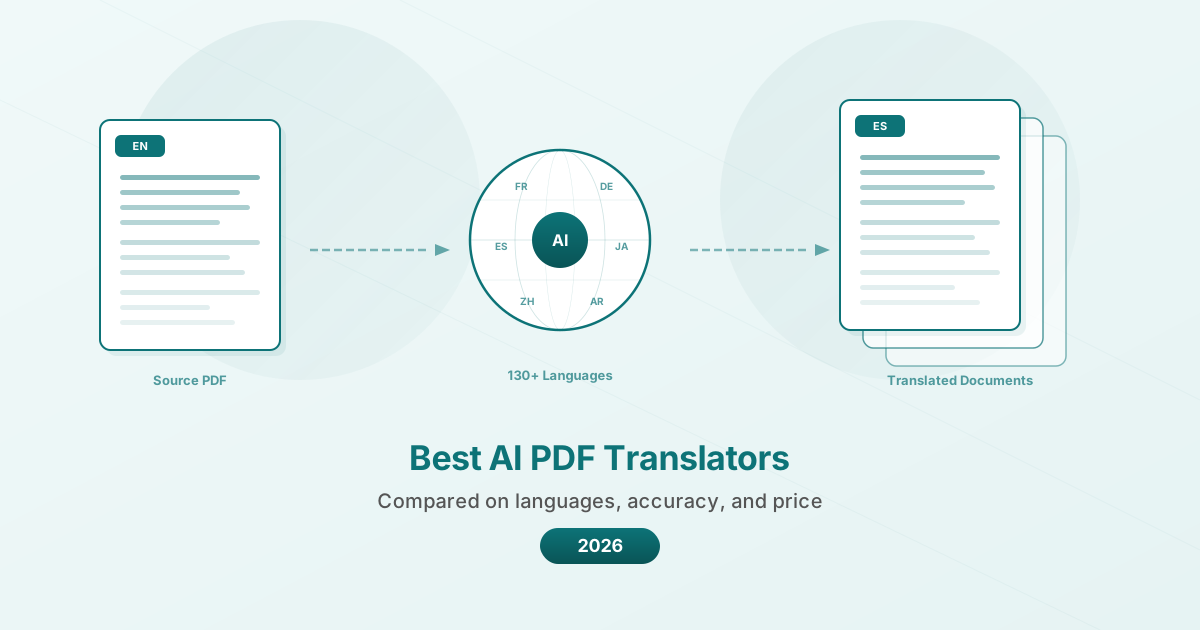
Need to translate a PDF document while preserving formatting? Here are the best AI-powered PDF translation tools - compared on languages, accuracy, and price.
PDFSub is best for:
- Users who need AI translation across 130+ languages with OCR for scanned documents
- Professionals who want translation bundled with summarization, chat, extraction, and 98+ PDF tools
- Cost-conscious teams translating documents regularly at a flat $20/user/mo (annual) instead of per-page pricing
- Financial and legal document translation where privacy matters (browser-based processing)
PDFSub is NOT best for:
- Users who need free, quick translations of short text (Google Translate handles that well)
- Teams requiring certified or notarized translations for legal proceedings
- Publishing workflows that need pixel-perfect layout preservation of complex multi-column designs
You receive a 40-page technical manual in German. Your client needs it in English by tomorrow. You paste the first paragraph into Google Translate and the text comes back... mostly right. But the formatting is gone. The tables are scrambled. The headers have merged with the body text. And you still have 39 pages to go.
This is the core problem with PDF translation. The translation part is increasingly solved -- AI models produce remarkably good output in most language pairs. But preserving the document structure while translating is a separate engineering challenge that most tools still struggle with.
In 2026, the landscape has split into three tiers: free tools that sacrifice formatting, professional translation platforms that preserve it (at a price), and AI-powered document tools that try to balance both. Here is an honest look at the best options.
What Matters in a PDF Translator
Translation accuracy. This seems obvious, but there are meaningful differences between tools, especially for technical, legal, and medical content. General conversation translates well almost everywhere. Industry-specific terminology separates the good tools from the mediocre ones.
Format preservation. Can the tool keep your headers, tables, bullet points, and page layout intact? Or does it flatten everything into a wall of text? This is the single biggest differentiator between PDF translators.
Language coverage. Some tools support 30 languages well. Others claim 130+ but the quality drops sharply outside the top 20. The language pairs that matter depend on your work -- Mandarin to English is well-served almost everywhere, while Khmer to Portuguese is a different story.
Handling scanned documents. If your PDF is a scan (no selectable text), the tool needs OCR before it can translate. Some handle this automatically. Others require you to extract text first using a separate tool.
Privacy and data handling. Translation means your document content passes through an AI model. Where that processing happens, whether documents are stored, and how long data is retained all matter -- especially for confidential business documents.
Cost predictability. Some tools charge per page, some per character, some per document, and some offer unlimited use with a subscription. Your cost depends heavily on your volume.
The 7 Best AI PDF Translators in 2026
1. Google Translate -- Best Free Option for Quick Understanding
Google Translate remains the go-to for free PDF translation. Upload a PDF up to 10 MB (300 pages max), select your target language from 130+ options, and get a translation in seconds.
Pricing: Completely free. No account required.
Strengths:
- Supports 130+ languages at no cost
- Instant results for most documents
- OCR support for scanned documents
- No signup or account needed
Limitations:
- Formatting is largely destroyed -- headers, tables, columns, and images are stripped or scrambled
- Output is plain text, not a formatted PDF
- Cannot handle password-protected files
- Document translation is not available on mobile
- Quality varies significantly for less common language pairs
Best for: When you need to quickly understand what a foreign-language document says and do not care about preserving the layout. Reading a foreign contract for gist, scanning a research paper to decide if it is worth professional translation, or understanding a government form.
2. DeepL -- Best Translation Quality for European Languages
DeepL has earned a reputation for producing more natural, fluent translations than most competitors, particularly for European language pairs. Their PDF translation feature handles document uploads directly.
Pricing: Free tier allows limited translations with files up to 5 MB. Pro plans start at $8.74/month (Starter) with the API priced at $5.49/month base fee plus $25 per million characters.
Strengths:
- Consistently rated highest for natural-sounding output in European languages
- Supports both scanned and digital PDFs
- Better context understanding than most competitors
- Glossary feature lets you define preferred translations for specific terms
- Data is not stored or used to train models on Pro plans
Limitations:
- Supports only 33 languages (far fewer than Google or PDFSub)
- Format preservation is improved but still imperfect for complex layouts
- Free tier has strict size and usage limits
- Asian and African languages are underrepresented
- Per-character pricing can get expensive for large documents
Best for: European business documents where translation quality matters more than language breadth. Legal translations between German and English, business correspondence in French, technical documentation in Spanish.
3. PDFSub -- Best for Language Breadth with Document Tools
PDFSub combines AI-powered translation with its full suite of PDF tools. The translation feature supports 130+ languages and attempts to preserve document structure during translation.
Pricing: AI features included in subscription plans at $20/user/mo (annual). 7-day free trial available.
Strengths:
- 130+ target languages with AI-powered translation
- Attempts to preserve document structure and formatting
- Part of a full PDF toolkit (merge, compress, convert, OCR, and 98+ other tools)
- Can OCR scanned documents before translation
- Browser-based processing for basic tools (AI features use encrypted server processing with automatic deletion)
Limitations:
- Translation quality for common European pairs may not match DeepL's fluency
- AI credit system means heavy users need higher-tier plans
- Complex multi-column layouts may not survive translation perfectly
- Requires an account (7-day free trial available)
- SOC 2 Ready but not SOC 2 Type II certified
Best for: Users who need broad language coverage and also work with PDFs regularly. International businesses translating documents across Asian, European, and African languages. Teams that want one subscription for translation and all other PDF tasks.
4. ChatGPT (Plus/Pro) -- Best for Contextual Translation with Conversation
ChatGPT accepts PDF uploads on Plus and Pro plans. You can upload a document and ask for a translation, specifying context, tone, and terminology preferences in natural language.
Pricing: Free tier has limited file uploads. Plus is $20/month. Pro is $200/month.
Strengths:
- Excellent contextual understanding -- you can explain the document type and desired tone
- Can handle follow-up questions about specific sections
- Good at preserving meaning in nuanced or technical content
- Supports most major languages through GPT-4o
- Can translate and summarize simultaneously
Limitations:
- Output is text-based -- no format preservation at all
- File size limits apply (varies by plan)
- Not designed for batch translation
- No dedicated PDF output -- you get text that you must reformat
- $20/month for a tool that does many things, none purpose-built for PDF translation
Best for: Translating short documents where you need to communicate specific context to the translator. Researchers who want to discuss the translation, legal professionals who need to explain industry terminology, or anyone who values being able to say "translate this but keep the formal register" in plain English.
5. Claude -- Best for Long Document Translation
Claude from Anthropic offers PDF upload capability with a particularly large context window, making it well-suited for translating long documents where earlier context affects later translation choices.
Pricing: Free tier with limits. Pro at $20/month. Team at $25/user/month.
Strengths:
- Very large context window -- can process long documents without losing context
- Strong performance on technical and legal content
- Good at maintaining consistent terminology throughout long documents
- Can follow detailed instructions about translation style
- Thoughtful about ambiguous passages
Limitations:
- Same format-loss problem as ChatGPT -- output is text, not formatted PDF
- Not purpose-built for document translation
- No batch processing capability
- Rate limits on longer documents even with paid plans
- You must manually reconstruct the document format
Best for: Long technical documents, academic papers, and legal contracts where maintaining consistent terminology across 50+ pages matters more than formatting. Users who want to discuss translation choices with the AI.
6. Smartcat -- Best for Professional Translation Teams
Smartcat is a full translation management platform that combines AI translation with human review workflows. It is designed for translation agencies and enterprise localization teams.
Pricing: Plans start at $1,200/year for organizations. Individual translators can use the platform for free with a per-payment fee (2-8%).
Strengths:
- Combines AI translation with human translator marketplace
- Translation memory stores previous translations for consistency
- Project management tools for multi-language campaigns
- Supports all major file formats including PDF
- Quality assurance checks built into the workflow
Limitations:
- Expensive for individual use ($1,200/year minimum for organizations)
- Overkill for occasional translation needs
- Learning curve for the project management interface
- Not primarily a PDF tool -- limited PDF editing capabilities
- Enterprise-focused pricing excludes small businesses
Best for: Translation agencies, localization teams, and enterprises that translate large volumes of content across multiple languages. Organizations that need human review alongside AI translation.
7. MateCat -- Best Free Option for Translators
MateCat is an open-source, web-based translation tool that provides free AI-powered translation with a professional editing interface. It is built for translators who want AI assistance without the enterprise price tag.
Pricing: Free for all users. No limits on document size or translation volume.
Strengths:
- Completely free with no usage limits
- Professional translation editing interface
- Translation memory for consistency across projects
- Supports multiple file formats including PDF
- Machine translation from multiple engines (Google, DeepL, Microsoft, others)
Limitations:
- Designed for professional translators, not casual users
- Steeper learning curve than upload-and-translate tools
- Format preservation depends on file type (PDFs are converted, so some formatting is lost)
- No additional PDF tools -- translation only
- Requires understanding of CAT (Computer-Assisted Translation) workflow
Best for: Professional translators and bilingual team members who want a free tool with a proper editing environment. Small translation agencies that cannot afford Smartcat or similar platforms.
Comparison Table
| Feature | Google Translate | DeepL | PDFSub | ChatGPT | Claude | Smartcat | MateCat |
|---|---|---|---|---|---|---|---|
| Languages | 130+ | 33 | 130+ | 90+ | 90+ | 100+ | 100+ |
| Format preservation | Poor | Fair | Good | None | None | Good | Fair |
| Scanned PDF support | Basic OCR | Yes | Yes (OCR) | Limited | Limited | Yes | Limited |
| Free tier | Unlimited | Limited | 7-day trial | Limited | Limited | Paid only | Unlimited |
| Starting price | Free | $8.74/mo | $20/mo | $20/mo | $20/mo | $1,200/yr | Free |
| Additional PDF tools | No | No | 98+ tools | No | No | No | No |
| Batch translation | No | Limited | Limited | No | No | Yes | Yes |
| Human review option | No | No | No | No | No | Yes | Yes |
| Translation memory | No | Glossary | No | No | No | Yes | Yes |
| Privacy controls | Limited | Pro plans | Server processing + deletion | Varies | Varies | Enterprise | Limited |
How to Choose
You need to understand a document quickly. Use Google Translate. It is free, instant, and good enough for comprehension. Do not fight the formatting loss -- just read the text.
You need high-quality European language translation. DeepL consistently produces the most natural output for European language pairs. If your work is primarily English to/from German, French, Spanish, Dutch, or similar languages, start here.
You need broad language coverage and other PDF tools. PDFSub covers 130+ languages and includes translation as part of a comprehensive PDF toolkit. If you also merge, compress, convert, or process PDFs regularly, one subscription covers everything.
You need to discuss the translation with an AI. ChatGPT and Claude let you provide context, ask questions, and refine translations conversationally. This is valuable for nuanced or specialized content where "translate this" is not enough instruction.
You run a translation operation. Smartcat or MateCat provide the project management, translation memory, and human review workflows that professional translation work requires.
A Note on Quality
No AI translator is perfect. Every tool on this list will occasionally produce awkward phrasing, miss idiomatic expressions, or mistranslate technical terms. The difference between tools is the frequency and severity of these errors.
For critical documents -- legal contracts, medical records, regulatory filings -- AI translation should be a starting point, not the final product. Use AI for the first draft, then have a human reviewer who knows both languages and the subject matter check the output.
For internal comprehension, informal communication, and non-critical documents, the best AI translators in 2026 are genuinely good enough to use as-is for most language pairs.
Frequently Asked Questions
Can AI translators handle scanned PDFs?
Some can, some cannot. Google Translate, DeepL, and PDFSub include OCR (Optical Character Recognition) that extracts text from scanned documents before translating. ChatGPT and Claude have limited ability to read scanned PDFs depending on scan quality. For best results with scanned documents, run OCR separately first to get clean text, then translate.
Which tool preserves PDF formatting best?
No tool preserves complex PDF formatting perfectly. PDFSub and DeepL do the best job of maintaining headers, basic tables, and paragraph structure. Google Translate largely destroys formatting. ChatGPT and Claude output plain text with no formatting at all. For documents with complex multi-column layouts, tables, or embedded graphics, expect some manual reformatting regardless of which tool you use.
How accurate is AI translation for legal documents?
AI translation quality for legal content has improved dramatically but is not reliable enough for binding legal documents without human review. Legal language is highly specific, jurisdiction-dependent, and often intentionally precise in ways that AI can miss. Use AI translation for understanding and first drafts, then have a qualified legal translator review the output.
Is it safe to translate confidential documents with these tools?
This varies significantly by tool and plan. Google Translate's free tier processes documents on Google's servers with no specific deletion guarantee. DeepL Pro and PDFSub both offer data handling policies that include automatic deletion and commitments not to use documents for training. ChatGPT and Claude have data policies that vary by plan tier. For highly confidential documents, review each tool's privacy policy carefully and consider whether the content warrants a tool with explicit data deletion guarantees.
Can I translate a PDF into multiple languages at once?
Most tools require separate translation passes for each target language. Smartcat and MateCat are designed for multi-language projects and handle this most efficiently. With PDFSub, Google Translate, or DeepL, you would translate once per language. ChatGPT and Claude can translate the same content into multiple languages in a single conversation, but the output is text rather than formatted documents.
The Bottom Line
The best AI PDF translator depends on what you are optimizing for. If it is cost, Google Translate and MateCat are free. If it is quality for European languages, DeepL leads. If it is language coverage combined with a full PDF toolkit, PDFSub offers the broadest package. If it is conversational control over translation, ChatGPT and Claude provide that. And if it is a professional translation operation, Smartcat is built for it.
Start with the free tiers. Upload a document you actually need translated and compare the output. The difference between tools is often more visible than any comparison article can describe.
For PDFSub's AI-powered translation across 130+ languages, read more.